RV-C OmniScope Manual
as starting the generator or leveling the RV.
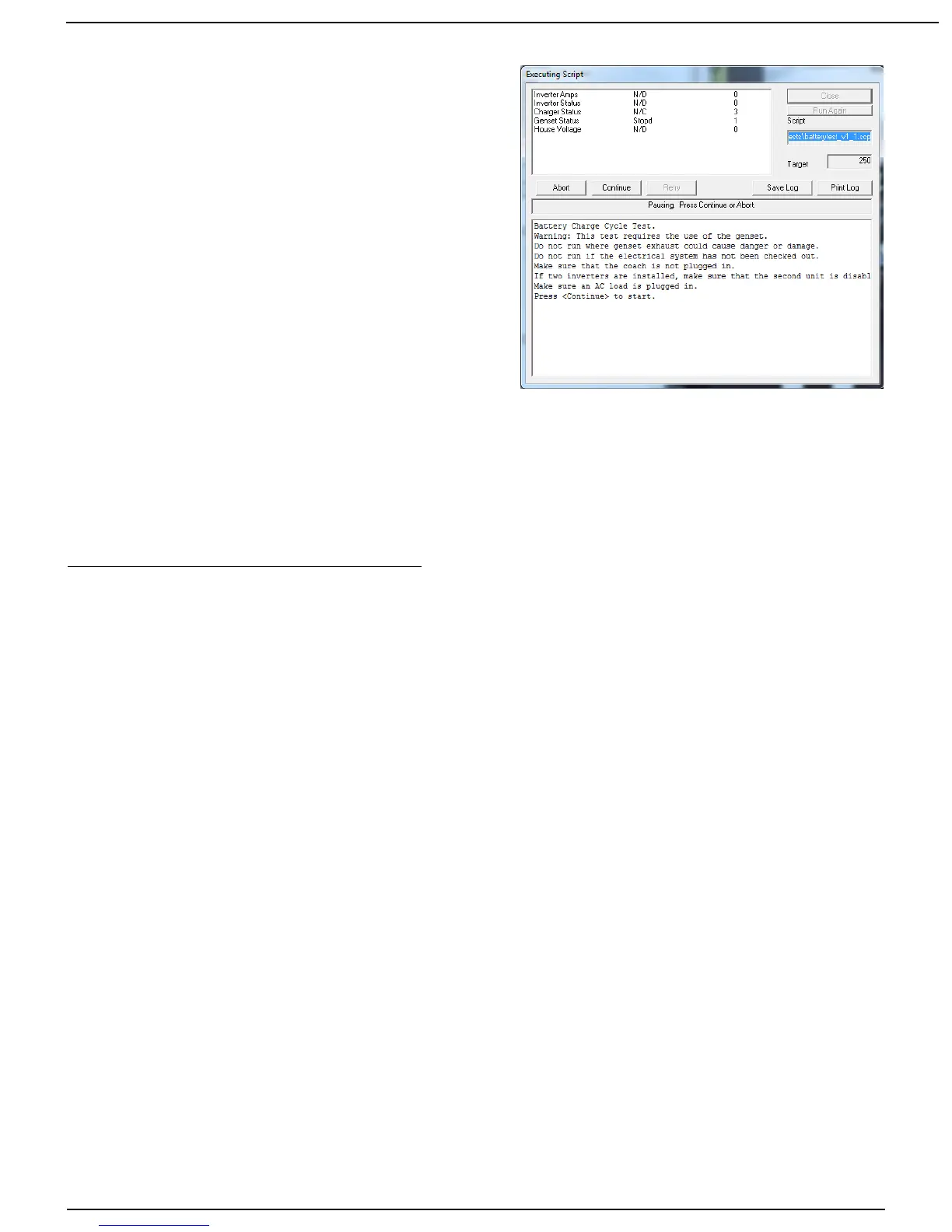
A note on 'BatteryTest_v1_1.scp' This tool is
used to load-test a battery bank, revealing its actual
Amp-Hour capacity. Like other modules, its opened
by pressing the button “Run Module Not Listed Here”
then navigating to the c:\omniscope\scripts\service
tests folder. Give the file a couple clicks in order to
start or initiate it. Its important to note that this is not
intended to be a comprehensive systems or inverter
test, just battery capacity. Before the test begins, the
secondary inverter needs to be, in fact, manually
disabled. When the script prompts the tech to enter
Script Parameters, this may include the Coach VIN/
SN or client; just something to make the file name
unique.
When finished, it will a printable/ exportable text
with complete test results. Afterwards, unplug any 'loads' added—such as a space heater or
anything plugged in just for this test.
Special Scripts: Should you find yourself in need of a special testing 'program' –such as the
Capacity/ Amp-Hour test, give us a call and explain how it should work. We may be able to devise
such a tool.
The details of writing scripts is beyond the scope of this manual.
Specialty Modules and how to use them
There's a collection of tools here which every tech will find indispensable. These Tools/ Modules
are in a constant cycle of review for improvement. As such, expect to see these updated
regularly. For example:
“RV-C Sniffer” See whats being broadcast; voltages, charge rate, temperatures, valve
status...everything. Handy after a repair to check your work. Note: Has a Snapshot feature!
“Downloading Tools” Only used for dropping new software onto Silverleaf devices.
“Universal Diagnostics Device (module)” will display current errors and great for troubleshooting.
“RV-C Terminal” is used to send out commands and receive, essentially, hidden information
such as a log file. With this you can dig into the specifics of a device or status.
“Configuration Tool” -Need to change tank monitors or Inverter type? Start here. Most every
device has a Config Tool and can often be used to 're-script' or clone a box.
RV-C Sniffer
This presents real-time traffic as 'sniffed' off the RV-C bus. It will also give the number of each
message, allowing the viewer to see a struggling of faulty device. It also reveals any errors
currently broadcasted and includes the ability to take a (text file) snapshot.
Downloading Tools
These are Software Programming specific and not usable for general use. With practice and
experience one may order additional cabling and software to program our devices. This, however,
is not for the average tech as there's a significant learning curve, even for the brightest. If you feel
your business would benefit from being able to fully and completely service our equipment, give a
call so that we may move forward with you.
Page 9 10/31/17



 To Next Page