EasyManua.ls Logo

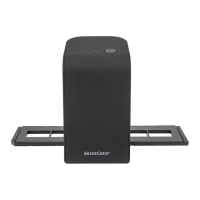
Silvercrest SND 4600 A1 - User Manual

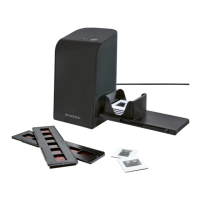
Silvercrest SND 4600 A1
421 pages
Print Icon
To Next Page IconTo Next Page
Loading...
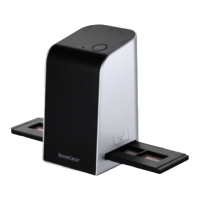
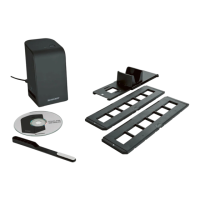
DIA-UND-NEGATIV-SCANNER
Bedienungsanleitung
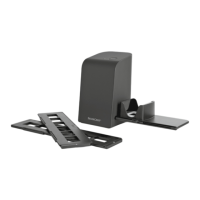
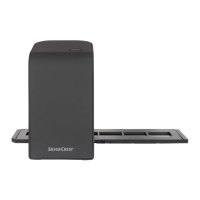
SLIDE AND NEGATIVE SCANNER
Operating instructions
SCANNER POUR DIAPOSITIVES
ET NÉGATIFS
Mode d’emploi
DIA-EN-NEGATIEF-SCANNER
Gebruiksaanwijzing
SKENER DIAPOZITIVŮ
A NEGATIVŮ
Návod k obsluze
SKANER DO SLAJDÓW I
NEGATYWÓW
Instrukcja obsług
SKENER DIAPOZITÍVOV
A NEGATÍVOV
Návod na obsluhu
IAN 365299_2204
SLIDE AND NEGATIVE SCANNER / DIA-UND-NEGATIV-
SCANNER / SCANNER POUR DIAPOSITIVES ET
NÉGATIFS SND 4600 A1
DIAS- OG NEGATIVSCANNER
Betjeningsvejledning
ESCÁNER DE NEGATIVOS
Y DIAPOSITIVAS
Instrucciones de uso
SCANNER PER DIAPOSITIVE
E NEGATIVI
Istruzioni per l’uso
DIA-NEGATÍV SZKENNER
Használati utasítás
OPTIČNI BRALNIK
DIAPOZITIVOV IN NEGATIVOV
Navodila za uporabo
СКЕНЕР ЗА ДИАПОЗИТИВИ
И НЕГАТИВИ
Ръководство за експлоатация
DISPOZITIV DE SCANARE
DIAPOZITIVE ŞI NEGATIVE
Instrucţiuni de utilizare
ΣΑΡΩΤΗΣ ΓΙΑ ΑΡΝΗΤΙΚΑ ΚΑΙ
DIAS
Οδηүίες χρήσης
SKENER ZA DIJAPOZITIVE
I NEGATIVE
Upute za upotrebu

Table of Contents

Questions and Answers

  • M
    Mario SinghAug 7, 2025
    What to do if Silvercrest Scanner is not recognized after software installation?
    • B
      Bryan OnealAug 7, 2025
      If your Silvercrest Scanner isn't being recognized by your computer after you've installed the software, there are a few potential reasons. First, ensure the scanner is properly connected to a USB port on your computer. If it is, try connecting it to a different USB port, as the initial port may be defective. As a last resort, try restarting your computer.
  • G
    gentrykimberlyAug 13, 2025
    Why is the image quality poor on my Silvercrest Scanner?
    • S
      Sarah BurkeAug 13, 2025
      If you're experiencing poor image quality with your Silvercrest Scanner, it might be due to dust. Check for dust on the scanner's background lighting and clean it as described in the "Cleaning" section. Also, inspect your film or slide for any dust and clean it carefully.
  • L
    leeelizabethAug 25, 2025
    What to do if PWR LED 1 does not light up on Silvercrest SND 4600 A1?
    • A
      Angela GarzaAug 26, 2025
      If the PWR LED 1 on your Silvercrest Scanner isn't lighting up, it might not be connected correctly. Ensure that the device is properly connected.
  • K
    Kari FuentesAug 31, 2025
    What to do if anti-virus is blocking Silvercrest Scanner?
    • A
      Anna TaylorAug 31, 2025
      To resolve this issue, you should check the settings of your anti-virus software.
  • X
    xbellSep 10, 2025
    How to fix blurred images on Silvercrest SND 4600 A1 Scanner?
    • C
      christopherwilliamsSep 12, 2025
      If your scanned images from the Silvercrest Scanner are blurred, it could be due to the scanner lens fogging up because of temperature differences. Wait until the device adjusts to the room temperature.

Summary

Introduction

About These Instructions

Guidance on how to use and interpret the operating instructions.

Trademark Information

Legal information regarding registered trademarks used in the manual.

Intended Use

Defines the correct and intended purpose and usage of the scanner.

Warnings and Symbols

Safety Information

General Safety Precautions

Essential safety guidelines for operating, handling, and maintaining the device.

Appliance Description

Device Components

Identification and description of the main parts and features of the scanner.

Initial Operation

Check Package Contents

Instructions for verifying all included components are present and undamaged.

Connecting to Computer

System Requirements

Required operating systems and hardware for software compatibility.

Software Installation

Step-by-step guide for installing the necessary software on your computer.

Handling and Use

Inserting Negatives

Procedure for correctly loading negative film strips into the holder.

Inserting Slides

Instructions for loading slide mounts into the slide magazine.

Digitizing Negatives;Slides (Windows)

Guide to using the Windows software for scanning negatives and slides.

Colour and Brightness Settings

How to adjust image colours and brightness levels before scanning.

Digitizing Negatives;Slides (Mac)

Guide to using the Mac software for scanning negatives and slides.

After Use

Steps to take after completing the scanning process.

Troubleshooting

Cleaning the Device

Instructions for safely cleaning the scanner and its components.

Storage

Storage Guidelines

Recommendations for storing the scanner in optimal conditions.

Device Disposal

Environmental guidelines for disposing of the scanner at its end of life.

Packaging Disposal

Appendix

Technical Data

Detailed specifications and technical parameters of the scanner.

EU Declaration of Conformity Notes

Information regarding compliance with EU directives for the device.

Kompernass GmbH Warranty

Details about the manufacturer's warranty terms and conditions.

Service Information

Contact details and procedures for customer service and support.

Importer Details

Information about the company importing the product.

Silvercrest SND 4600 A1 Specifications

General IconGeneral
Image SensorCMOS
InterfaceUSB 2.0
Color Depth48-bit
Supported Film Types35mm film, Slides
CompatibilityWindows
Paper sizeNot applicable

Related product manuals