EasyManua.ls Logo

Silvercrest SND 3600 A1 - User Manual

Silvercrest SND 3600 A1
106 pages
Print Icon
To Next Page IconTo Next Page
Loading...
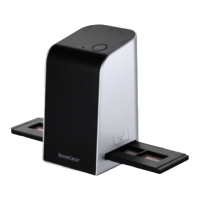
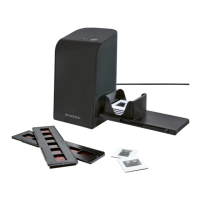
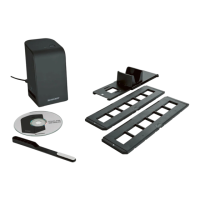
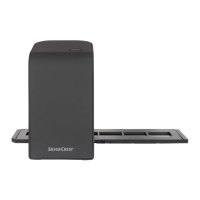
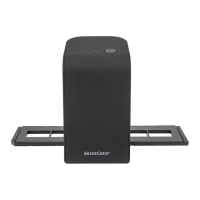
Slide & Negative Scanner SND 3600 A1
3
KOMPERNASS GMBH
BURGSTRASSE 21 · D-44867 BOCHUM
www.kompernass.com
ID-Nr.: SND 3600 A1-12/10-V3
IAN: 55973
Slide & Negative Scanner
Operating instructions
Negatiivien digitointilaite
Käyttöohje
Scanner för negativ
Bruksanvisning
Negativ scanner
Betjeningsvejledning
CV_55973_SND3600A1_LB3.indd 1-4CV_55973_SND3600A1_LB3.indd 1-4 21.01.2011 11:36:19 Uhr21.01.2011 11:36:19 Uhr

Table of Contents

Questions and Answers

  • J
    Jay FisherAug 2, 2025
    Why is the image quality poor on my Silvercrest SND 3600 A1 Scanner?
    • J
      Jennifer JonesAug 2, 2025
      Poor image quality on your Silvercrest Scanner can occur if there is dust on the scanner lens or on the film and/or the slide. To resolve this, clean the scanner lens and also clean the film and/or the slide.
  • S
    Stephen PageAug 9, 2025
    What to do if the LED does not light up on Silvercrest SND 3600 A1 Scanner?
    • C
      Christina WuAug 9, 2025
      If the LED on your Silvercrest Scanner does not light up, it might be because the device is not connected correctly. Ensure that you connect the device properly.
  • N
    Nathaniel BellAug 16, 2025
    Why is my Silvercrest SND 3600 A1 Scanner producing poor image quality?
    • S
      scottsandovalAug 16, 2025
      Poor image quality with your Silvercrest Scanner can be caused by dust on the scanner lens or on the film or slide you are scanning. To resolve this, clean the scanner lens and also clean the film and/or the slide.
  • S
    Shane JimenezAug 25, 2025
    What to do if the LED does not light up on my Silvercrest SND 3600 A1?
    • T
      Tabitha BennettAug 25, 2025
      If the LED on your Silvercrest Scanner does not light up, it might not be connected correctly. Ensure the device is properly connected.

Summary

Device Safety

Core Safety Guidelines

Provides essential safety guidelines for handling and operating the device to prevent injury.

Setup and Connection

Setup Safety Precautions

Offers safety advice to prevent personal injury and property damage during device setup.

Computer Connection

Details the process and requirements for connecting the scanner to a computer.

Software Installation Guide

Guides through the installation process of the included scanning software.

Final Connection Steps

Instructs on physically connecting the scanner to the computer using the USB cable.

Device Operation and Handling

General Handling and Operation

Provides guidance on how to properly handle and operate the scanner for digitizing media.

Scanning Process with Software

Guides users through the scanning process using the software.

Cleaning and Maintenance

Scanner Cleaning Method

Outlines the correct method for cleaning the scanner's housing and lens.

Troubleshooting Guide

Common Malfunctions and Solutions

Offers solutions for common issues like LED not lighting up or poor image quality.

Storage and Disposal Instructions

Silvercrest SND 3600 A1 Specifications

General IconGeneral
Color Depth48-bit
InterfaceUSB 2.0
CompatibilityWindows XP/Vista/7/8/10
Scan Resolution7200 dpi
Supported Film Types35mm film strips, slides (mounted and unmounted)
Scanner TypeFlatbed
Optical Resolution7200 dpi
Scan Area216 x 297 mm

Related product manuals