EasyManua.ls Logo

Silvercrest SND 3600 C2 - User Manual

Silvercrest SND 3600 C2
125 pages
Print Icon
To Next Page IconTo Next Page
Loading...
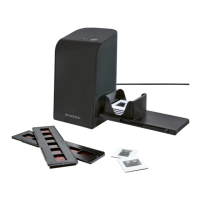
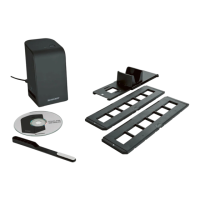
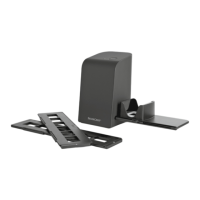
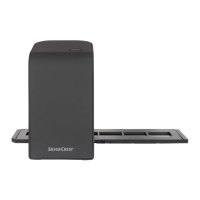
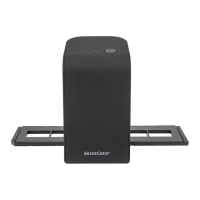
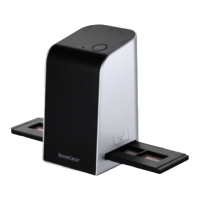
NEGATIVE DIGITISER SND 3600 C2
NEGATIVE DIGITISER
Operating instructions
NEGATIVSCANNER
Betjeningsvejledning
IAN 281543
DIA SCANNER
Gebruiksaanwijzing
SCANNER DE DIAPOSITIVES
ET NÉGATIFS
Mode d’emploi
NEGATIV-DIGITALISIERER
Bedienungsanleitung

Table of Contents

Questions and Answers

  • M
    michael46Aug 1, 2025
    Why is the Silvercrest Scanner image quality poor?
    • R
      Robin NguyenAug 1, 2025
      Poor image quality with your Silvercrest Scanner can be due to a couple of reasons. It may be caused by dust on the scanner's background lighting, so you should clean the background lighting. Another reason may be dust on the film or slide, so you should clean the film or slide.
  • J
    john23Aug 6, 2025
    What to do if Silvercrest Scanner images are blurred?
    • S
      Sarah LewisAug 6, 2025
      If your Silvercrest Scanner images are blurred, it's likely because the scanner's lens has fogged up due to temperature differences. You should wait until the device has acclimatized to room temperature.
  • M
    Marie MorrisonAug 12, 2025
    How to fix Silvercrest Scanner PWR LED not lighting up?
    • T
      Tony GainesAug 12, 2025
      If the PWR LED on your Silvercrest Scanner isn't lighting up, it means the device is not correctly connected. Connect the device to resolve this issue.
  • K
    Kurt HernandezAug 16, 2025
    Why are my scanned images blurred with Silvercrest Measuring Instruments?
    • B
      Brandi MoranAug 16, 2025
      If the scanned images appear blurred, it might be because the scanner's lens has fogged up due to temperature differences. Allow the device to acclimatise to room temperature.
  • S
    Suzanne WoodwardAug 21, 2025
    What to do if the image quality is poor on my Silvercrest Measuring Instruments?
    • P
      Peter FryAug 22, 2025
      Poor image quality can result from: * Dust on the scanner's background lighting. Clean the background lighting. * Dust on the film or slide. Clean the film or slide.
  • B
    Bradley CampbellAug 27, 2025
    How to fix Silvercrest Measuring Instruments when the PWR LED does not light up?
    • S
      Susan HoodAug 27, 2025
      If the PWR LED doesn't light up, it could be due to the device not being correctly connected. Connect the device properly.

Summary

Negative Digitiser SND 3600 C2 Product Title

Manual Usage Guidance

Device Operating Elements

Included Scanner Accessories

Introduction and Usage Policies

Operating Instructions Overview

Information about the structure and purpose of the operating instructions manual.

Trademark and Brand Information

Details on trademarks and brand names associated with the product and software.

Intended Use of the Digitiser

Defines the correct and intended usage scenarios for the negative digitiser.

Understanding Hazard Warnings

Critical Safety Precautions

Initial Setup and Operation

Verifying Package Contents

Steps to ensure all components are present and undamaged after unpacking.

Packaging Disposal

Instructions for the environmentally responsible disposal of packaging materials.

Connecting and Installing Software

Device Features and Handling

Handling and Using the Digitiser

General guidance on the proper handling and usage of the negative digitiser.

Loading Negatives

Step-by-step instructions for correctly inserting film negatives into the holder.

Inserting Slides for Scanning

Digitizing Negatives and Slides

Post-Scanning Procedures

Troubleshooting Common Issues

Fault Diagnosis and Solutions

A table listing faults, causes, and remedies for troubleshooting the digitiser.

Device Cleaning Procedures

Cleaning Safety Warnings

Important safety advice regarding moisture and proper cleaning techniques.

Cleaning Exterior and Optics

Specific methods for cleaning the device housing and internal optical components.

Storage and Device Disposal

Storage Guidelines

Recommendations for storing the device safely and protecting it from environmental factors.

End-of-Life Disposal

Information on complying with regulations for the proper disposal of electronic waste.

Technical Specifications and Appendix

Device Technical Data

Detailed specifications including operating voltage, interface, dimensions, and sensor.

EU Conformity Information

Details regarding the device's compliance with relevant EU directives.

Manufacturer Warranty Terms

Information on the 3-year warranty provided by the manufacturer.

Warranty Period and Scope of Coverage

Details on the warranty period, statutory rights, and the scope of coverage.

Warranty Claims and Customer Service

Procedure for making a warranty claim and contact information for customer service.

Importer Contact Information

Contact information for the official importer of the product.

Silvercrest SND 3600 C2 Specifications

General IconGeneral
BrandSilvercrest
ModelSND 3600 C2
CategoryScanner
LanguageEnglish

Related product manuals