33 GB/IE
The “Start / Pause” button on the robot vacuum
cleaner
2
will light up.
When the “Start / Pause” button
2
flashes,
the robot vacuum cleaner will automatically
start cleaning.
Note: After 15 seconds without a command,
the robot vacuum cleaner will enter sleep
mode. Wake the robot vacuum cleaner from its
sleeping state by pressing the “Start / Pause”
button on the robot vacuum cleaner
2
or the
remote control
38
. Press these buttons again
and the robot vacuum cleaner will automatically
start cleaning.
Pausing
Press the “Start / Pause” button on the robot
vacuum cleaner
2
or on the remote control
38
during cleaning to pause the cleaning mode.
With the robot vacuum cleaner paused, you
can press the direction keys
37
on the remote
control to move it left / right / forwards / back-
wards.
By pressing the direction buttons
37
, the
vacuum robot resumes vacuum function and
sleep mode ends.
Press the “Start / Pause” button on the robot
vacuum cleaner
2
or the remote control
38
again to exit sleep mode. Then press the button
corresponding to the mode of your choice to
resume cleaning.
To switch the robot vacuum cleaner from
standby mode to sleep mode, hold down the
“Start / Pause” button on the robot vacuum
cleaner
2
for 3 seconds whilst in standby mode.
The robot vacuum cleaner will automatically
enter sleep mode if it does not receive a com-
mand for 15 seconds.
Note: When the product resumes working after a
pause, it will recalculate the area and may clean
areas that it has previously cleaned again.
Cleaning modes
The product features different cleaning modes for
better results. You can select the modes by pressing
the button on the control panel or the remote control.
To switch to the next mode, ensure the product
is “Awake”. If it is in sleep mode, press the “Start /
Pause” button on the robot vacuum cleaner
2
or on the remote control
38
to exit sleep mode.
Automatic cleaning
The robot vacuum cleaner will automatically clean
a room, and will change its direction based on the
situation.
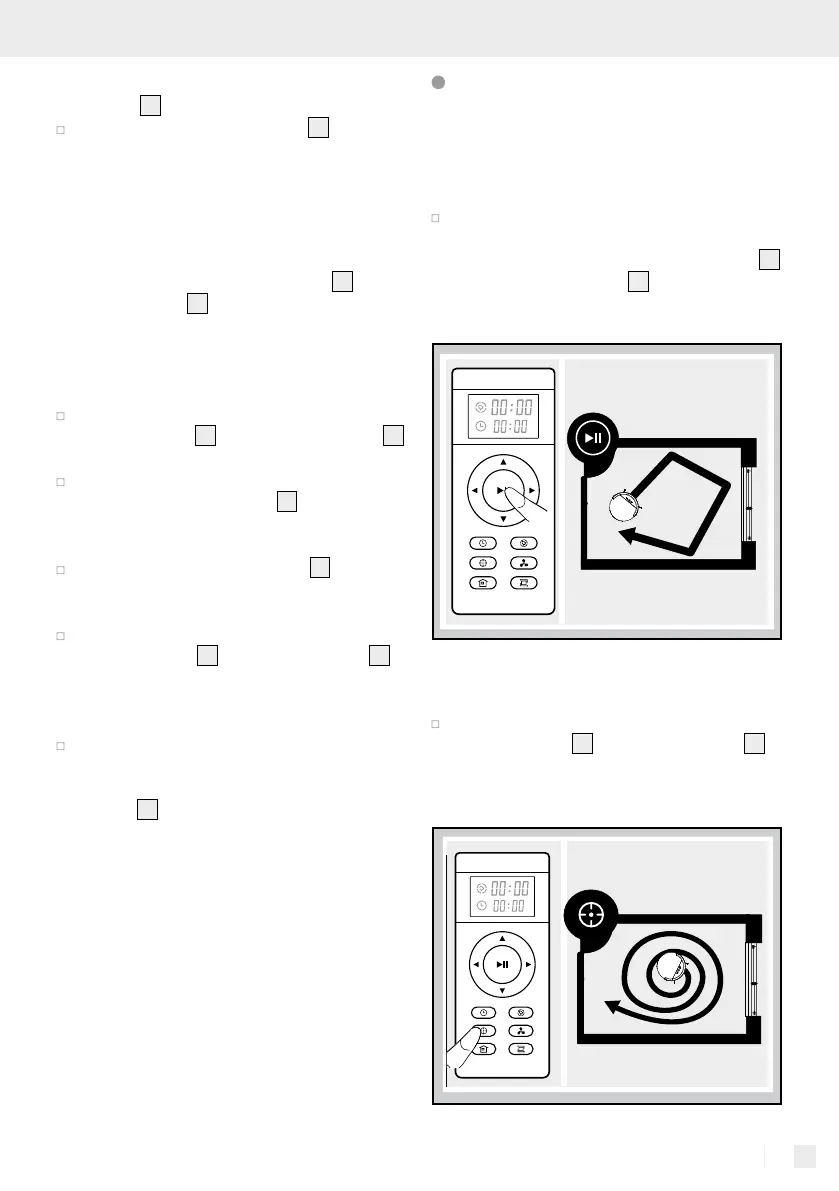
Press the “Start / Pause” button on the robot
vacuum cleaner
2
or the remote control
38
to
start the automatic cleaning process.
Spot mode


 To Next Page
 Loading...