36 GB/IE
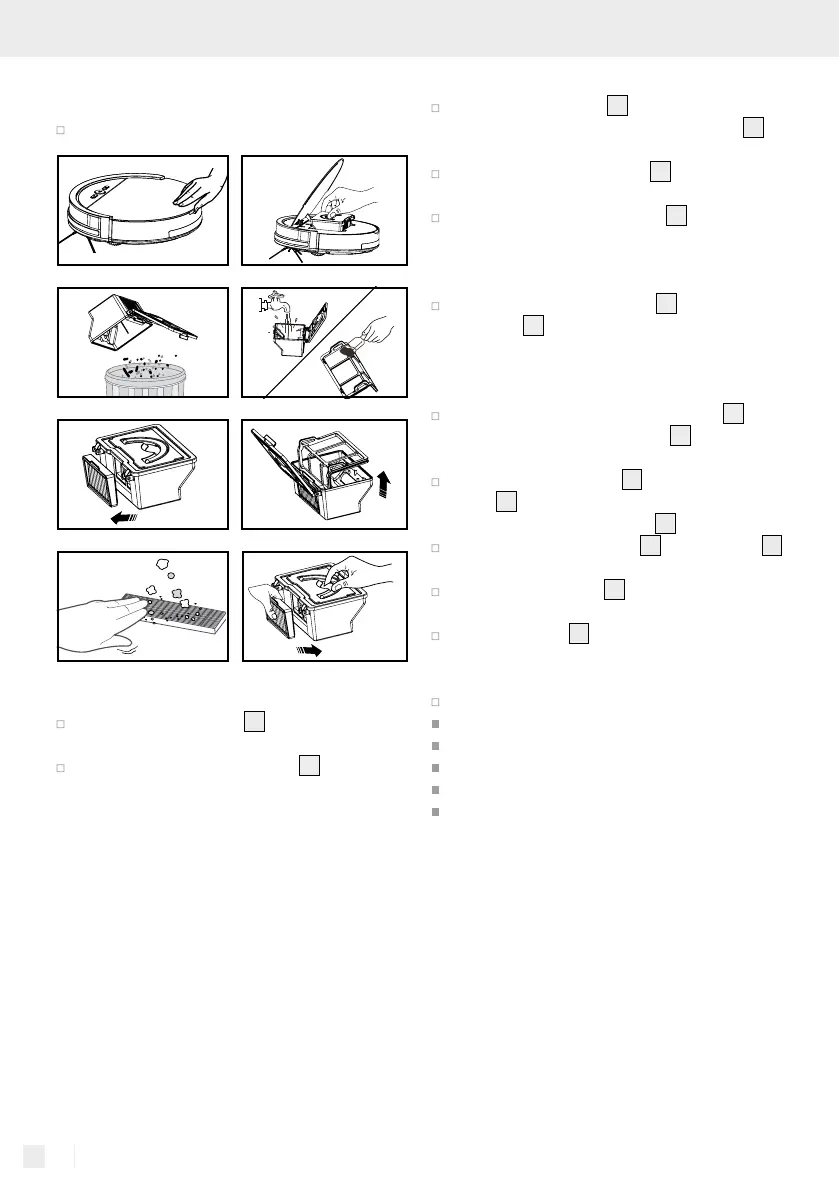
clean with the included cleaning brush. Please
do not clean this filter with water.
Proceed as shown in the following illustrations.
Cleaning the side brushes
Clean the side brushes
30
by removing any
hair or dirt.
Replace defective side brushes
30
. Proceed as
described in the chapter “Attaching the side
brushes“.
Cleaning the main housing
Clean the front wheel
34
to remove any tangled
hair. If necessary, remove the front wheel
34
by pulling it out.
Clean the anti-drop sensors
31
to maintain
their sensitivity.
Clean the anti-collision sensor
4a
to maintain
its sensitivity.
Cleaning the charging dock
Clean the charging contacts
10
on the charg-
ing dock
9
and the underside of the robot
vacuum cleaner with a dry cloth.
Cleaning the water tank
After mopping, remove the water tank
20
by
pulling on the carrying handle
23
and empty
out any remaining water.
Remove both the frame
14
and the microfibre
cloth
13
from the underside of the robot vacuum
cleaner by pulling the frame
14
off.
Remove the microfibre cloth
13
from the frame
14
and allow it to dry.
Wipe the water tank
20
with a dry, soft cloth
and allow it to dry.
Rinse the frame
14
under running water.
Cleaning the microfibre cloth
Wash the cloth in the washing machine at 40 °C.
Please do not use fabric softener.
Please do not use bleach.
Please do not dry in the tumble dryer.
Please do not iron.
Please do not dry clean.


 To Next Page
 Loading...