13
GB
- If the room temperature is above 22 °C,
the device switches to the standby
mode.
• Press the button 24. The display
shows ECO.
8.7 Setting the thermostat
1. Press the 27 button to switch on the
device from standby mode. An audio
signal sounds.
2. Press the 21 button. The symbol
flashes in the display and the desired
temperature is shown.
3. Use the
–19 and +20 buttons to set
the desired temperature.
4. Confirm the entry by pressing the 21
button. The symbol is now permanent-
ly shown in the display. The room tem-
perature appears in the display.
5. Press the 22 button repeatedly until
the desired heat output level L1 or L2 is
shown in the display2.
- The device now heats up until the de-
sired temperature is reached. The tem-
perature display in the display2 rises
to the set value.
- The device automatically switches the
heating on and off to match the set tem-
perature to the room temperature. The
fan and any swivel function that may
be switched on will remain switched
on.
NOTE: if the ambient temperature changes
significantly, e.g. because a door has been
left open for an extended period, the setting
of the thermostat needs to be reset.
6. To switch off the device,
press the 27
button.
The device now switches to fan
mode for approx. 30 seconds. Then the
fan also switches off.
7. Turn off the power supply by setting the
on/off switch7 to O.
8. If not in use for an extended period, pull
the mains plug9 out of the wall socket.
8.8 Setting the Timer
The device has a Timer with which you can
set the desired running time between 1 and
24 hours. After this period is completed, the
device switches to standby mode.
1.
With the device switched on, press the
25
button.
The symbol flashes in
the display2 and the running time in
hours appears.
2. Use the
–19 and +20 buttons to set
the desired running time.
3. Confirm the entry by pressing the 25
button. The symbol is now perma-
nently shown in the display.
4. After the set time is completed, the de-
vice switches to standby mode.
NOTE: press the
25 button 2x if you
want to switch off the function before the
time has elapsed.
8.9 Frost monitor
The device has a frost monitor function.
When the device is in standby mode, this
function will automatically be activated as
soon as the ambient temperature drops to
7 °C. The device remains switched on until
an ambient temperature of 15 °C has been
reached.
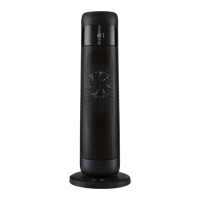
• Switch on the power supply by setting
the on/off switch7 on the back of the
tower heater4 to I. The frost monitor
function is automatically activated.
• If the function is triggered, the device
goes into heating mode and the sym-
bol appears in the display2.
• Switch off the frost monitor function by
setting the on/off switch7 to O or dis-
__459215_2401_Turmheizluefter_B6.book Seite 13 Donnerstag, 13. Juni 2024 11:19 11






 To Next Page