Installation Guide
11
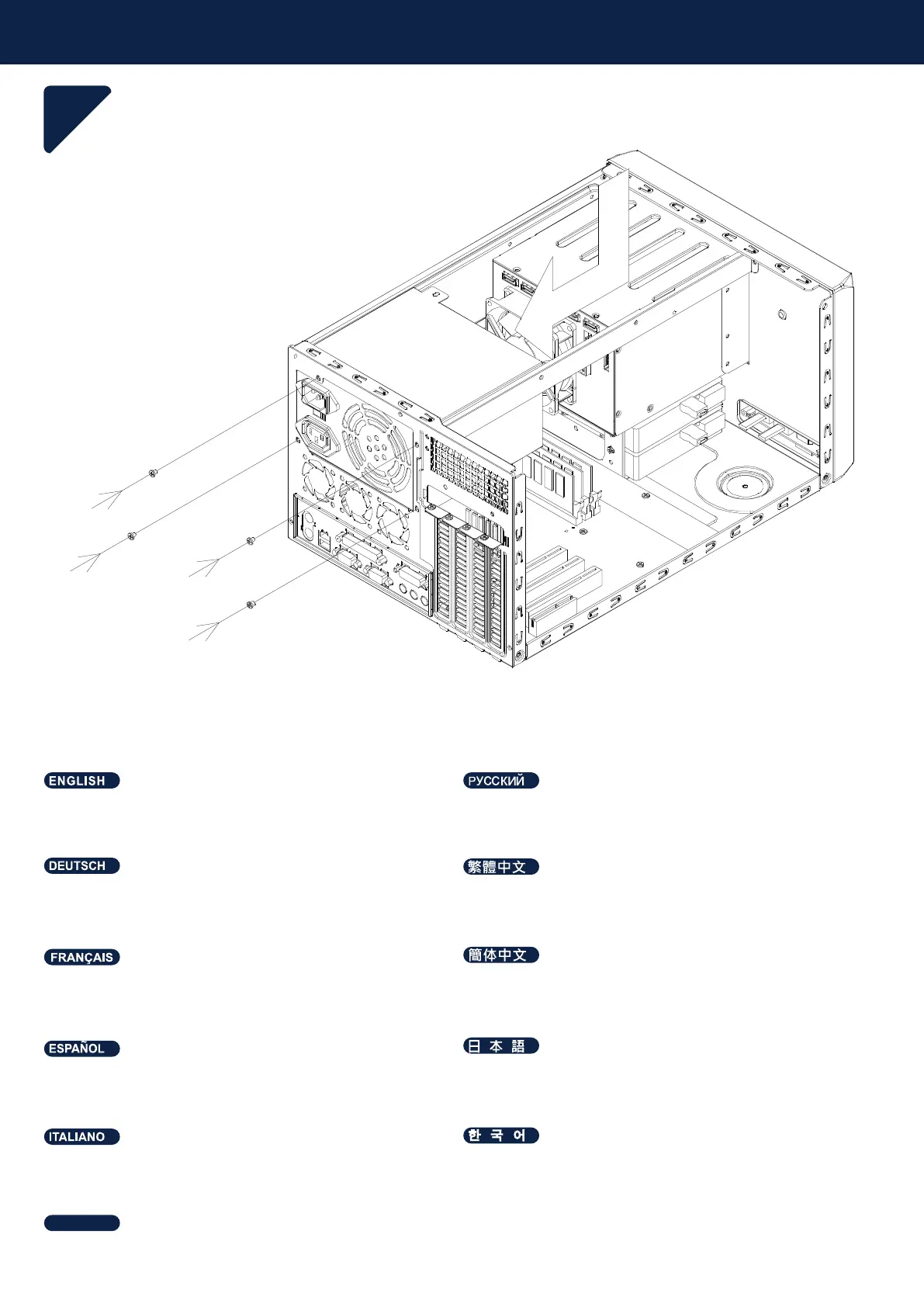
Verbinden Sie alle relevanten Kabel am Netzteil und
installieren Sie es wieder im Gehäuse; anschließend
mit Schrauben befestigen.
Branchez tous les câbles nécessaires sur le bloc
d’alimentation, installez-le dans le boîtier puis fixez-le
avec les vis.
Conecte todos los cables relevantes a la FA y vuelva
a instalarla en la carcasa, después fíjela con tornillos.
Collegare tutti i cavi pertinenti sull'alimentatore e
reinstallarli nel case, quindi fissarli con le viti.
Connect all relevant cables on the PSU, and install
back into the case then secure with screws.
Подключите все соответствующие кабели к блоку питания
и установите обратно в корпус, затем закрепите винтами.
PSU에 관계된 모든 케이블들을 연결하고, 케이스에 다시 장착한
후 스크류로 고정합니다.
先將電源供應器插上所有電源線後, 放入機箱內, 並鎖上固定螺絲。
先将电源供应器插上所有电源线后,放入机箱内,并锁上固定螺丝。
PSU関連のケーブルを接続してから、ケース内に戻してネジ止
めします。
เชื่อมต่อสายเคเบิลที่เกี่ยวข้องทั้งหมดบน PSU และติดตั้งก
ลับเข้าไปในเคสแล้ว ยึดด้วยสกรู
ไทย



 To Next Page