5.1.7 Node Diagnostics
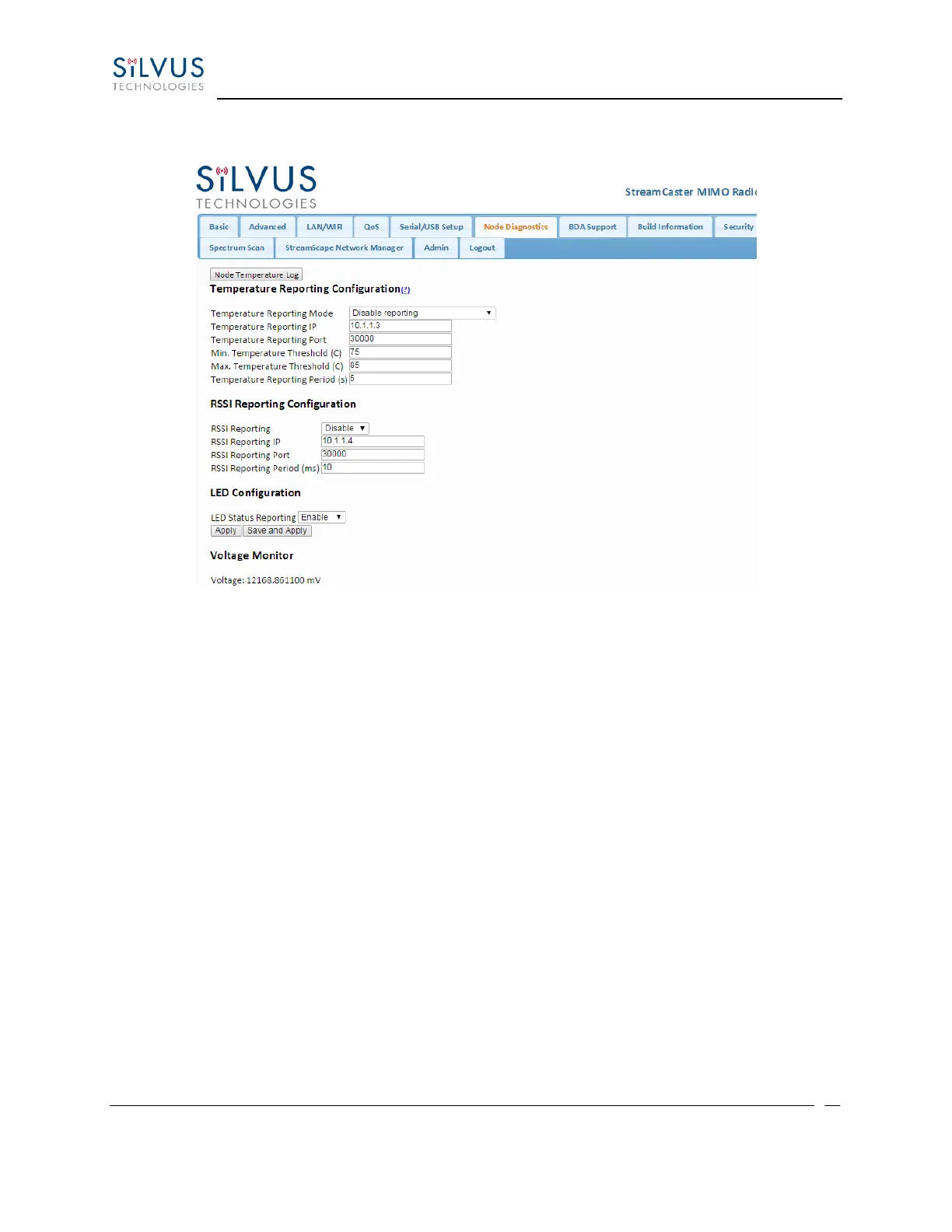
Figure 34 Node Diagnostics Configuration Page
The Node Diagnostics page allows the user to specify an IP and Port number for Temperature and
RSSI (Receiver Signal Strength Indication) reports to be delivered to. This is useful for users that
intend to feed this information into some other platform for analysis and recording. Section 8
gives more information on the format of streaming reports.
Temperature Thresholds:
In addition to receiving temperature reports, this page can be used to set minimum and
maximum temperature thresholds for the radio. The StreamCaster™ family of radios is equipped
with on board temperature sensors which are monitored to prevent overheating. Once a radio
reaches the maximum temperature threshold, the radio will begin to reduce its transmission time
until the temperature falls below the minimum temperature threshold. By default, the min and
max values are 75C and 85C respectively.
RSSI Reporting Configuration
This setting allows the users to report the RSSI values every few milliseconds base on users
setting.
LED Configuration:
This setting allows the user to disable or enable the LED on the faceplate of the radio.



 To Next Page