MOON by Simaudio
Operating the MOON 340i
We recommend leaving your MOON 340i
powered up at all times to maintain optimal
performance. When you plan on being away
forafew days, itmaynot be a bad idea
topoweroff your amplifier. Please keep in mind
that once fully “broken-in”, your 340i requires
several hours of operation before reaching
optimal performance after powering it up again.
Turning on your MOON 340i for the first time.
Prior to turning the amplifier on for the first time,
make sure that every cable is properly connected
toavoid any problems. Flick the main rocker
switch, located on the rear panel, labeled
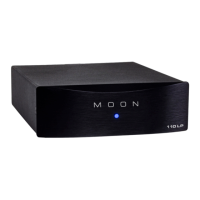
“POWER” tothe“1” (on) position. The blue LED
onthe front panel will blink for up to 10 seconds
while it achieves standby mode. When it stops
blinking and is not illuminated, your 340i
isinstandby mode. Next, briefly press the push
button labeled “Standby” located on the front
panel. You will hear a very faint click sound
confirming that everything is in order. The blue
LED on the front panel will illuminate, indicating
thatthe340i is now powered up and ready
foruse.
On and Off Sequence.
To avoid having any annoying noises (ie.
“thumps” and “pops”) emanate from your
speakers whenpowering your 340i on or off,
youshould always power up any source
components prior topowering up your 340i.
Aswell, always power down your 340i prior
topowering down anysource components.


 To Next Page