15
Remote Control Operation
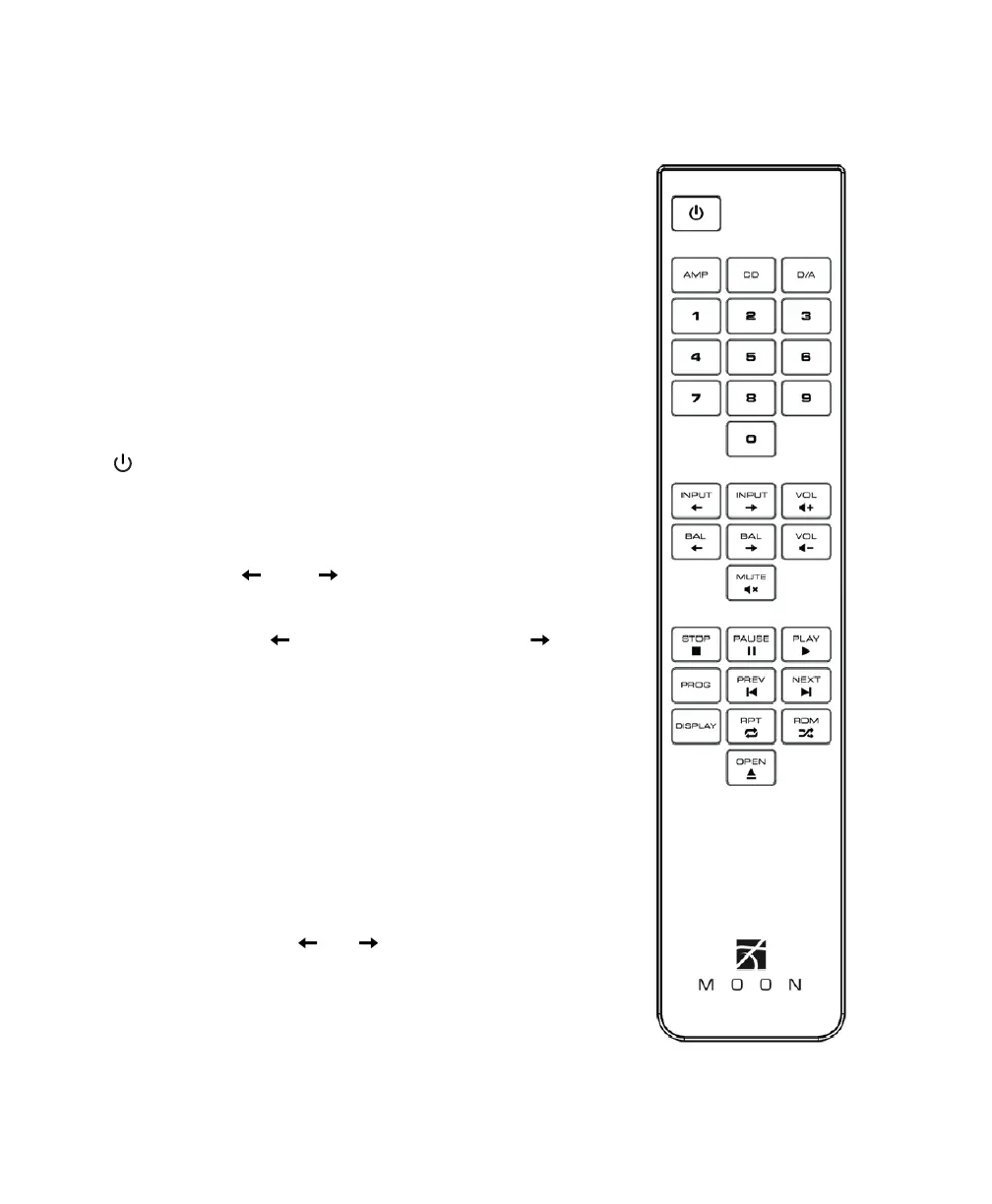
The MOON 340i Integrated Amplifier uses the CRM-3
full-function remote control (figure 7). It operates onthePhilips
RC-5 communication protocol and can be used with other
Simaudio MOON components.
The CRM-3 remote uses two CR-2032 batteries (included).
Toinstall them, simply remove the two screws fromtheslidable
lower section of the back plate, insert thebatteries
inthecorrect direction and then replace theback plate.
To engage the CRM-3 remote for use with the MOON 340i
Integrated Amplifier, you must first press the button labeledAMP.
The “ ” (Power) button, located on the upper left, will switch
theintegrated amplifier to either ‘Standby’ or ‘On’ mode.
The DISPLAY button turns the front panel display on and off.
The 2 buttons labelled INPUT allow you tosequentially
scroll, either backwards or forwards, through all six (6) available
inputs. For example, to switch from the “CD” tothe“VIDEO”
input you may press either INPUT three (3) times orINPUT
three (3) times. Pressing and holding down either ofthese buttons
results in only asingle change totheselected input.
The 2 buttons labelled - VOL + allow you to control thevolume
level. Pressing VOL - results in a decrease inthevolume level;
Pressing VOL + results in an increase inthevolume level.
Youmay either press and hold these buttons down
orpressthem briefly to make volume adjustments.
The MUTE button turns off the output volume.
Pressingthe“Mute” button a second time will reinstate
theoutput volume level back to its current setting.
NOTE: The buttons labelled BAL don’t affect
theoperation of the 340i.
Figure 7 : CRM-3 Remote Control


 To Next Page