creating a user drum kit
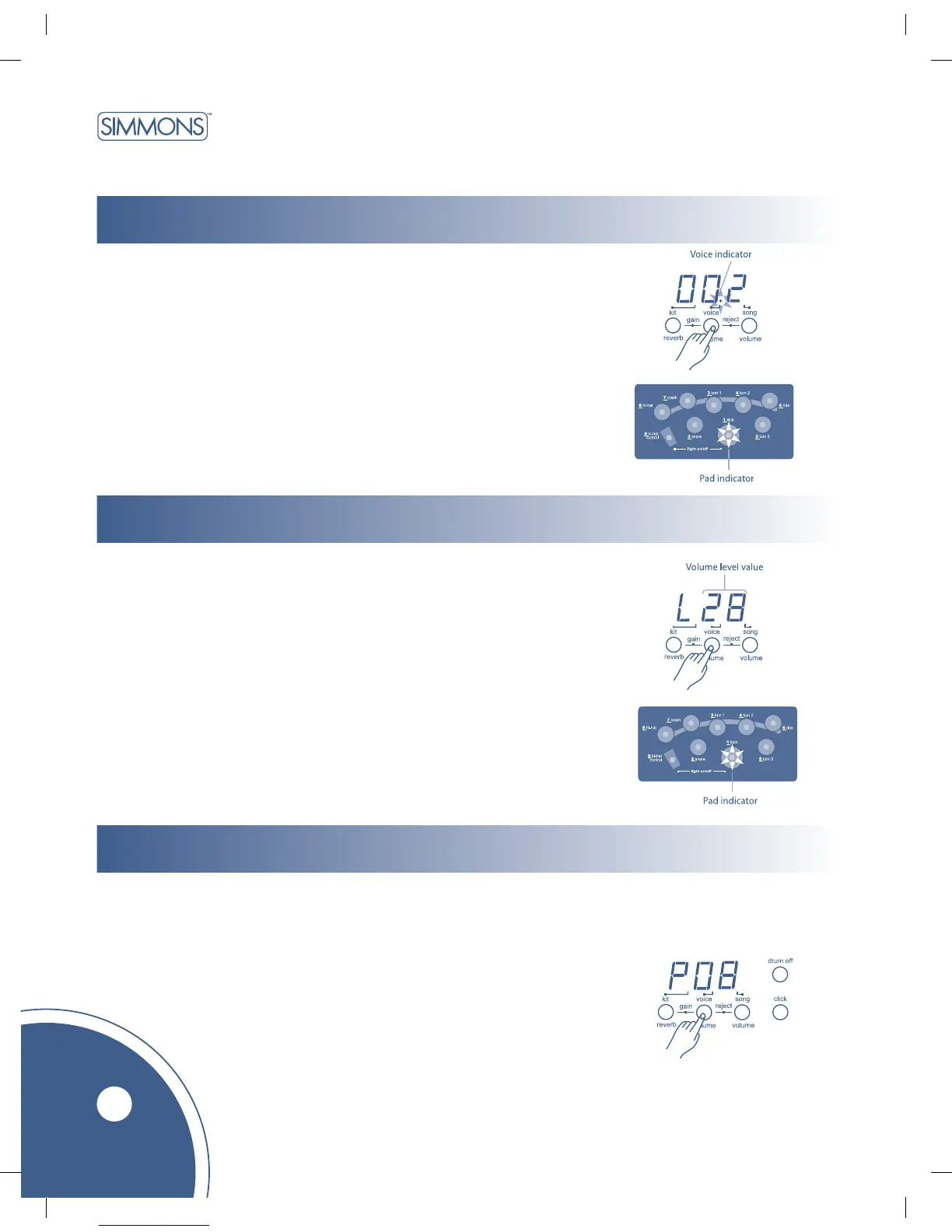
setting a drum voice
adjusting pad volume
10
The unit comes with 237 high quality percussion sounds that you can assign to any
of the 4 drum pads, 3 cymbals, hi-hat control and kick pad. Use them to create your
own custom drum kit. (Reference voice list: page 14) Kit numbers 023–032 are
reserved for saving your own drum kit.
1. Press the [voice] button. The voice indicator lights up and the display
shows the voice number of the last pad played.
2. Press the [pad] button or hit the pad you want to set. The pad indicator
lights up and the display shows the current voice number of the selected pad.
3. Press [+] or [ - ] buttons to select the voice number you want to assign.
4. Repeat steps 2 and 3 to set the voice for other pads.
This function allows you to adjust the volume level of each voice in the kit.
1. Press the [voice/volume] button to select the volume level setting
until the display shows: “LXX”. (XX = level value, 00 to 31) The
pad button indicator lights up and the display will show the current
volume level of the selected pad.
3. Press the [PAD] button or hit the pad you want to adjust.
4. Press the [+] or [ - ] buttons to increase or decrease the pad volume.
5. Repeat steps 3 and 4 to adjust the volume of other pad voices.
This function allows you to set the pitch of each drum pad voice.
1. Press the [voice/volume] button to select the pitch until the setting display shows:
“P XX”. (XX = value, 00 to 15, original pitch is P08.) The pad button indicator
lights up, and the display shows the current pitch setting of the selected pad.
2. Press the [PAD] button or hit the pad you want to adjust.
3. Press the [+] or [ - ] buttons to set the pitch you want.
4. Repeat steps 2 and 3 to set the pitch of other pad voices.
Note:
Press the [+] and [ - ] buttons at the same time
to reset pitch to its default value (P08).
adjusting pad tuning



 To Next Page