131
ENG
4. Programming in the console
For optimum programming of the devices, we need to find out which devices are compatible with DMC and
which devices are not and need a converter, which is fundamental because devices like protocol converters
must be registered in the console manually.
To carry out the programming in Scena:
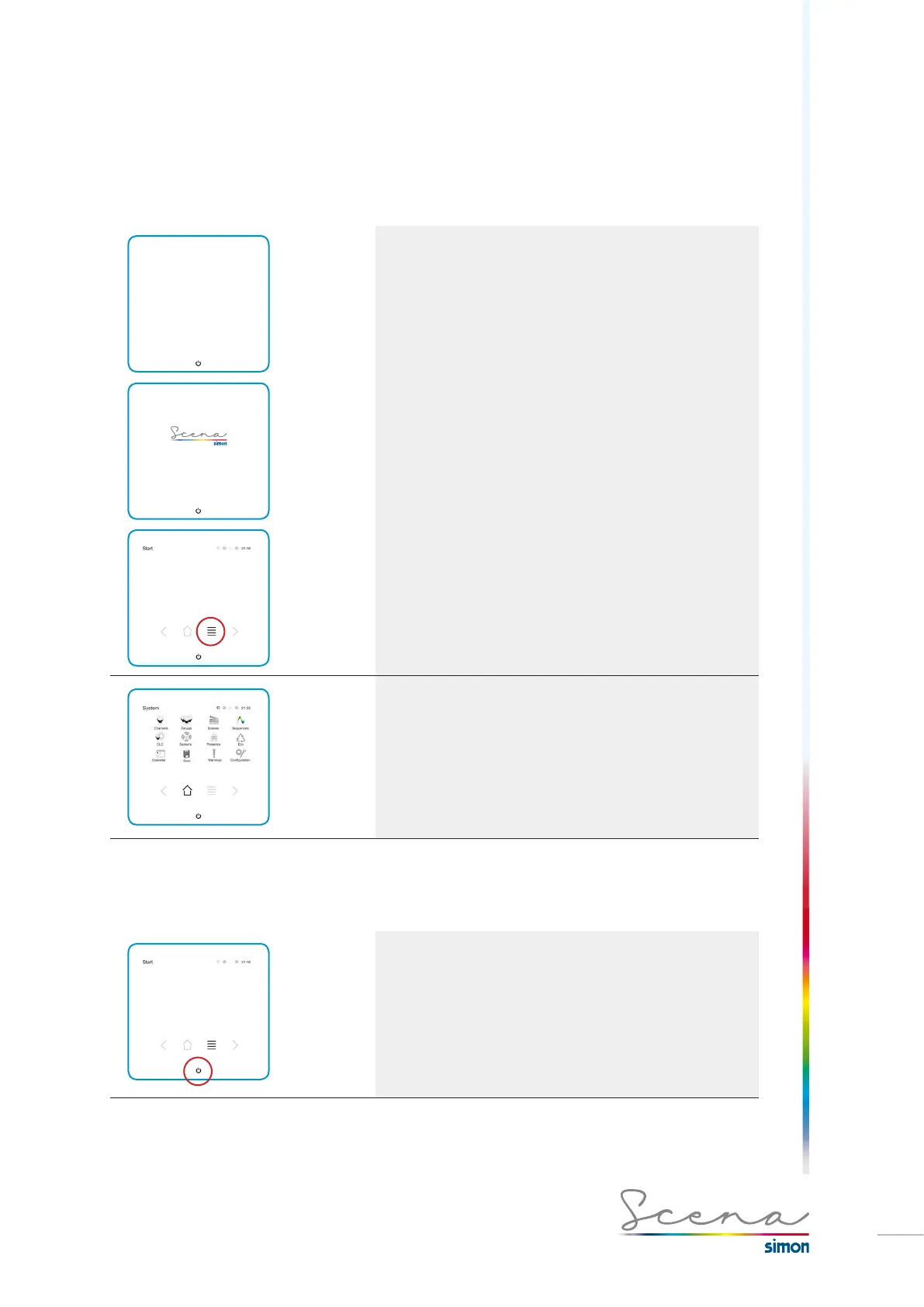
Scena general, Standby, load and start screens
respectively.
*By pressing the “list” icon we access the System screen.
The System screen enables the user to access all the Sce-
na resources made available to him.
4.1 Access to installer mode
Now we know what the system’s basic screens are, we will detail the steps for a correct and simple installation.
Access installer mode by pressing down the ON/OFF icon.



 To Next Page