90
ENG
3. Device Registration
Once all the system’s devices including central console have been connected, we must register them in order
to be able to control them.
To do this we need to know how the switch works.
3.1 Switch operation (Installer)
The switch is a method for directing the devices that make up Scena. It has the following characteristics.
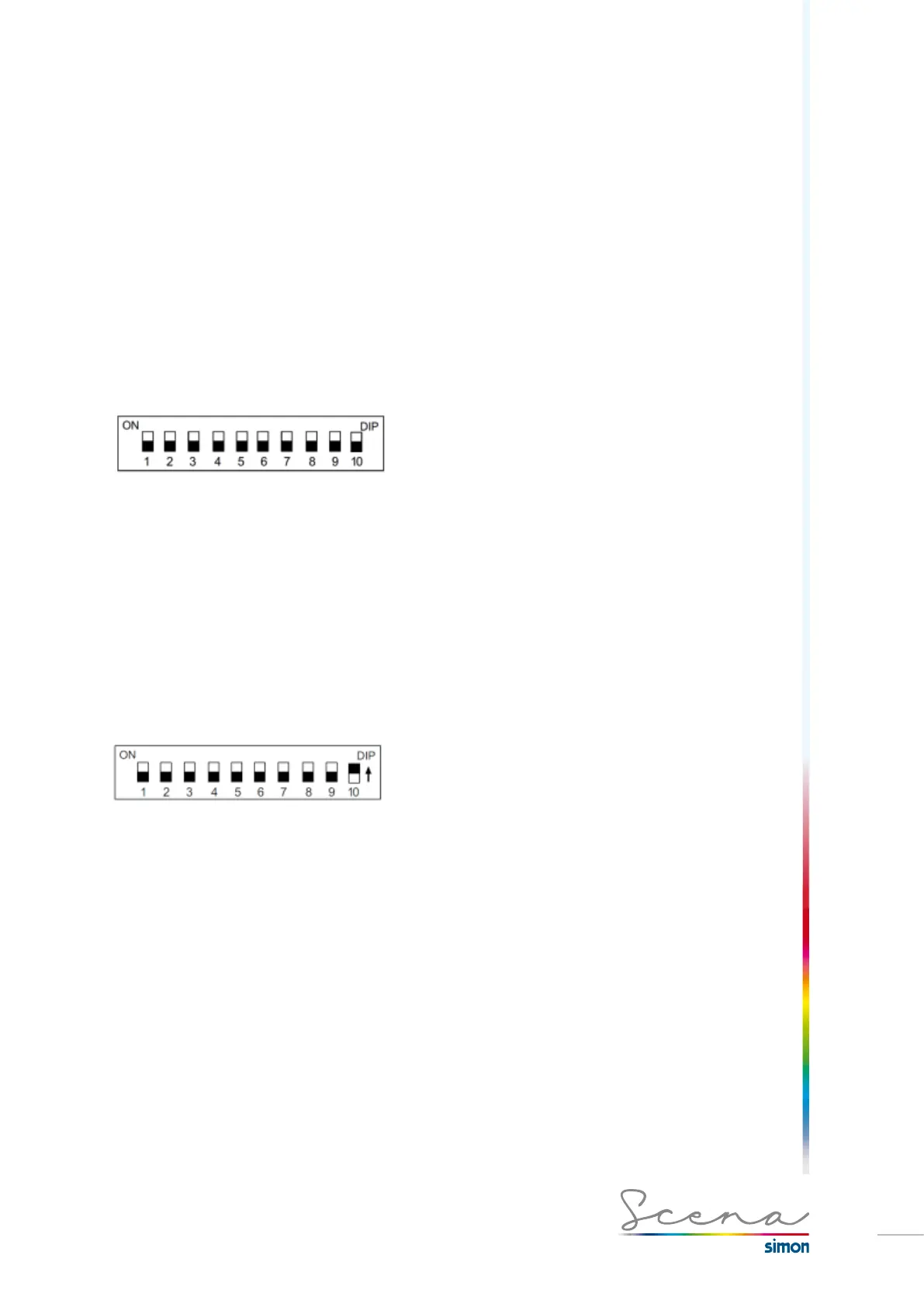
· From pin 1 to 9 there are 512 (0-511) channels to be activated by binary, which can be assigned to different
devices.
· Each of the switch’s pins indicates a bit for assignment of the device’s channel.
· The last pin (10) to “ON” activates “Automatic” detection
· “Automatic” detection ONLY works with SIMON SCENA devices (except for the DMX/DALI and DMX/PWM
converter modules).
Channel registration can be done in two ways: automatic registration or manual registration. With pin 10 we
select the desired method.
3.1.1 Automatic registration
If we have a small installation with few devices we can use this method to automatically address the channels in
the console.
As you can see the pin 10 is ON, this means that the console will recognize this position and automatically
assign addresses to devices.
This implies the need to then acknowledge which luminaires are linked up with each regulator.
This procedure is highly compatible with the following elements:
· Electronic Switch-Type Circuit Breaker module
· 1-10V Regulator Module
· Electronic transformer regulator module
· Blind control module
· Touch Light Keypad (Button box)



 To Next Page