Wireless Communication Locator Quick Start Guide
Focus on Precise Space-time, Assist in Smart Service Worldwide
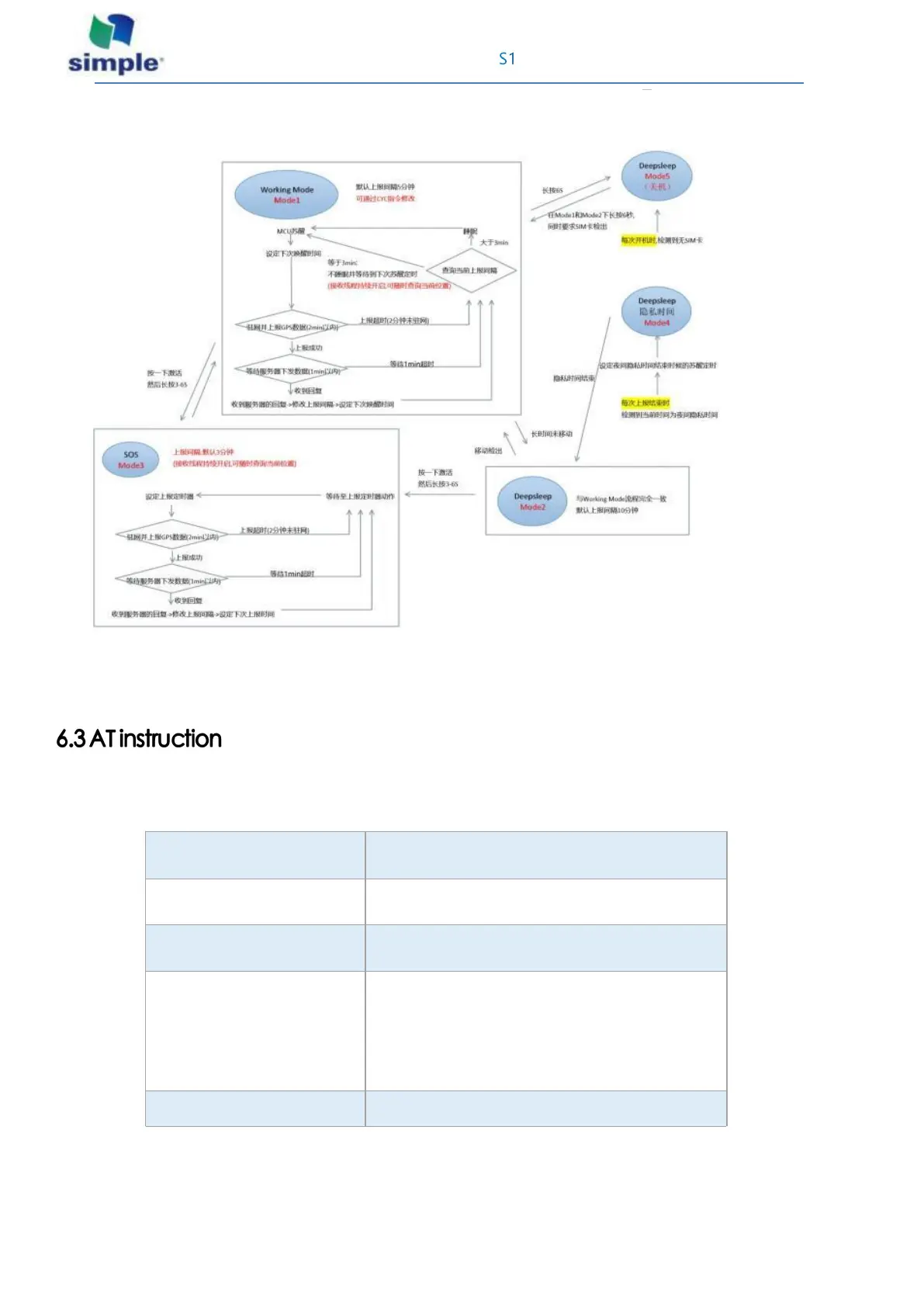
The detailed logic diagram of S1 locator is as follows:
Mode1/2/3, the minimum interval can be set to 1min, the setting interval is less than or equal to 3min will not
sleep.
The S1 locator can modify the setup/test function by the following AT instructions.
1. Query the reporting interval
CYC
The CYC4 and CYC5 are meaningless, without
actual call
2. Set the reporting interval
and update it
The AT + SETCYC = 5, 2, 3
As above command, set:
The mode1 Report interval of 5 minutes
The mode2 report interval is 2 minutes
The mode3 report interval is 3 minutes



 To Next Page