EasyManua.ls Logo

Simpson 460 4 Series - Page 55

Simpson 460 4 Series
68 pages
Print Icon
To Next Page IconTo Next Page
To Previous Page IconTo Previous Page
Loading...
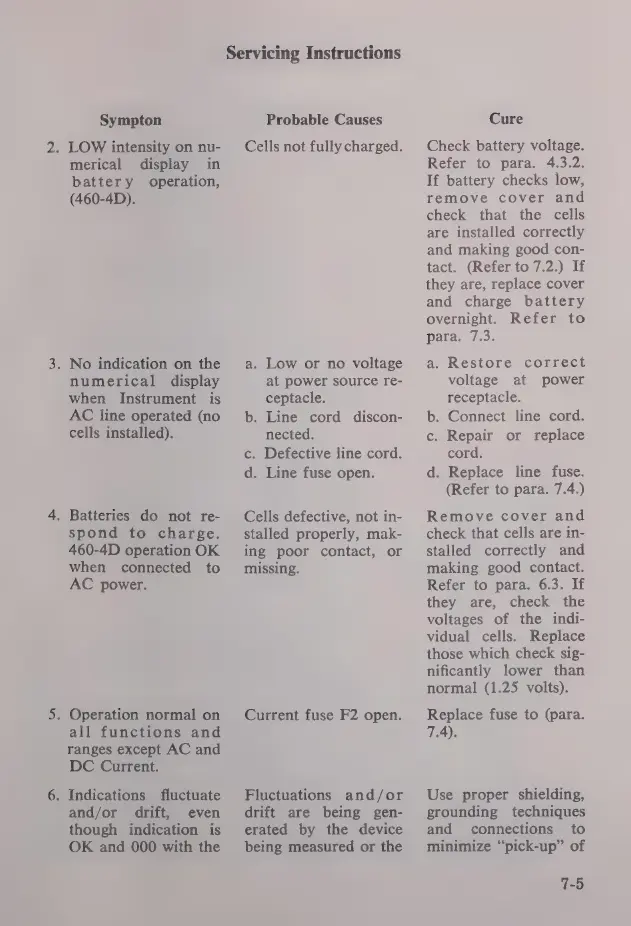
Sympton
2.
LOW
intensity
on
nu-
merical
display
in
battery
operation,
(460-4D).
.
No
indication
on
the
numerical
display
when
Instrument
is
AC
line
operated
(no
cells
installed).
.
Batteries
do
not
re-
spond
to
charge.
460-4D
operation
OK
when
connected
to
AC
power.
.
Operation
normal
on
all
functions
and
ranges
except
AC
and
DC
Current.
.
Indications
fluctuate
and/or
drift,
even
though
indication
is
OK
and
000
with
the
Servicing
Instructions
Probable
Causes
Cells
not
fully
charged.
a.
Low
or
no
voltage
at
power
source
re-
ceptacle.
b.
Line
cord
discon-
nected.
c.
Defective
line
cord.
d.
Line
fuse
open.
Cells
defective,
not
in-
stalled
properly,
mak-
ing
poor
contact,
or
missing.
Current
fuse
F2
open.
Fluctuations
and/or
drift
are
being
gen-
erated
by
the
device
being
measured
or
the
Cure
Check
battery
voltage.
Refer
to
para.
4.3.2.
If
battery
checks
low,
remove
cover
and
check
that
the
cells
are
installed
correctly
and
making
good
con-
tact.
(Refer
to
7.2.)
If
they
are,
replace
cover
and
charge
battery
overnight.
Refer
to
para.
7.3.
a.
Restore
correct
voltage
at
power
receptacle.
b.
Connect
line
cord.
c.
Repair
or
replace
cord.
d.
Replace
line
fuse.
(Refer
to
para.
7.4.)
Remove
cover
and
check
that
cells
are
in-
stalled
correctly
and
making
good
contact.
Refer
to
para.
6.3.
If
they
are,
check
the
voltages
of
the
indi-
vidual
cells.
Replace
those
which
check
sig-
nificantly
lower
than
normal
(1.25
volts).
Replace
fuse
to
(para.
7.4).
Use
proper
shielding,
grounding
techniques
and
connections
to
minimize
“pick-up”
of
7-5

Related product manuals