EasyManua.ls Logo

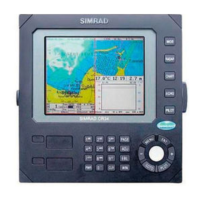
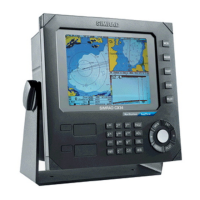
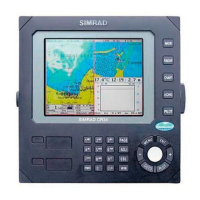
Simrad CR34 - User Manual

Simrad CR34
196 pages
Print Icon
To Next Page IconTo Next Page
Loading...
M A N U A L
Simrad CR34/44/54
ChartRadar
183-3406-102 English 05082.20
Note!
Insert or remove C-MAP cartridges ONLY through SETUP menu or when
unit is off. All electronic navigation equipment is subject to external factors
beyond the control of the manufacturer. Therefore such equipment must be
regarded as an aid to navigation. The prudent navigator will, for that reason,
never rely on a single source for position fixing and navigation.

Table of Contents

Questions and Answers

  • K
    Kathryn DavisAug 12, 2025
    Why is there no picture on my Simrad CR34 display screen?
    • K
      Kevin CoxAug 12, 2025
      If there is no picture on the display screen, try pressing the [PWR] key on the keypad. Also, check the fuse and replace it with a type T6.3A slow (5x20mm) fuse if necessary.
  • A
    Alexis WeaverAug 16, 2025
    What to do if my Simrad CR34 screen update is extremely slow?
    • J
      Jenna RossAug 16, 2025
      If the screen update is extremely slow, turn off ‘Course line’ for each stored route and turn off ‘Display track’.
  • N
    Nancy WadeAug 20, 2025
    What to do if the picture on my Simrad CR34 display screen is too dark or too bright?
    • C
      Corey AcevedoAug 20, 2025
      If the image on the display screen is either too dark or too bright, press [PWR] to adjust the light, then press [ENT].
  • J
    jaredhudsonAug 23, 2025
    What to do if I have no normal picture or key operation on my Simrad CR34?
    • G
      glivingstonAug 25, 2025
      If you are experiencing no normal picture or key operation, try turning the unit off and then on again. If that doesn't work, disconnect the power and then reconnect it. Also, remove the C-MAP chart if you suspect it might be defective.
  • D
    Denise DavisAug 27, 2025
    Why am I getting no GPS position update on my Simrad Marine GPS System?
    • J
      Jonathan DavisAug 27, 2025
      If you are not receiving GPS position updates, check the antenna and cable. If necessary, replace the antenna or cable.
  • M
    Mary NelsonAug 31, 2025
    Why is there too much noise in my Simrad CR34 radar display?
    • C
      Christopher GoodwinAug 31, 2025
      If there is too much noise in the radar display, adjust the TUNE.
  • T
    Tonya RubioSep 3, 2025
    Why do echo images on my Simrad CR34 radar display differ from the actual image?
    • G
      Gerald OchoaSep 3, 2025
      If the echo image on the radar display differs from the actual image, set the ship’s heading correctly and set Zero Range correctly.
  • R
    richardsuttonSep 7, 2025
    Why is all data deleted after turning off my Simrad CR34?
    • P
      paul36Sep 7, 2025
      If all data is deleted after turning the unit off and back on, the internal battery must be replaced by an authorized dealer. The expected lifetime of the battery is a minimum of 5 years.

Summary

Chapter 1 Introduction and safety summary

1.2 Safety summary

Essential safety precautions, warnings, and guidelines for operating the equipment.

1.3 How to get started

Initial steps for setting up and beginning to use the ChartRadar system.

Chapter 2 Fundamentals & initial start-up

2.2 Key functions

Overview of the primary functions and their operation on the device.

2.7 Initial start-up

Step-by-step guide for the initial setup process after installation or reset.

Chapter 3 Radar menu

3.2 Radar menu

Accessing and navigating the various radar display modes and settings.

3.2.3 Start transmission

Steps for starting the radar transmission and warm-up procedures.

Chapter 4 Chart menu and INFO windows

4.5 Chart setup

Configuring various chart display settings and options.

Chapter 6 Pilot menu & navigation examples

6.3 Position display

Showing current position, speed, course, and satellite status.

6.11 MOB alarm and navigation

Activating and using the Man Overboard (MOB) function for rescue.

Chapter 9 Setup menu

9.1 Radar setup

Configuring radar parameters like antenna height and heading adjustment.

9.3 Pilot; Position setup

Configuring position display format, speed/course filters, and bearing settings.

9.5 Interface setup

Configuring system interfaces, data sources, and communication settings.

9.7 Factory settings

Restoring the unit to default factory settings or deleting specific data.

Chapter 10 Troubleshooting, Service and Specifications

10.1 Troubleshooting

Common problems, their checks, and recommended remedies for the unit.

10.3 Repair and service

Information on when and how to seek professional repair or service for the unit.

10.4 Specifications

Technical details of the unit, including power, dimensions, interfaces, and radar specifications.

Simrad CR34 Specifications

General IconGeneral
BrandSimrad
ModelCR34
CategoryMarine GPS System
LanguageEnglish

Related product manuals