EasyManua.ls Logo

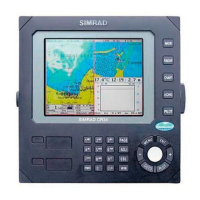
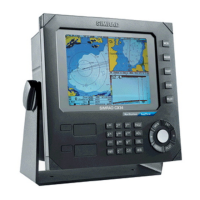
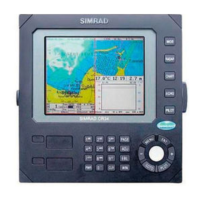
Simrad CR44 - User Manual

Simrad CR44
196 pages
Print Icon
To Next Page IconTo Next Page
Loading...
M A N U A L
Simrad CR34/44/54
ChartRadar
183-3406-102 English 05082.20
Note!
Insert or remove C-MAP cartridges ONLY through SETUP menu or when
unit is off. All electronic navigation equipment is subject to external factors
beyond the control of the manufacturer. Therefore such equipment must be
regarded as an aid to navigation. The prudent navigator will, for that reason,
never rely on a single source for position fixing and navigation.

Table of Contents

Other manuals for Simrad CR44

Questions and Answers

  • G
    Gloria SmithSep 4, 2025
    Why all data is deleted after turning off the Simrad Marine Radar?
    • W
      Walter BowenSep 4, 2025
      If all data is being deleted after turning your Simrad Marine Radar off and on, the internal battery likely needs replacement. Check the battery lifetime; the expected lifetime is a minimum of 5 years. The internal battery must be replaced by an authorized dealer.
  • C
    Christopher SmithSep 18, 2025
    Why is all data deleted after turning off my Simrad CR44 Marine GPS System?
    • A
      Alejandro GoodwinSep 18, 2025
      If all data is deleted after turning the unit off and back on, the internal battery must be replaced by an authorized dealer. The expected lifetime of the battery is a minimum of 5 years.
  • H
    Howard AllenSep 16, 2025
    Why do echo images on my Simrad Marine GPS System radar display differ from the actual image?
    • P
      peterwagnerSep 16, 2025
      If the echo image on the radar display differs from the actual image, set the ship’s heading correctly and set Zero Range correctly.
  • M
    Mr. James NelsonSep 14, 2025
    Why is there too much noise in my Simrad CR44 Marine GPS System radar display?
    • R
      rodriguezmelissaSep 14, 2025
      If there is too much noise in the radar display, adjust the TUNE.
  • K
    Kevin ThompsonSep 13, 2025
    Why am I getting no GPS position update on my Simrad Marine GPS System?
    • A
      Amanda ArroyoSep 13, 2025
      If you are not receiving GPS position updates, check the antenna and cable. If necessary, replace the antenna or cable.
  • W
    wendytorresSep 12, 2025
    What to do if I have no normal picture or key operation on my Simrad Marine GPS System?
    • A
      Anthony DavisSep 12, 2025
      If you are experiencing no normal picture or key operation, try turning the unit off and then on again. If that doesn't work, disconnect the power and then reconnect it. Also, remove the C-MAP chart if you suspect it might be defective.
  • A
    Alicia MarquezSep 9, 2025
    What to do if the picture on my Simrad Marine GPS System display screen is too dark or too bright?
    • C
      Christina RothSep 9, 2025
      If the image on the display screen is either too dark or too bright, press [PWR] to adjust the light, then press [ENT].
  • R
    Richard MendezSep 7, 2025
    What to do if my Simrad CR44 screen update is extremely slow?
    • D
      Daniel AshleySep 7, 2025
      If the screen update is extremely slow, turn off ‘Course line’ for each stored route and turn off ‘Display track’.
  • D
    Dr. Melissa Frazier DDSSep 6, 2025
    Why is there no picture on my Simrad CR44 Marine GPS System display screen?
    • N
      Nicole NguyenSep 6, 2025
      If there is no picture on the display screen, try pressing the [PWR] key on the keypad. Also, check the fuse and replace it with a type T6.3A slow (5x20mm) fuse if necessary.
  • J
    Jennifer BowmanAug 21, 2025
    Why is my Simrad Marine Radar GPS position not updating?
    • V
      vincent72Aug 21, 2025
      If your Simrad Marine Radar is not updating its GPS position, try replacing the antenna or the cable.

Simrad CR44 Specifications

General IconGeneral
Display Size10.4 inches
Display TypeColor LCD
GPS Receiver12-channel
Waterproof RatingIPX7
Resolution640 x 480 pixels
Chart CompatibilityNavionics
AntennaExternal (Sold Separately)

Related product manuals