EasyManua.ls Logo

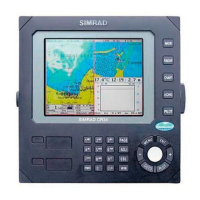
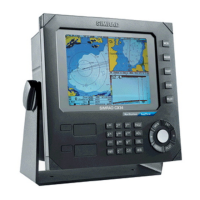
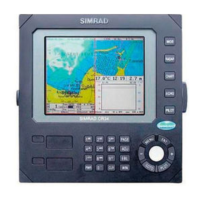
Simrad CR44 - User Manual

Simrad CR44
196 pages
Print Icon
To Next Page IconTo Next Page
Loading...
M A N U A L
Simrad CR34/44/54
ChartRadar
183-3406-102 English 05082.20
Note!
Insert or remove C-MAP cartridges ONLY through SETUP menu or when
unit is off. All electronic navigation equipment is subject to external factors
beyond the control of the manufacturer. Therefore such equipment must be
regarded as an aid to navigation. The prudent navigator will, for that reason,
never rely on a single source for position fixing and navigation.

Table of Contents

Other manuals for Simrad CR44

Questions and Answers

  • D
    daniel44Sep 2, 2025
    Why is screen update extremely slow on Simrad Marine Radar?
    • K
      Kristin FreemanSep 2, 2025
      If your Simrad Marine Radar screen update is unusually slow, disable the ‘Course line’ feature for each stored route as outlined in section 8.2, and also turn off the ‘Display track’ option in section 8.6.
  • T
    tyler19Aug 31, 2025
    How to fix blurred echo images on Simrad Marine Radar display?
    • J
      Joanna RossAug 31, 2025
      If the echo images on your Simrad Marine Radar display appear blurred, make necessary adjustments as detailed in section 3.2.5.
  • Q
    qescobarAug 29, 2025
    Why echo image on radar display differs from actual image on Simrad Marine Radar?
    • T
      Tamara HaasAug 29, 2025
      If the echo image on your Simrad Marine Radar display doesn't match the actual image, ensure that the ship’s heading is set correctly and that the Zero Range is properly configured. Refer to section 3.2.2 for instructions on how to set these correctly.
  • L
    lindsaylittleAug 28, 2025
    What to do if I have no normal picture or key operation on Simrad Marine Radar?
    • J
      Jared Brown DVMAug 28, 2025
      If you are experiencing a lack of normal picture or key operation on your Simrad Marine Radar, try the following steps: * Turn the unit off and then on again. * Disconnect the power supply and then reconnect it. * Remove the C-MAP chart if you suspect it is defective. If these steps do not resolve the issue, restore the unit to its factory default settings as described in section 9.7.
  • A
    Autumn ScottAug 26, 2025
    What to do if I have no picture on my Simrad Marine Radar display screen?
    • R
      Robin SpenceAug 27, 2025
      If there is no picture on your Simrad Marine Radar display screen, first, press the [PWR] key on the keypad. If that doesn't work, replace the fuse, ensuring you use only a type F6.3A fuse.
  • K
    Kimberly CampbellAug 25, 2025
    What to do if picture appears on the display screen, but image is too dark or too bright on Simrad Marine Radar?
    • X
      xjohnsonAug 25, 2025
      If the image on your Simrad Marine Radar display is either too dark or too bright, press the [PWR] button, adjust the light settings, and then press [ENT].
  • B
    Brittany MolinaAug 22, 2025
    Why is there too much noise in my Simrad Marine Radar display?
    • J
      Jessica AndersonAug 22, 2025
      If you are experiencing excessive noise on your Simrad Marine Radar display, try adjusting the TUNE setting as outlined in section 3.2.2.

Simrad CR44 Specifications

General IconGeneral
Display Size10.4 inches
Display TypeColor LCD
GPS Receiver12-channel
Waterproof RatingIPX7
Resolution640 x 480 pixels
Chart CompatibilityNavionics
AntennaExternal (Sold Separately)

Related product manuals