EasyManua.ls Logo

Simrad CE33 ChartSounder - User Manual

Simrad CE33 ChartSounder
172 pages
Print Icon
To Next Page IconTo Next Page
Loading...
M A N U A L
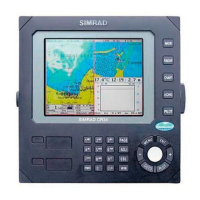
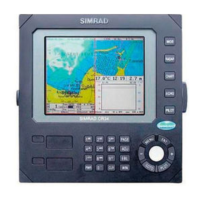
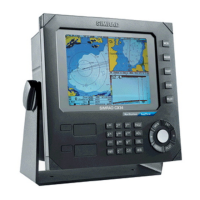
Simrad CE33
ChartSounder
183-2100-702
02181.11
Note!
Insert or remove C-MAP cartridges ONLY through CHART menu or when
unit is off. All electronic navigation equipment is subject to external factors
beyond the control of the manufacturer. Therefore such equipment must be
regarded as an aid to navigation. The prudent navigator will, for that reason,
never rely on a single source for position fixing and navigation.

Table of Contents

Questions and Answers

  • D
    Dustin MartinezAug 5, 2025
    How to fix no picture on Simrad Marine GPS System?
    • B
      btaylorAug 5, 2025
      If your Simrad Marine GPS System display screen shows no picture, first press the [PWR] key on the keypad. If that doesn't work, replace the fuse, ensuring you use only a 4.0A slow-blow type fuse.
  • S
    Steven SextonAug 11, 2025
    What to do if the Simrad Marine GPS System shows no targets?
    • J
      John HendersonAug 11, 2025
      If the echo picture on your Simrad Marine GPS System appears normal but shows no targets, or only random noise, try these steps: 1. Go to Echosounder setup and select the correct transducer frequency. 2. Ensure all connectors are correctly mated to the unit. 3. Increase the receiver gain in the Presentation setup. 4. Adjust the range in the Presentation setup.
  • P
    patriciajuarezAug 17, 2025
    How to adjust brightness on Simrad Marine GPS System?
    • B
      Bruce HernandezAug 17, 2025
      If the picture on your Simrad Marine GPS System's display screen is either too dark or too bright, press the [PWR] key, adjust the light/contrast settings, and then press the [ENT] key to save the changes.
  • M
    Marcus RobinsonAug 25, 2025
    What to do if Simrad Marine GPS System has no normal picture?
    • J
      Jeremy WarrenAug 25, 2025
      If your Simrad Marine GPS System is showing no normal picture or responding to key operations, try the following: * Turn the unit off and then on again. * Disconnect the power supply and then reconnect it. * Remove the C-MAP chart, as it may be defective.
  • A
    agarzaAug 29, 2025
    How to fix excessive noise in Simrad Marine GPS System?
    • J
      Jason OrtizAug 29, 2025
      If you are experiencing excessive noise in the echo picture on your Simrad Marine GPS System, ensure that all connected equipment is properly grounded to the main unit.

Summary

Chapter 1 Introduction and safety summary

1.1 Introduction and system familiarization

Overview of the Simrad CE33 ChartSounder features and capabilities.

1.2 Safety summary

Essential safety precautions and warnings for operating the equipment.

1.3 How to get started

Initial steps and basic operations for using the device.

Chapter 2 Fundamentals & initial start-up

2.1 Fundamentals of the display and page system

Explains the screen layout, full/split screen modes, and preset pages.

2.2 Key functions

Details the purpose and operation of the main keys on the unit.

2.3 Menu bar

Describes how to access and navigate the device's menu system.

Chapter 3 Chart menu and INFO windows

3.1 Charts

Information on using the built-in world chart and C-MAP charts.

3.2 C-MAP cartridge

Instructions for inserting, removing, and testing C-MAP cards.

3.3 INFO windows

Explains how to access and use pop-up information windows on the chart.

Chapter 4 Position menu

4.1 Position display

Details how to view and interpret GPS position, datum, and status information.

4.5 Satellite status

Information on satellite reception, signal quality, and status indicators.

4.6 DGPS information

Explains differential GPS corrections and beacon station setup.

Chapter 5 Waypoint; route menu

5.1 Waypoints stored in the memory

How to view, edit, and manage stored waypoints.

5.2 Routes stored in the memory

Information on saving, altering, and deleting stored routes.

5.3 Route calculation

How to calculate route details like distance and arrival time.

Chapter 7 Echosounder operation

7.1 Echosounder menu

Overview of the echosounder settings and options.

7.2 Echosounder display

Explains the low and high frequency display modes and their uses.

7.8 Echosounder setup

Configuration options for the echosounder's performance and display.

Chapter 10 Installation and service

10.1 Installation notes

Important considerations and recommendations for unit setup.

10.2 Installation of CE33 ChartSounder

Guidelines for mounting the display unit on a vessel.

10.6 Electrical connections

Details on wiring diagrams and connecting power, NMEA, and transducers.

Simrad CE33 ChartSounder Specifications

General IconGeneral
BrandSimrad
ModelCE33 ChartSounder
CategoryMarine GPS System
LanguageEnglish

Related product manuals