33
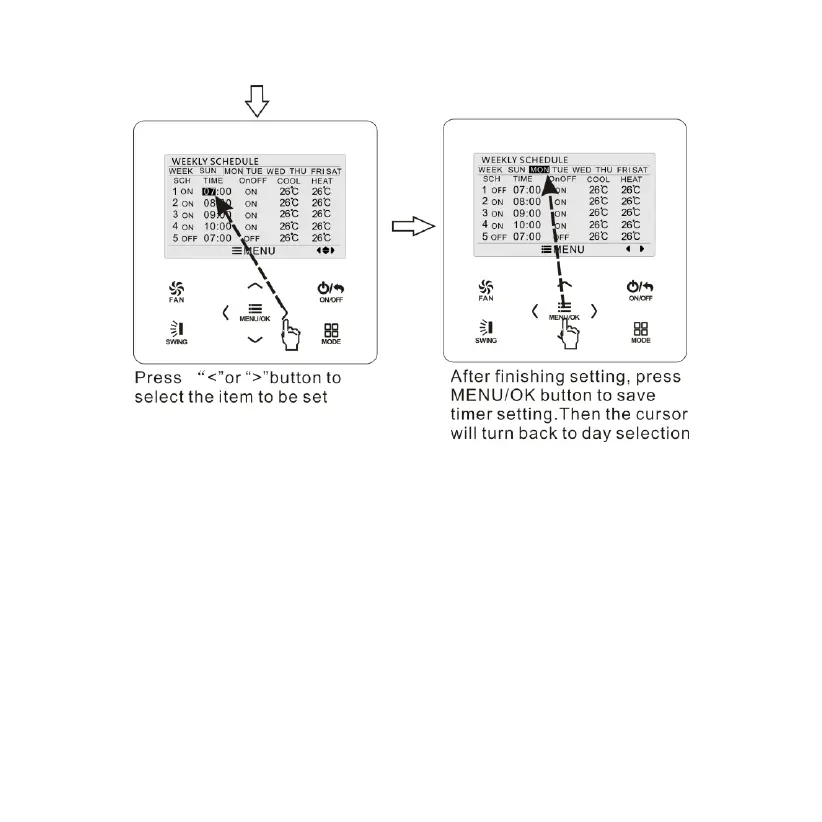
Fig. 14 Weekly timer setting
3.10.4 Two Week Timer
The user can set the everyday timer content for two weeks. In each
day, the user can set eight segments of timer content. The unit will
execute corresponding timer setting in two weeks.
In timer function setting page, press “
∧
” or “
∨
” button to select two
week timer setting and then press MENU button to enter two week timer
menu page. Press “
∧
” or “
∨
” button to select current week option and


 To Next Page