18
<Local Network Usage>
- In order to use this function, the printer must be connected through the USB cable.
More details can be found in the <My Printers> and <Add Local Printers> section.
1 Slice the model and select the print Icon
on the right or
[Print]
in the File menu.
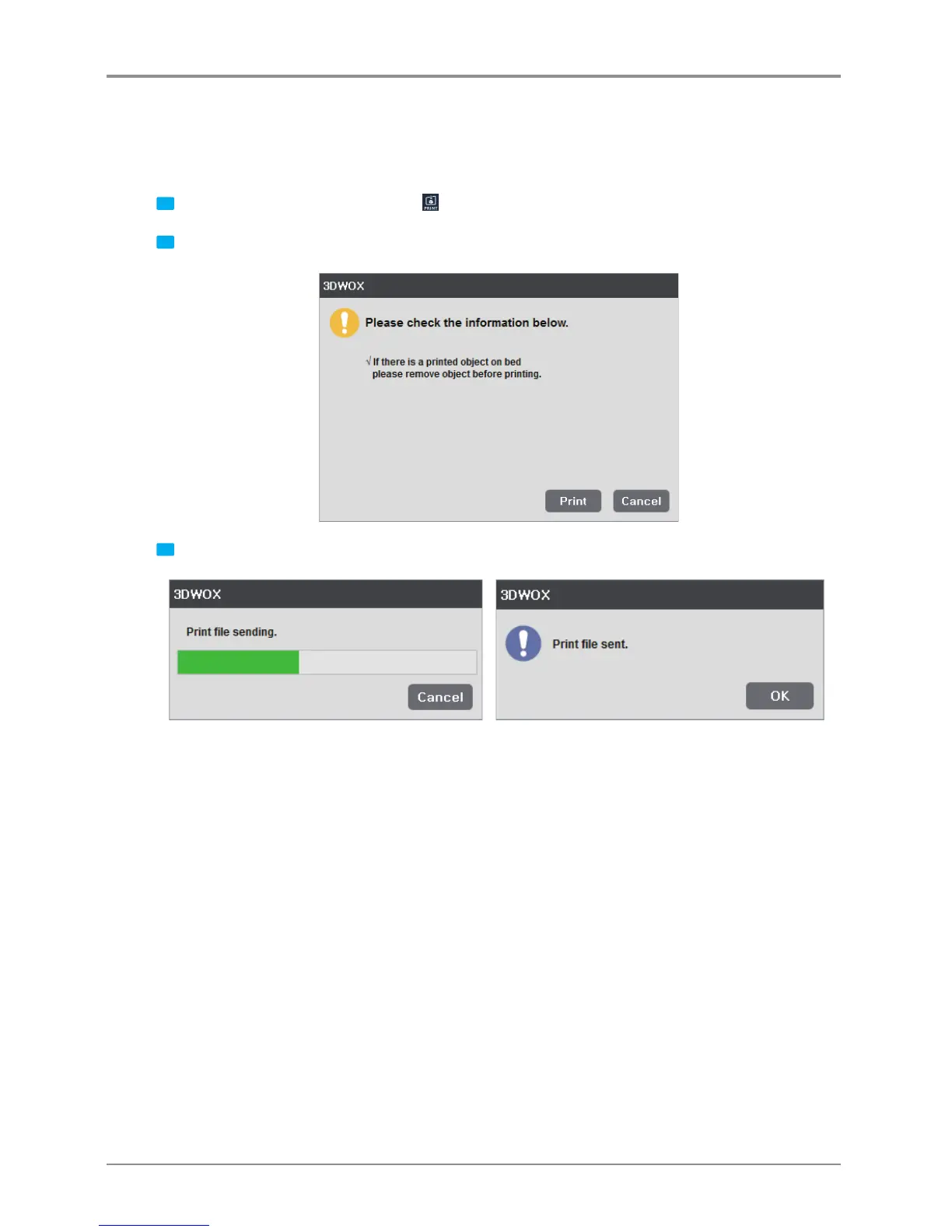
2 If the monitor shows no problems as shown below, press [Print] to begin printing.
3 G-code is sent through the USB Cable and the printer begins printing.


 To Next Page