3.3 Charging procedure
(EVSE without display)
3.3.1 Connect to the connector
1
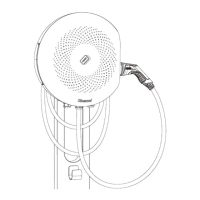
) Take out the connector from the enclosure or the hanger installed on the pedestal (refer to section 3.5)
and connect it to the EV.
2
) After the connector is plugged in correctly, the EVSE will be ready for charge.
3.3.2 Start to charge
There are two ways to charge which depend on customer’s requirement.
- The first one is to tap the RFID CARD on the card reader to start charging.
- The second way is “Plug and Charge”. Plug in the connector (refer to section3.2.1) and the charging
process initiates.
3.3.3 Stop charging
1
) During the charging session, using RFID CARD, password, operating on the APP or unplugging the
connector will stop charging. When the car is fully charged, the EVSE will automatically stop charging. In
case of emergency, pressing the emergency stop button will cut the power off.
2
) When charging completed, blue light on the enclosure will be turned off. The user can unplug the
connector and put it back to the enclosure or hanger.


 To Next Page