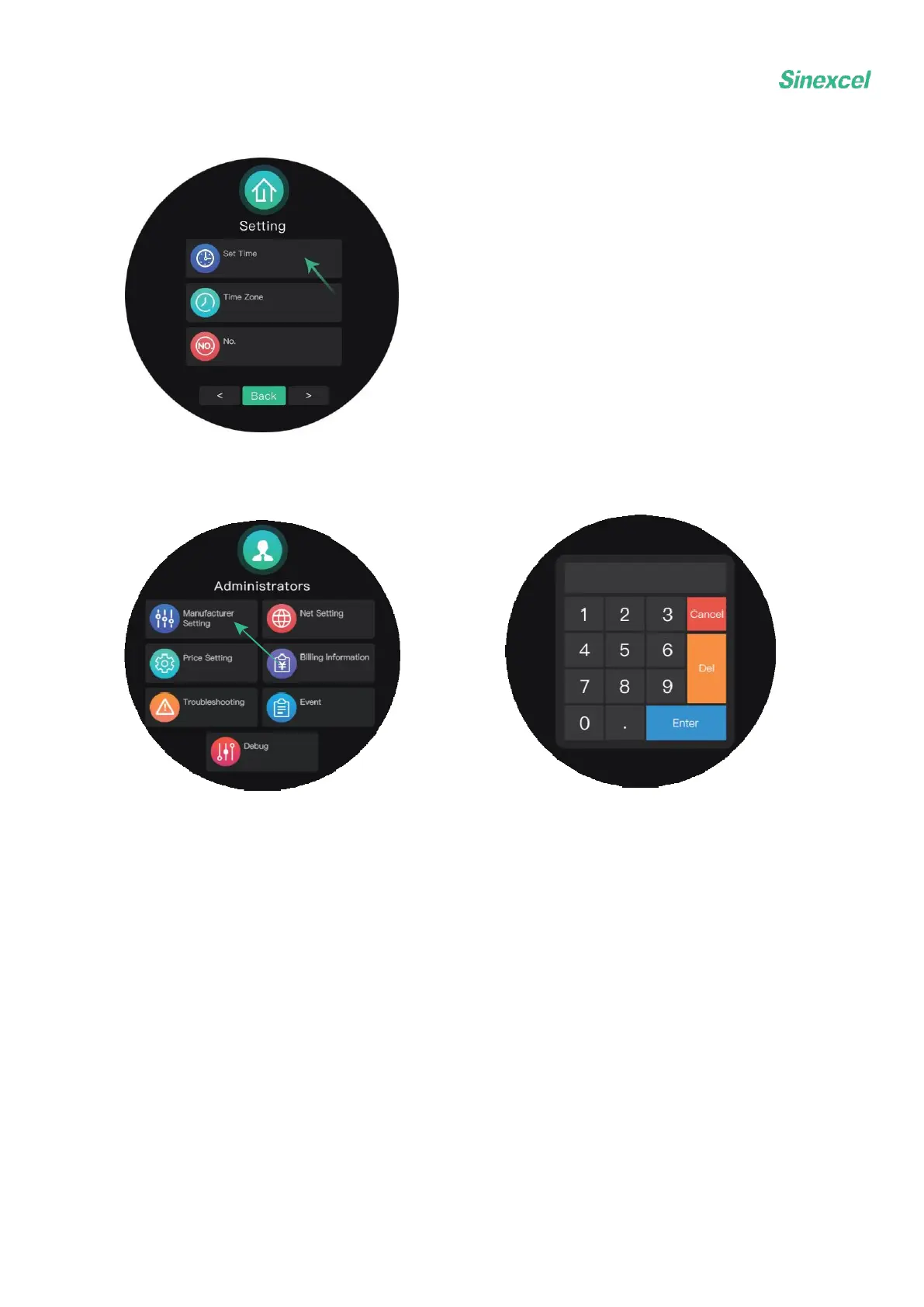
3.4.2 How to set time
Choose manufacturer setting.
Tap the Set Time button and the numeric keypad will show up. Enter the correct time in the
sequence of year, month, day, hour, minute and second (yyyy.MM.dd.HH.mm.ss). Please
note that dots should be entered between each data.
For example, for 2021/12/1 17:30:19, enter 21.12.1.17.30.19


 To Next Page