3.4.3 How to set time zone
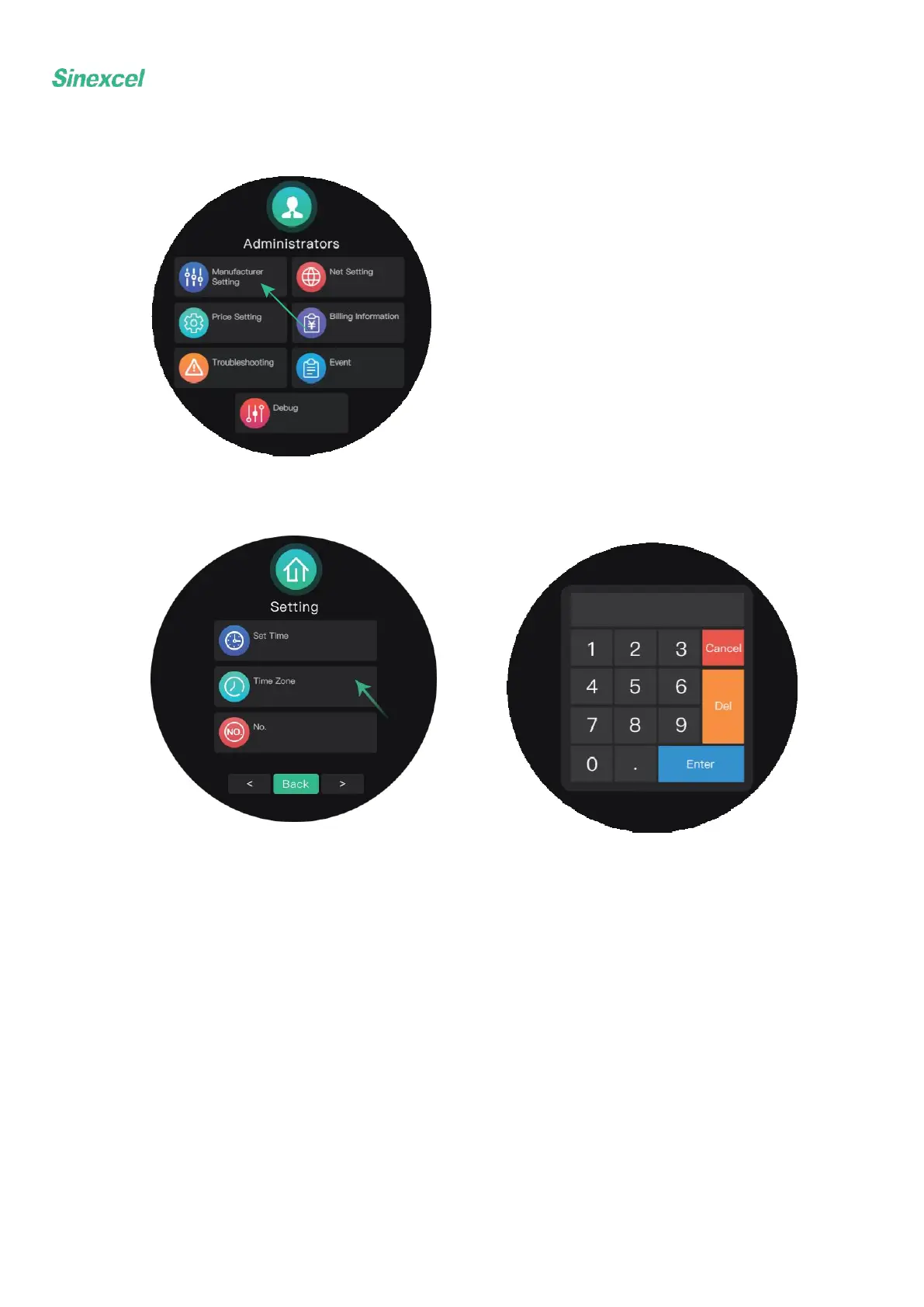
Choose manufacturer setting.
Enter the parameter to set the time zone.
The first and second digits means hours
The third and fourth digits means minutes
The last digit means either increment(1) or subtraction(0)
For example:
12001: Subtract 12 hours and 0 minutes for UTC -12:00
8300: Increase 8 hours 30 minutes for UTC +8:30


 To Next Page
 Loading...