3-3 Needle drop position adjustment
- Remove the face plate.
- Set the pattern selector dial to " " or " ".
Turn the stitch width dial to "0".
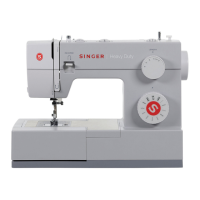
- Lo os en t he sc re w ( a) o f n ee dl e b ar
supporter. (1)
- Turn needle bar supporter (b) forward /
backward to adjust needle. (1)
Backward (↑) to move needle forward
Forward (↓) to move needle backward
- Set needle position above center of needle
plate and fasten the screw (a). (1)
* The space between needle and the tip of
the shuttle hook holder should be 0.05~0.10
mm.
3-2 Noisy - take up lever adjustment
- Remove the face plate and front cover.
- Turn around hand wheel, check noisy and
movement.
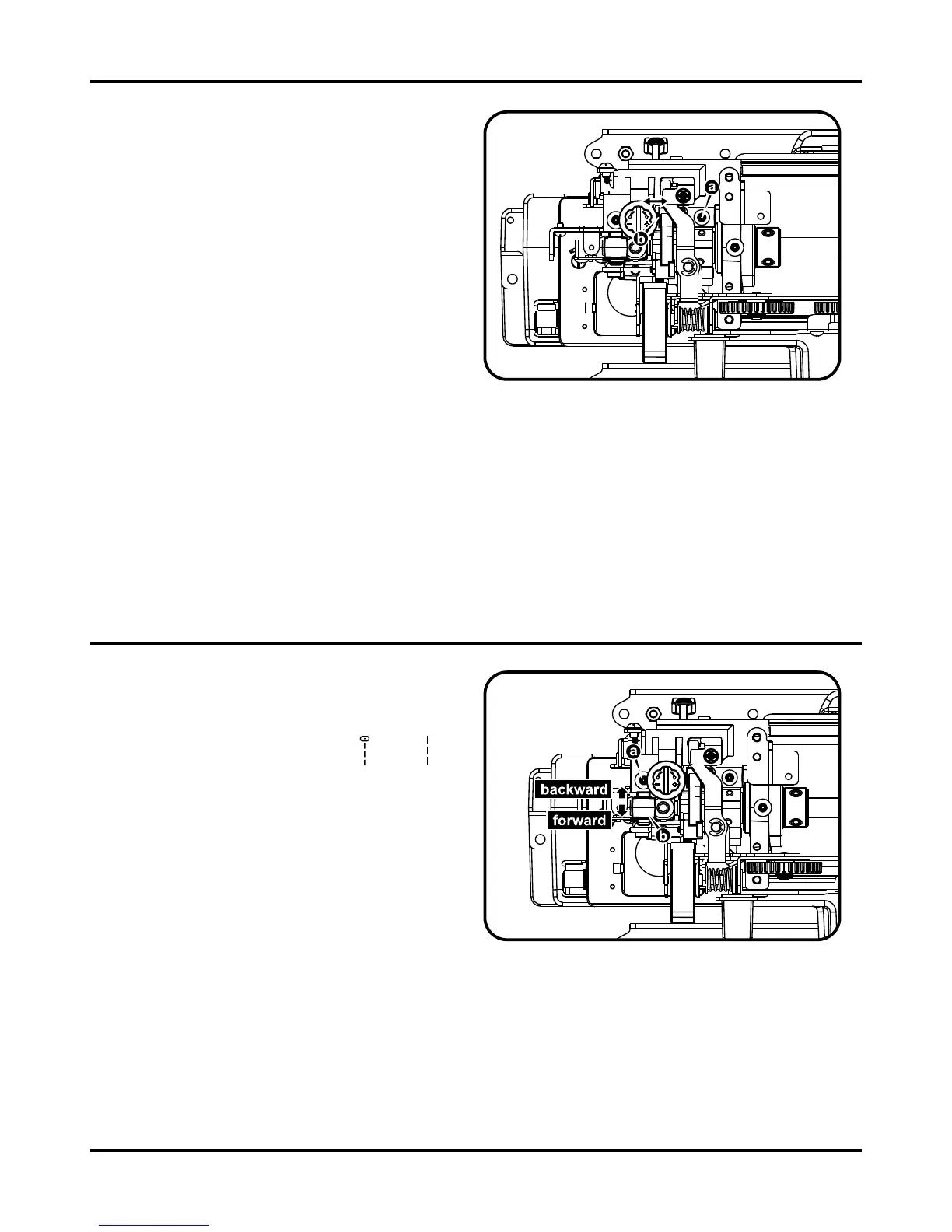
- Remove the screw (a), push take up lever
support (b) right to proper location, tight the
screw (a). (1)
- If adjustment is too tight, it will be difcult to
move during turn around hand wheel.
- If adjustment is too loose, it will be made
noisy during turn around hand wheel.



 To Next Page