15
INSERTING A WOUND BOBBIN
To insert a bobbin, follow the instructions below.
• Raise presser foot.
• Turn hand wheel toward you until needle is in its
highest position.
• Open slide plate and remove bobbin.
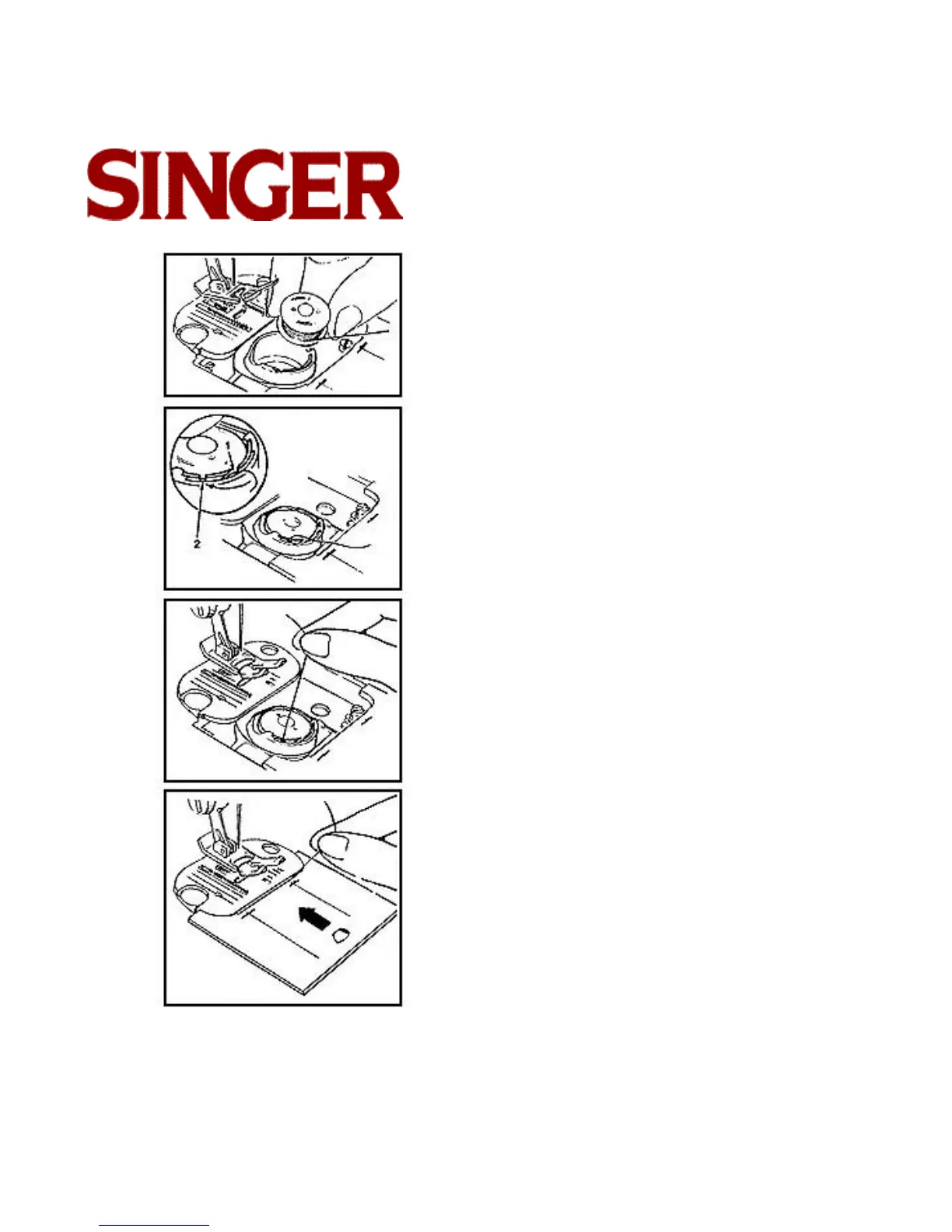
1. Pull 4" (10cm) of thread from replacement bobbin
and insert bobbin into case, as shown.
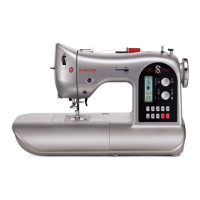
2. Holding bobbin in place, guide thread into notch (1),
and then into notch (2).
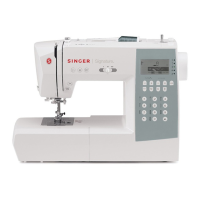
3. Draw several inches of thread across bobbin.
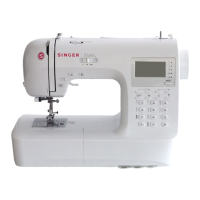
4. While holding thread on outside, close slide plate.
• Follow directions for "Raising Bobbin Thread."



 To Next Page