38
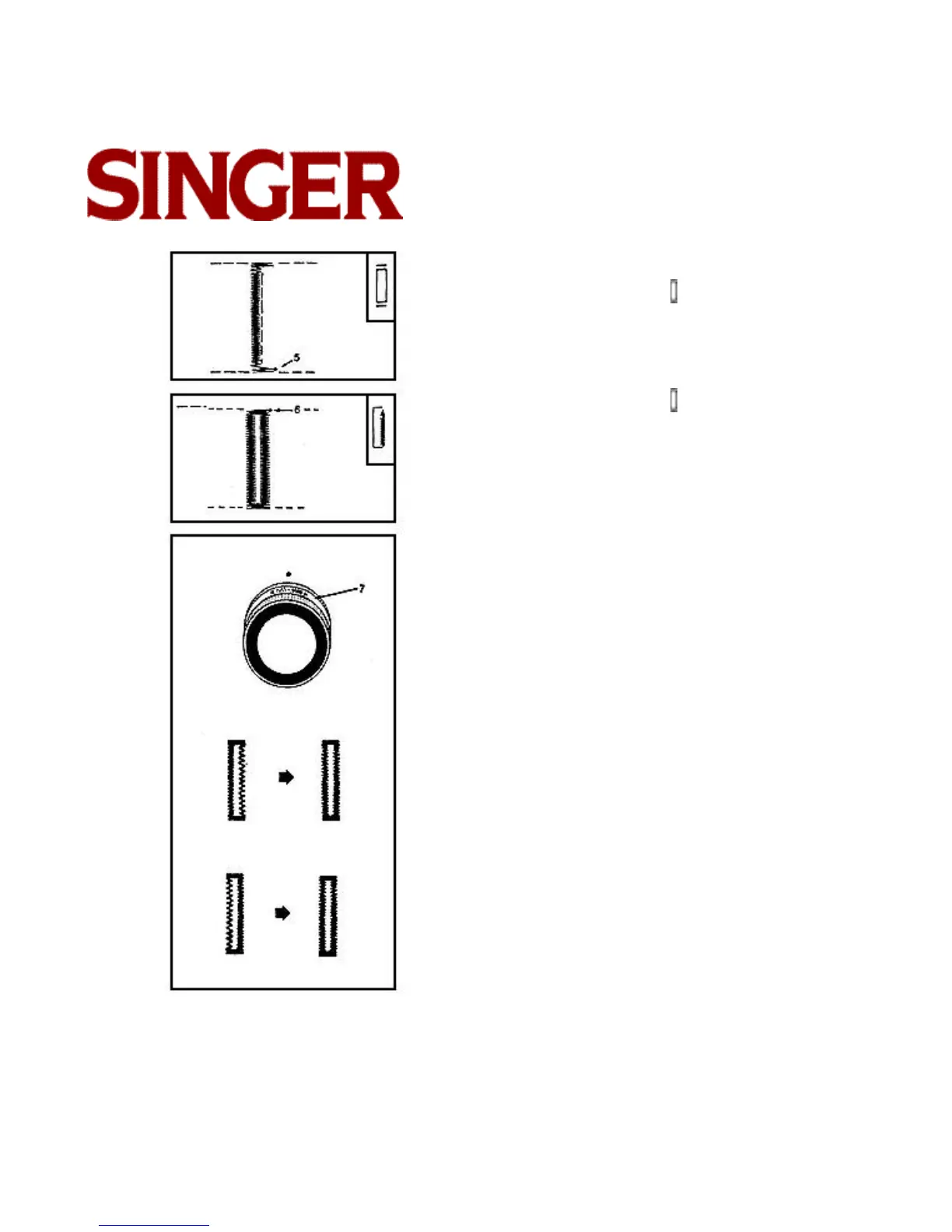
Step 3
• Select Buttonhole Stitch
• Make four or five stitches, ending at point (5).
• Raise needle.
Step 4
• Select Buttonhole Stitch
• Stitch up to point (6).
• Raise needle.
• Raise presser foot and remove garment from
machine.
• Clip thread ends.
• Carefully cut buttonhole opening with a seam ripper
or small, sharp scissors.
ADJUSTING BALANCE OF BUTTONHOLE
If the two stitching sides of your buttonhole are
unequal, turn the stitch balance ring (7), located
behind the selector dial.
On some heavy weight fabrics an adjustment might be
necessary.
• If the right side of stitching is too open turn stitch bal-
ance ring slightly to the right until both sides are
equal.
• If the left side of stitching is too open turn stitch bal-
ance ring slightly to the left until both sides are equal.



 To Next Page