3
Create Quilted Fabric
Create your own quilted fabric with the Straight Stitch. Texture can be added to
plain fabric by just adding consecutive rows of straight stitches!
Machine Set-Up:
Stitch: Straight Stitch
Pattern Selector: A
Stitch Width: 1, no width
Stitch Length: 3-4
Presser Foot: General Purpose Foot
Needle Position: Center
Materials:
(2) 5” x 5” pieces of cotton with batting between the two fabrics,
creating a quilt-type sample
Procedure:
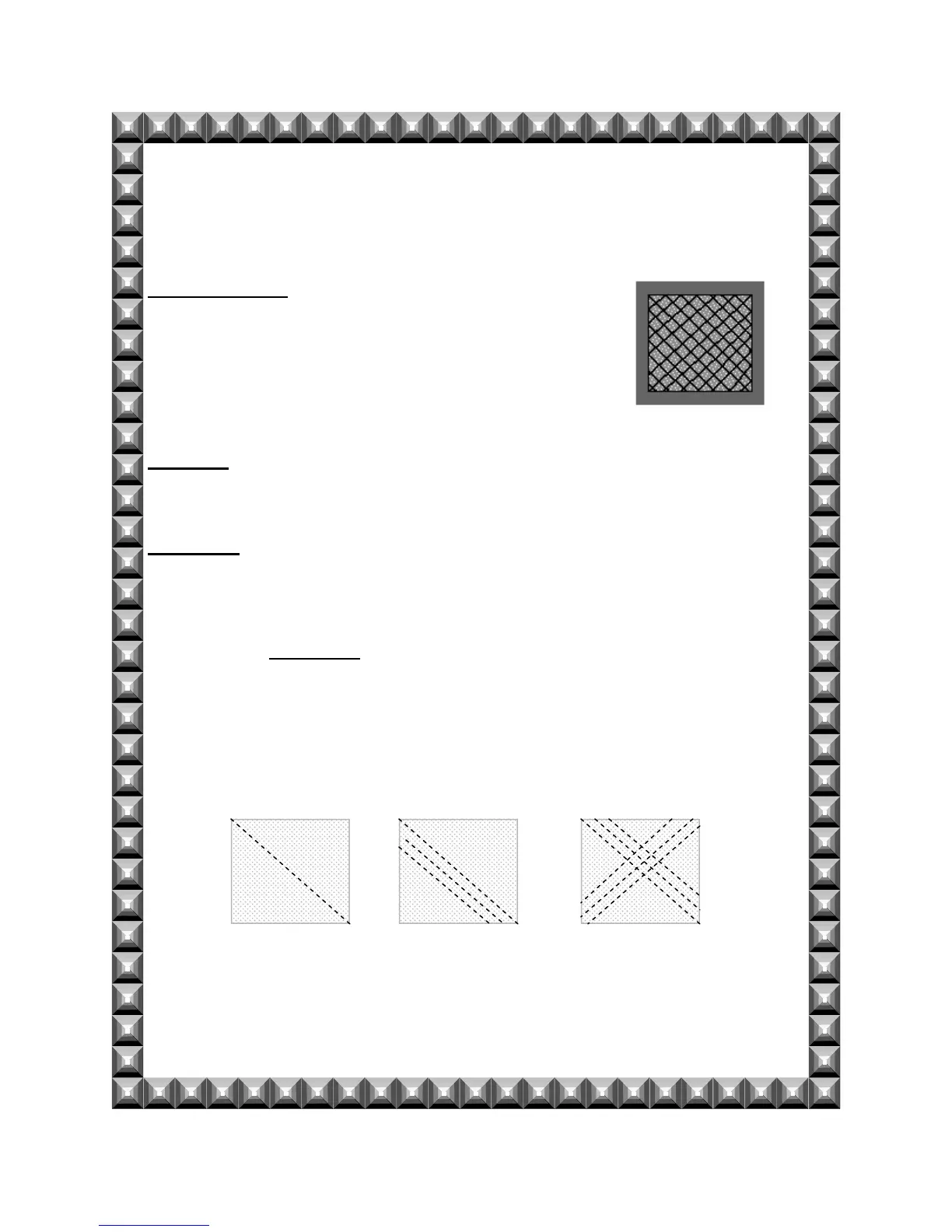
Sew diagonally from the top left corner to the bottom right corner.
Use the Reverse Lever to reinforce the seam.
Position the foot’s edge so that it rides on the previous row of stitching.
Sew successive rows using the edge of the foot to ensure even spacing and
straight lines.
Change the direction, sew diagonally from the top right corner to the
bottom left corner.


 To Next Page