104 73 97-26 S0100 / S0105 3
Cover Removal
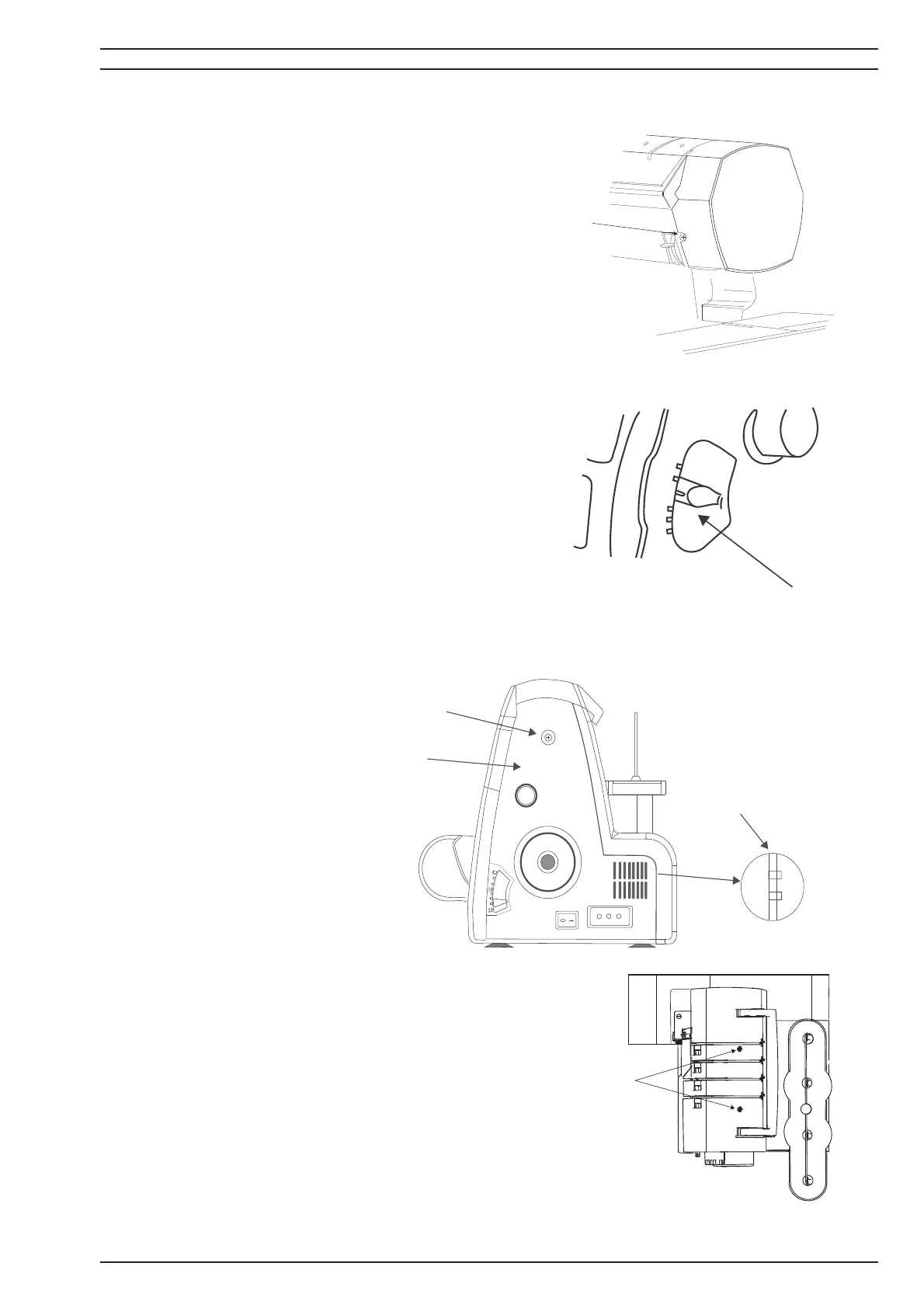
1. Remove the light cover srew (A).
2. Remove the light cover by pressing down and to the
left.
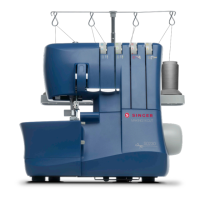
4. To remove the diff erential feed adjusting lever knob
(B) pull it to the right.
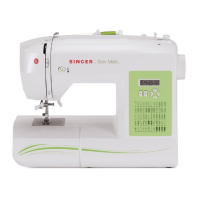
5. Remove the motor cover
screw(C) from the side of the
machine.
6. Remove the (D) Screw from the
base of the machine.
7. When removing the motor cover
also unhook the two hooks (E)
from the back cover.
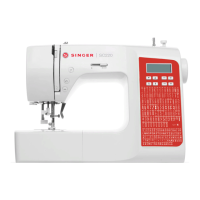
8. Remove the two top screws (F) of the top cover.
9.To remove it lift the top cover up.
A
0.7
1.0
2.0
B
C
D
E
F



 To Next Page