4
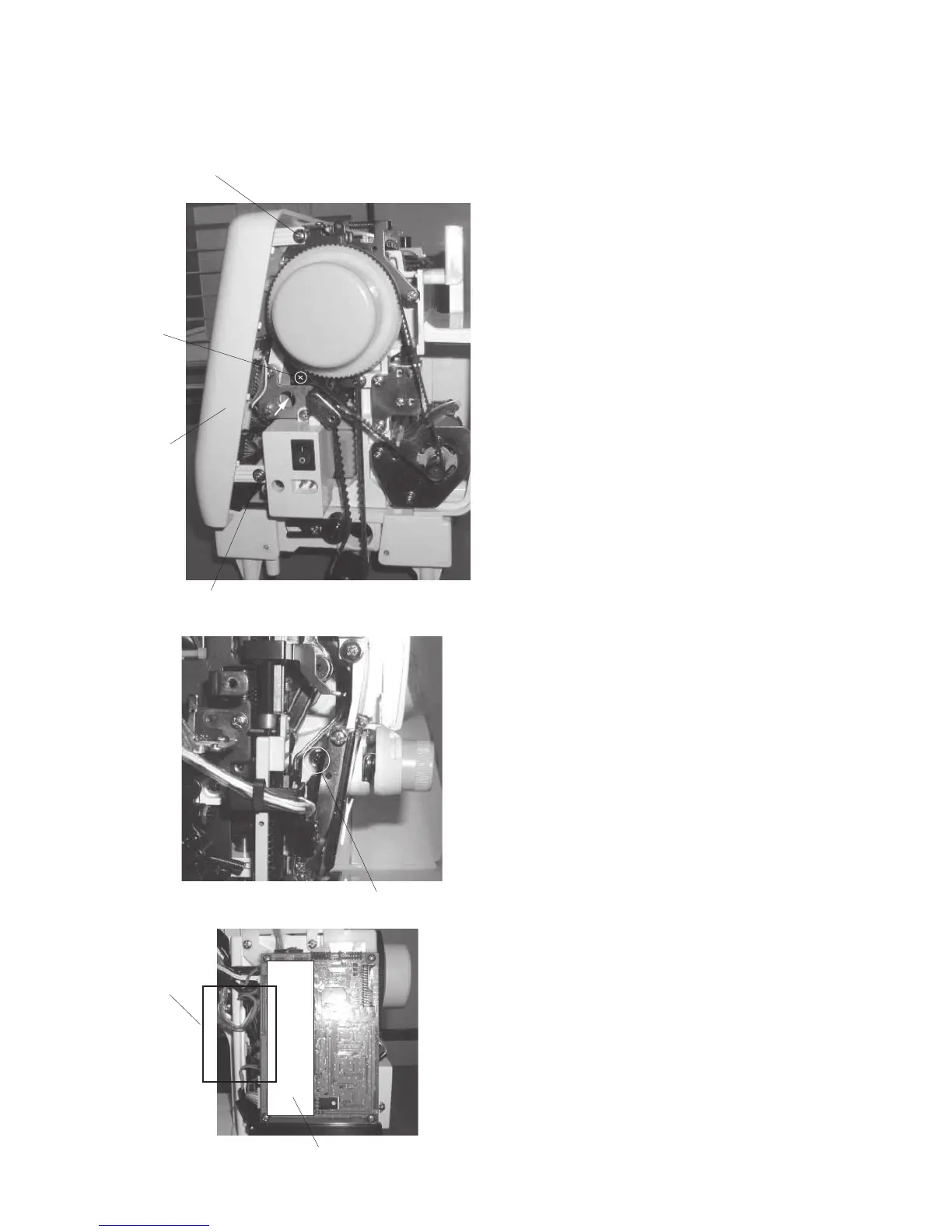
Setscrew (A)
Setscrew (C)
Setscrew (B)
Setscrew (D)
Front cover
[View from belt cover side]
[View from face plate side]
Insulation paper
Cords
[ To remove ]:
1. Remove the face plate, top cover and belt cover
(refer to pages 1 and 2).
2. Loosen the setscrews (A), (B), (C) and (D).
3. Pull out the connectors (refer to page 10) and
remove the front cover.
[ To attach ]:
4. Proceed with the above procedure in reverse.
TO REMOVE FRONT COVER
When attaching the front cover, ensure that the cords
shown in the photo on the left do not get caught
between the cover and the parts.



 To Next Page