BS Series Multitest Analyzer
report, etc.
Wash: The shortcut key for cleaning, aspiration volume is 1.5ml per keystroke, used to
clean flow cell.
Feed: Used for printer to load papers, pass papers and cut papers
Pump: Calibration for Peristaltic pump aspiration volume
Gain: AD Auto Zero to confirm whether the instrument is in the regular test status.
Filter: Measure and adjust each filter’s AD value, blank value and absorbance
Setup: Show cuvette temperature; set filter number, cuvette diameter, language, aspiration
mode, sleep mode; Hospital and instrument model title Settings; time format and
date/time Settings; screen brightness settings, etc.
3.3 Parameters settings
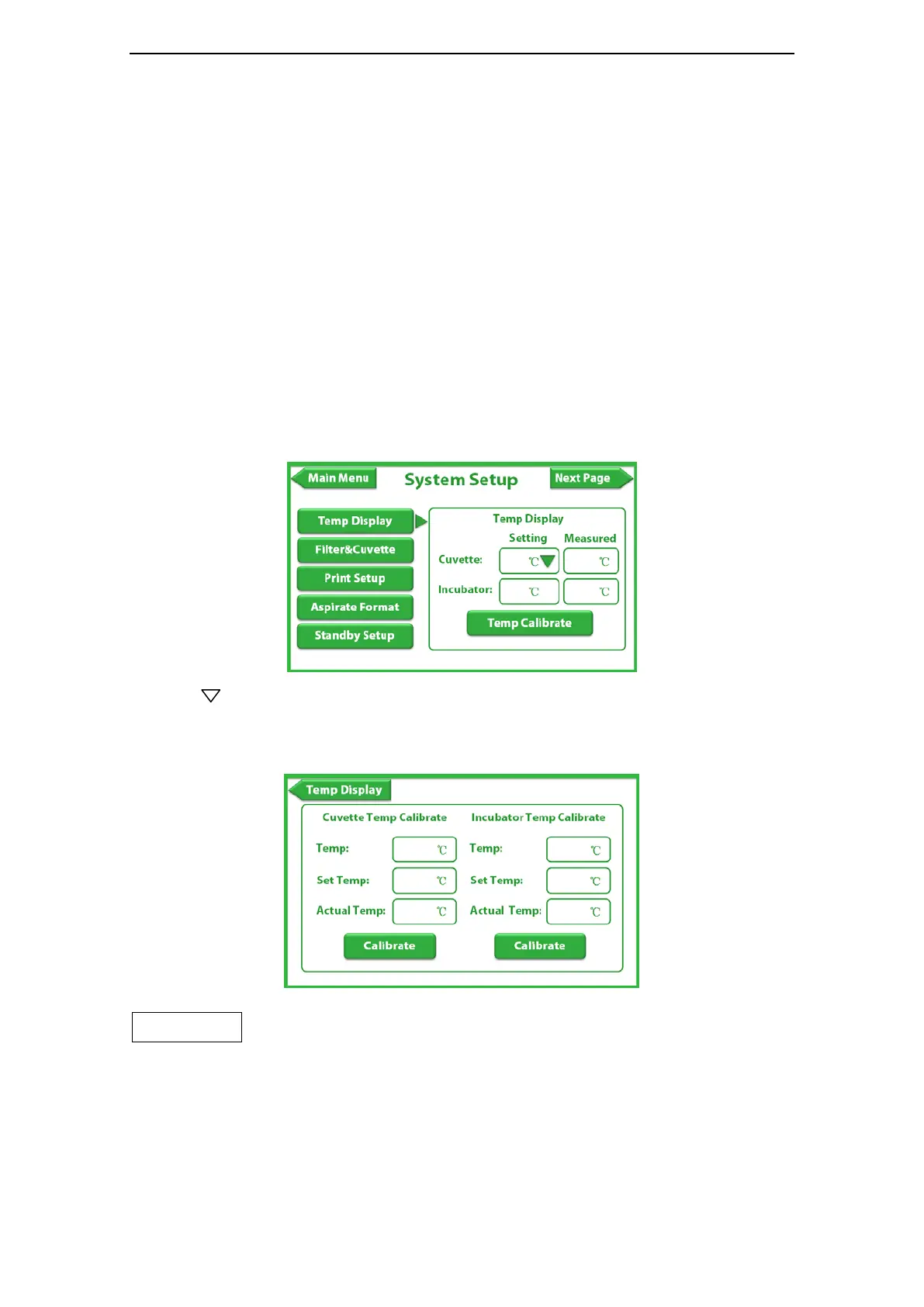
3.3.1 Temperature display Settings
Use to choose Temperature, click main menu to save. This function can only provide
the confirmation on whether temperature is right or not. When testing sample, the
temperature will be shifted according to the test program. Input the password and then input
calibration temperature (for professionals only). Password: 123456.
Attention:
Filter wheel, cuvette, aspiration mode, language setting, screen brightness settings, the
password are all 123456.
3.3.2 Pump calibration



 To Next Page