Sample: 139504434650000 1
13950443465 is a mobile number, 0000 is the password, 1 is serial means the first number.
When the tracker reply “SET OK” means the setting is ok.
You can set the second and third control number also.
2. Working mode:
ST-902 has both SMS and GPRS working mode.
1. If you want to control it by mobile and use SMS only, you can get Google location from your mobile, then you can
choose SMS mode.
2. If you want to monitor the tracker online in real-time, and you want to install the tracker data for years, you should
choose the GPRS mode.
You can send an SMS to choose the mode.
SMS Mode: (Default)
Command: 700+Password
Sample: 7000000
Reply: SET OK
When ST-902 receives the command, it will change to SMS mode.
GPRS Mode:
Command: 710+Password
Sample: 7100000
Reply: SET OK
When ST-902 receives the command, it will change to GPRS mode.
3. Change Password
Command: 777+New Password+Old password
Sample: 77712340000
The 1234 is new password, and 0000 is old password.
When ST-902 received the command, it will reply SET OK
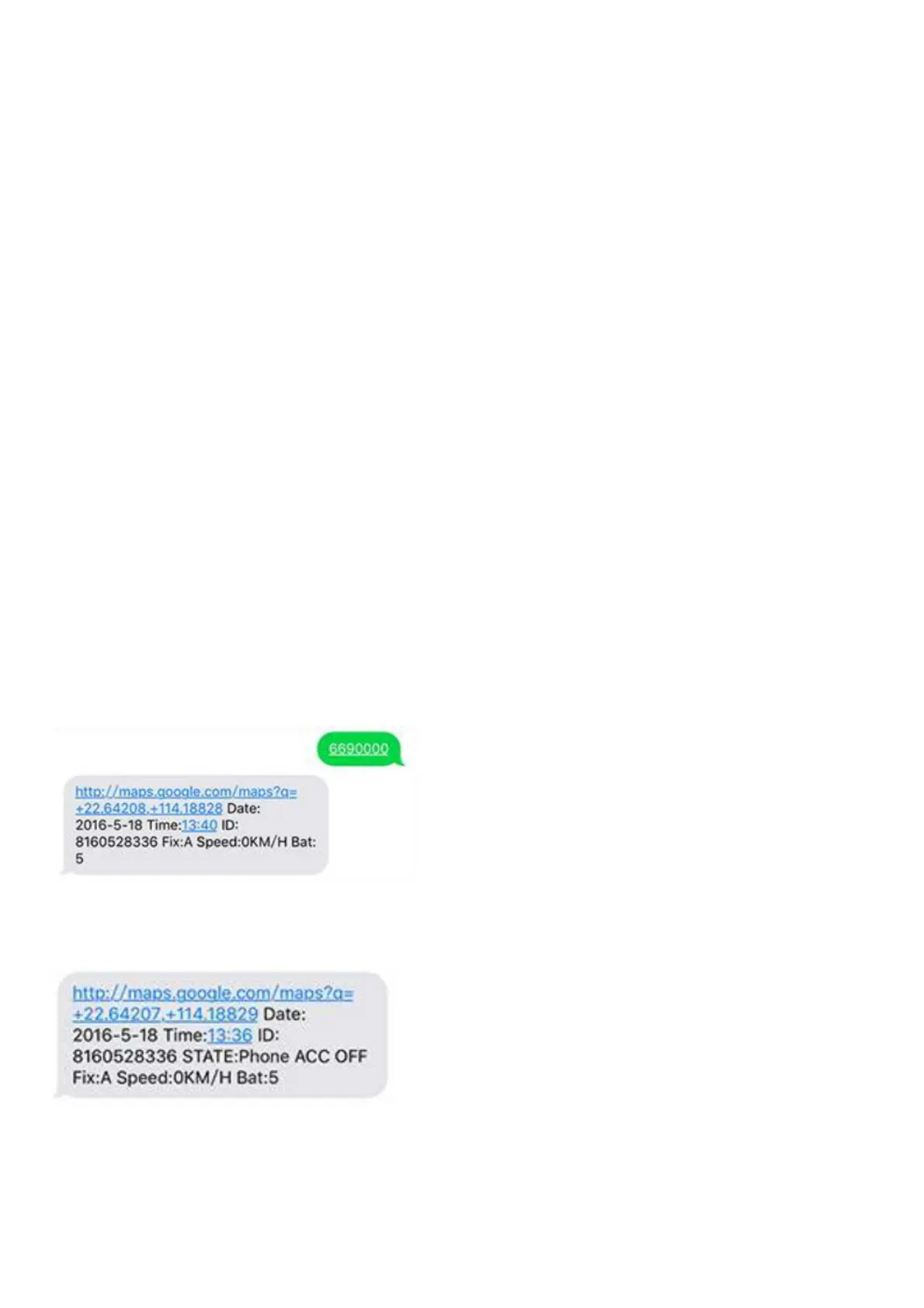
4. Get location with Google link
Command: 669+password
Sample: 6690000
When ST-902 receives the command, it will read the GPS data, and send back the location with a Google link; You
can open the link to check the tracker location on maps.
5. Get location by phone call.
You can use any mobile to call the SIM Card in tracker, it will reply the location with Google link;you can open the link
to check the tracker location on maps.
When you call the tracker when it is in invalid location, it will reply the last valid location to you, after it get new
location again, it will send the seconds SMS to you with the new location.
6. Change Time Zone
Command: 896+password+E/W+HH
Sample: 8960000E00 (default)



 To Next Page