Reply: SET OK
15. Set APN
Command 1: 803+password+Blank+APN
Sample: 8030000 CMNET
Reply: SET OK
If your APN need user and pass:
Command : 803+password+Blank+APN+Blank+APNuser+Blank+APNpass
Sample: 8030000 CMNET CMNET CMNET
Reply: SET OK
16. Set the IP and Port
Command: 804+password+Blank+IP+Blank+Port
Sample: 8040000 45.112.204.245 8090
Reply: SET OK
17. Set the time interval (default is 20 seconds)
Command: 805+password+Blank+T
Sample: 8050000 20
Reply: SET OK
T means the time interval, the unit is second,
It from 0 to 18000 seconds,
The minimum time interval is 10 seconds.
When T=0 means close GPRS.
Online Track:
Please log in from www.sinotrackpro.com or http://45.112.204.245
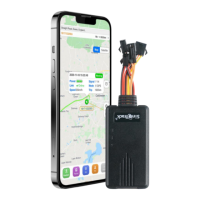
You can also down load our
APPS on website to track on your mobile:



 To Next Page