Sinterit Lisa PRO USER MANUAL (short version) | 9
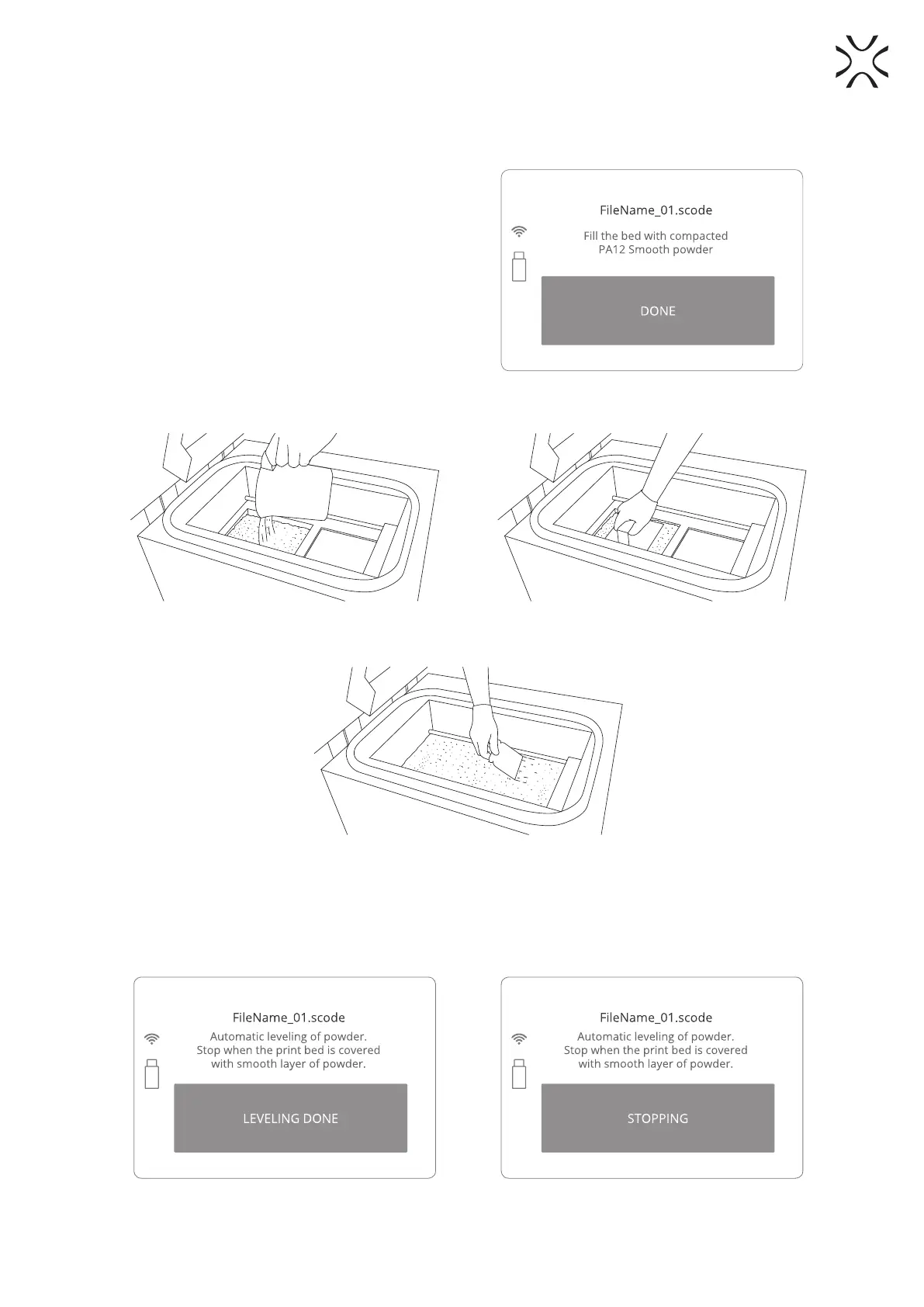
8. After the BEDs repositioning process is nished, you will be asked to ll the FEED BED with powder.
Compress the powder with a dedicated tool provided in the Accessory Box. To do this:
• add chosen powder (PA12/ PA11 PRINT READY
POWDER or one from the TPU group) to the FEED
BED, 10[l] of powder maximum. Fill the FEED BED
with the powder and press it slowly, but decisively
(using a trowel f.ex). Act carefully in order for the
powder not to go airborne (it is recommended to
use a spatula for adding the powder) (Image 18).
• It is also recommended to add a little bit of the
chosen powder on the surface of the PRINT BED.
This will make creating the rst layer during
positioning faster.
Image 18. Fill the FEED BED screen.
Image 19. Step 1. Adding powder to the FEED BED. Image 20. Step 2. Compacting powder by gently pressing it.
Image 21. Step 3. Equal distribution of powder on both BEDs.
9. Once both BEDs are covered with a smooth layer of powder, press LEVELING DONE on the LCD screen.
10. The RECOATER will return to its default position.
The operation may complete quicker: whenever the powder uniformly covers the PRINT BED surface you can
press STOPPING.
Image 22. LEVELING DONE screen. Image 23. Stopping the leveling process manually screen.



 To Next Page