14
GB
14
How to use
Brewing coffee
Warm the cup in advance with boiling water for
better taste.
1 1
Prepare a server or mug to
hold the coffee
X
Using the server
①①
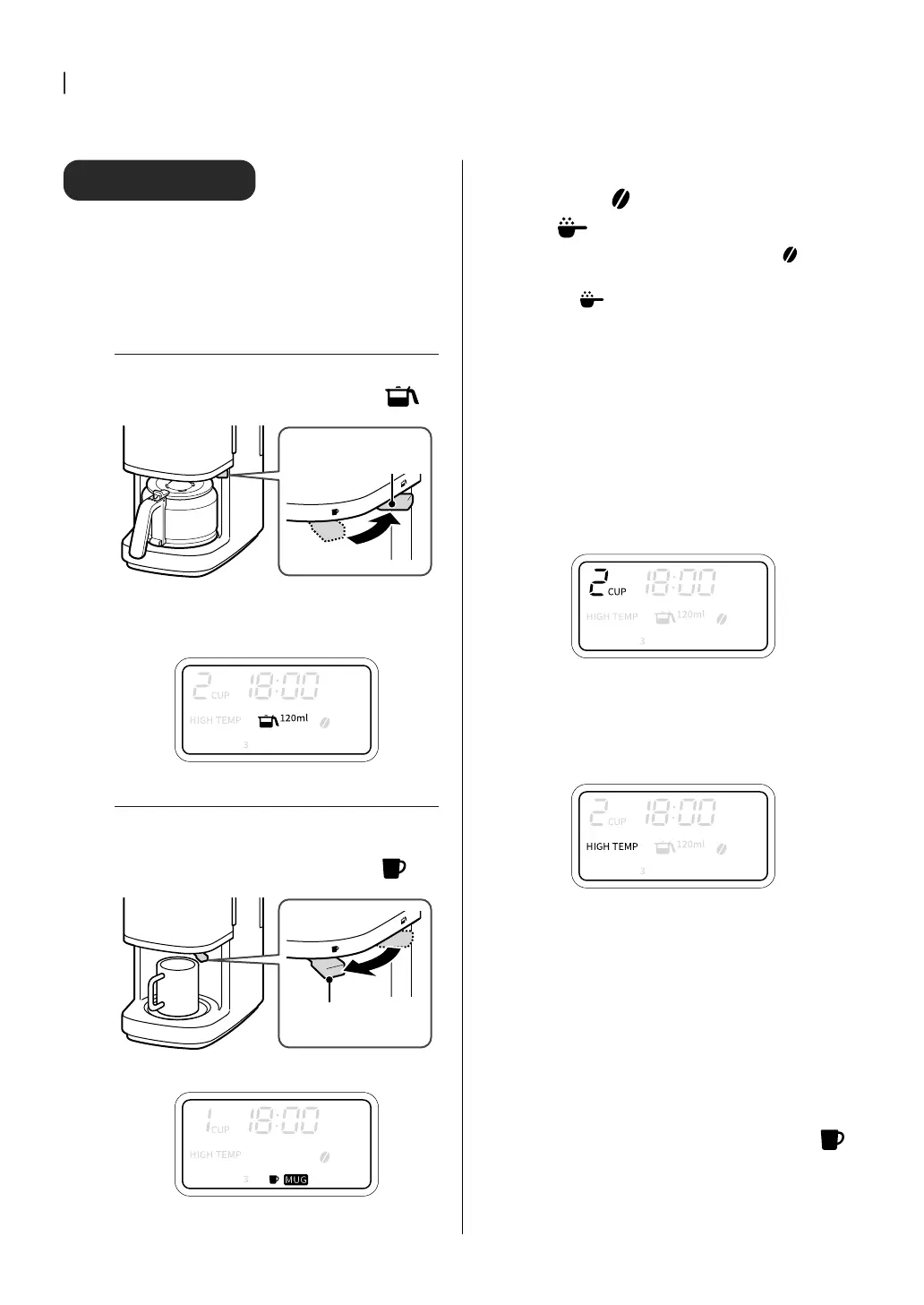
Check the MUG switching lever
If the MUG switching lever is not in the
position (on the main unit side), switch it.
MUG switching
lever
②②
Press the “SIZE” button and select the
amount of one cup to be brewed
Select from [120ml], [180ml], or [ICE 60ml].
X
Using a mug
①①
While holding the basket by hand,
switch the MUG switching lever
Switch the MUG selection lever to the
position (forward).
MUG switching
lever
②②
Press “SIZE” button and select [MUG]
2 2
Press the “MODE” button to
select
(bean mode) or
(grounds mode)
Make sure you have selected the (bean)
mode for brewing from coffee beans or
the
(grounds) mode for brewing from
coffee grounds.
3 3
Press the
▲
/
▼
buttons to set
the number of cups
The number of cups dispensed depends on
the size you choose.
[120ml] : 2 to 6 cups
[180ml] : 2 to 4 cups
[ICE 60ml] : 3 to 6 cups
[MUG] : 1 cup
4 4
Press the “COURSE” button to
select a course
Select from [HIGH TEMP], [LOW TEMP],
[DECAF].
5 5
Press “START/CANCEL” button
to start
The “START/CANCEL” button lights up, and
after about 30 seconds of steaming,
brewing begins. If you want to stop the
operation, press the “START/CANCEL”
button again.
When [MUG] is selected
[PULL THE LEVER] is displayed. Make sure
that the MUG switching lever is in the
(MUG) position and the mug is in place,
then press the “START/CANCEL” button
again.


 To Next Page