13
GB
13
How to use
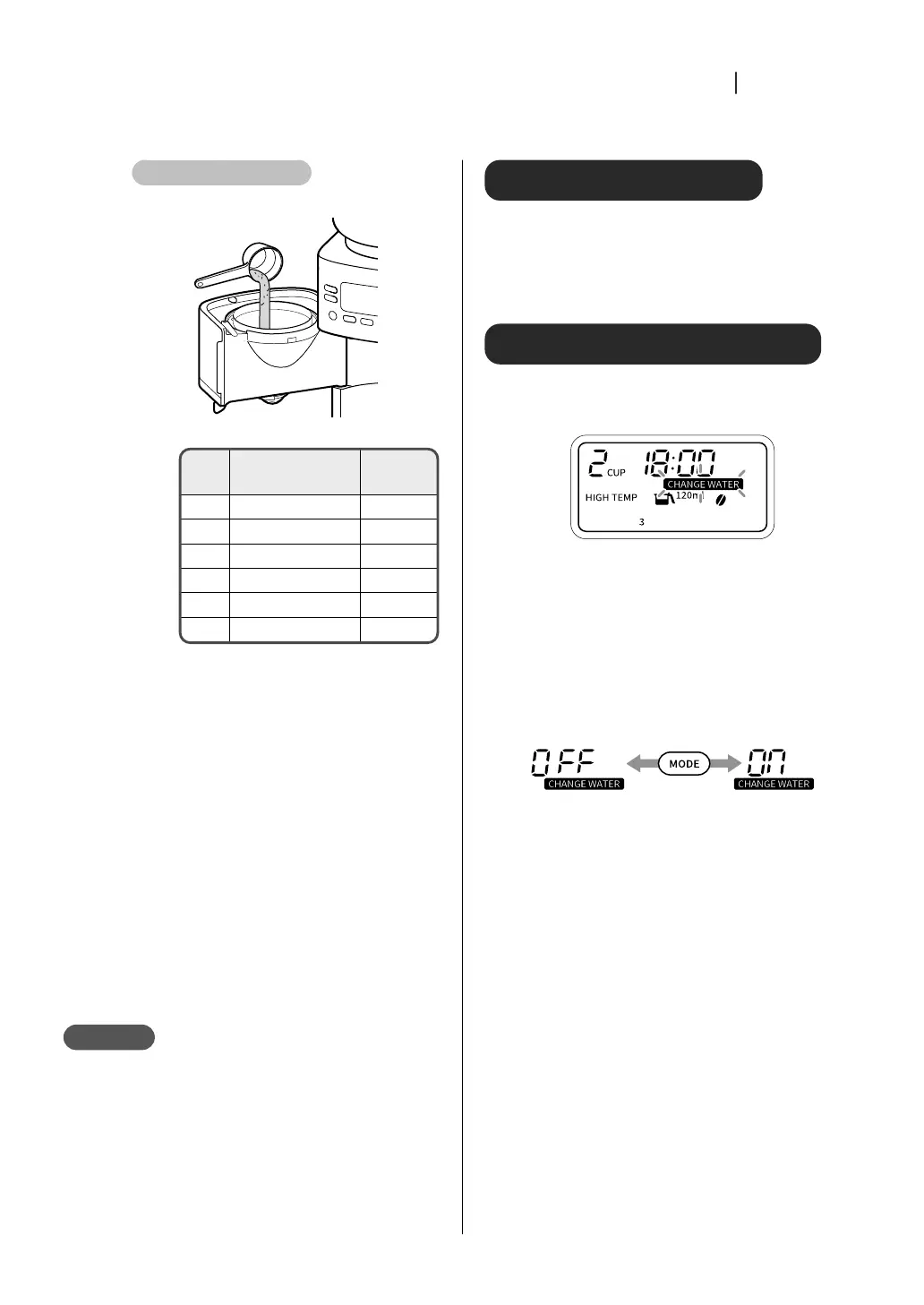
For coffee grounds
①①
Put coffee grounds into the filter
Coffee grounds guide
120 ml
for iced 60 ml
For mug
180 ml
1 cup - 10 g
2 cups 16 g 20 g
3 cups 20 g 29 g
4 cups 27 g 35 g
5 cups 32 g -
6 cups 35 g -
②②
Close the basket
3 3
Fill the water tank with water
and attach it to the main unit
The scale of the water tank is a guide. This
product discharges a volume of water
according to the number of cups.
After the water tank is attached to the
main unit, water may flow into the main
unit and the water level may drop below
the mark.
For iced coffee, add half as much water as
for hot coffee.
Note
Do not fill the water tank with anything other
than hot or cold water.
Do not fill the water tank with water while it is
attached to the main unit.
Water can get inside the unit and cause malfunction.
Add more water than the minimum mark (2 for
“120” and 1 for “180”).
This may cause malfunction.
Turn on/off mute mode
To mute, press and hold the “SIZE” button (approx. 5
seconds) while the main unit is not milling or
brewing (only the time is displayed on the display).
To unmute, press and hold the “SIZE” button again
(about 5 seconds).
About the water change sign
After 24 hours, [CHANGE WATER] on the display will
blink to notify you. Drain the water using the
following method.
①①
Place the empty server on the warming plate,
press the “MODE” button, and select
[CLEANING]
②②
Press “START/CANCEL” button
One server full of water is drained. If water remains in
the water tank, repeat the procedure from step
①
.
Hide/show the water change sign confirmation
①
Press and hold the “MODE” button (about 3 seconds) to turn on
the water change sign
②
Press the “MODE” button to switch between [OFF] and [ON]
③
Press and hold the “MODE” button (about 3 seconds) to set


 To Next Page