10
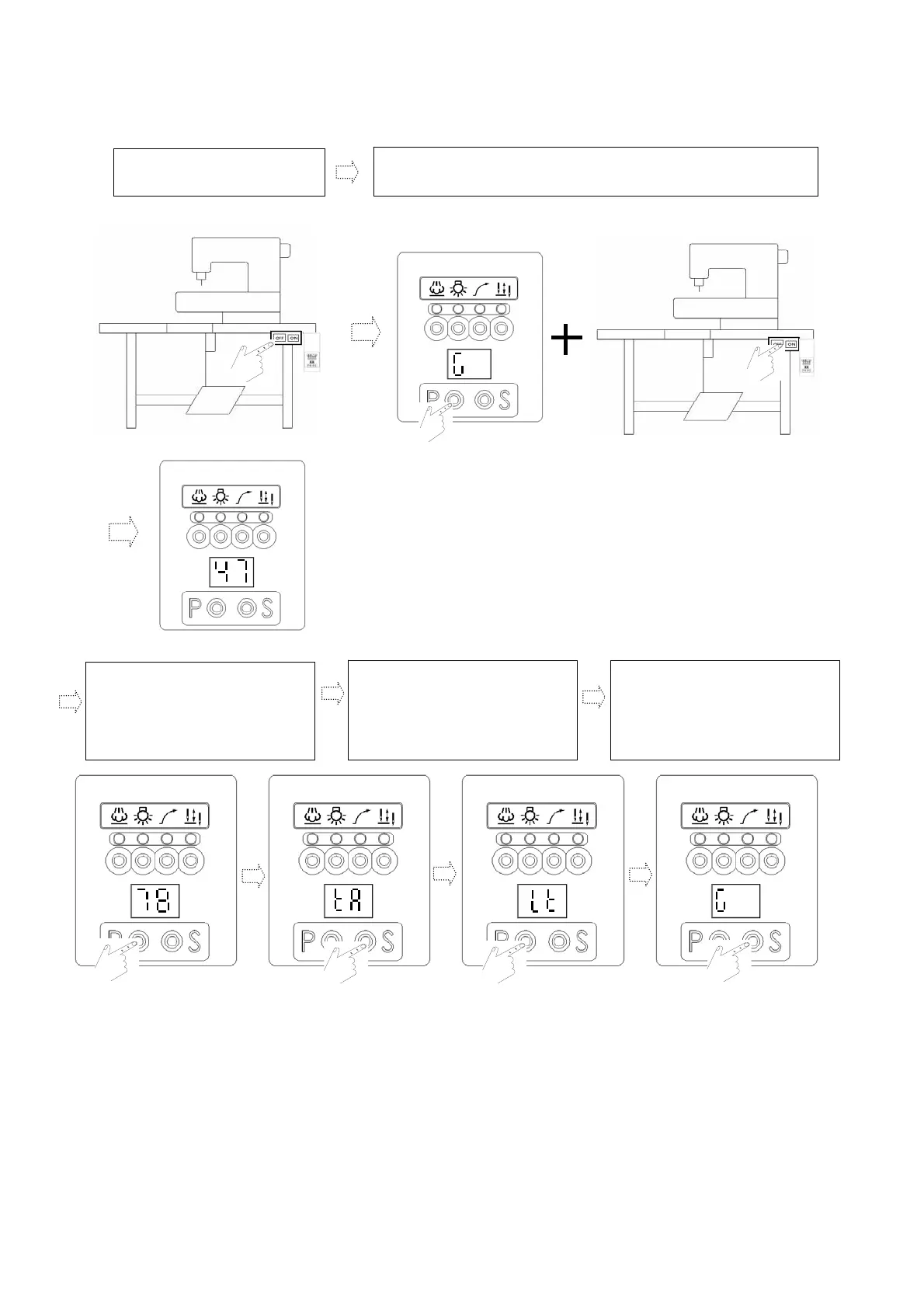
(3). Operation procedure to access display zone of the second stage of【Parameter
Mode B】: (Range of parameter codes: 47~122 available for selection in Zone B)
a. If in operation, please turn off the
power switch first.
b. Press and hold P key. Meanwhile, turn on the power switch to access the first
display zone 【47】of display zone【Parameter mode B】.
c. Subsequently, press P key to select
the parameter code to be set. For
example: 【78】
d. Use S key to enter the display zone
of【parameter value】.
e. After entering this zone, press P key
again to adjust the required value.
f. After adjustment, press S key to
confirm saving.
Note 1. Finally, press S key to return
automatically to the operation
zone of 【Normal Mode】.
Note 2. Following example: Trimming
mode.
.
.


 To Next Page