9
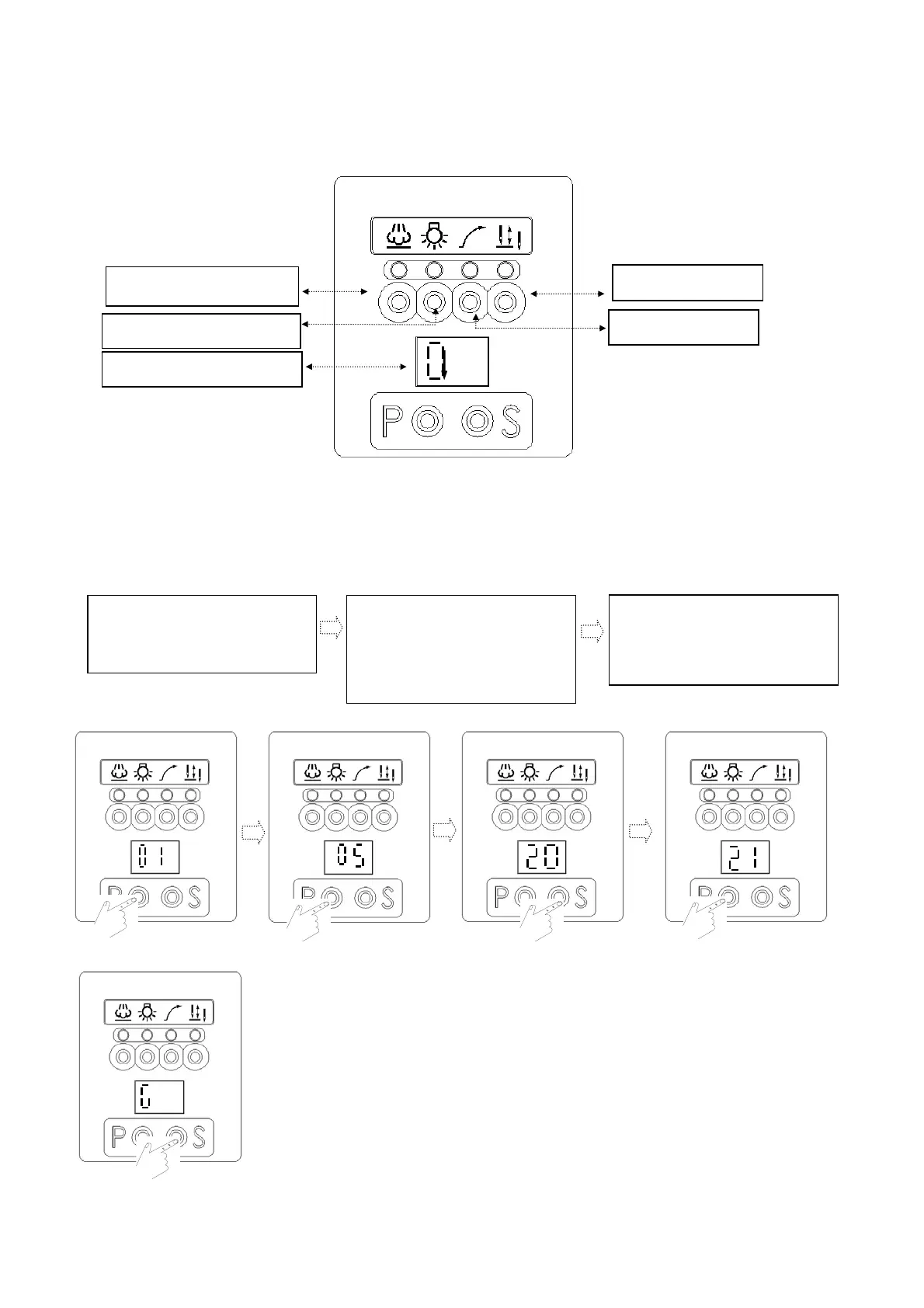
5. Display mode of LED Display:
(1). Functions and definition of keys of control panel in the display zone of 【Normal Mode】:
(2). Operation procedure to access display zone of the first stage of 【Parameter Mode A】:
(Only parameter codes: 01~46 available for selection in Zone A)
a. Under the display zone of
【Normal mode】, pr
ess P key to access
the display of first parameter
code
【01】of 【Mod
e A】
.
b. Subsequently, press P key to access
the required
parameter sequence
no.
eg.:【05】.
c. Pr
ess S key
to access the display
zone of the corresponding【parameter
value】
d. After accessing the zone of
p
arameter value, press P key ag
ain to
adjust the required value.
e. Press S ke
y to return to oper
ation
zone after saving the value.
Needle cooling
LED li
ht
Motor rotation
Needle up/down
Slow start
.
.


 To Next Page