11
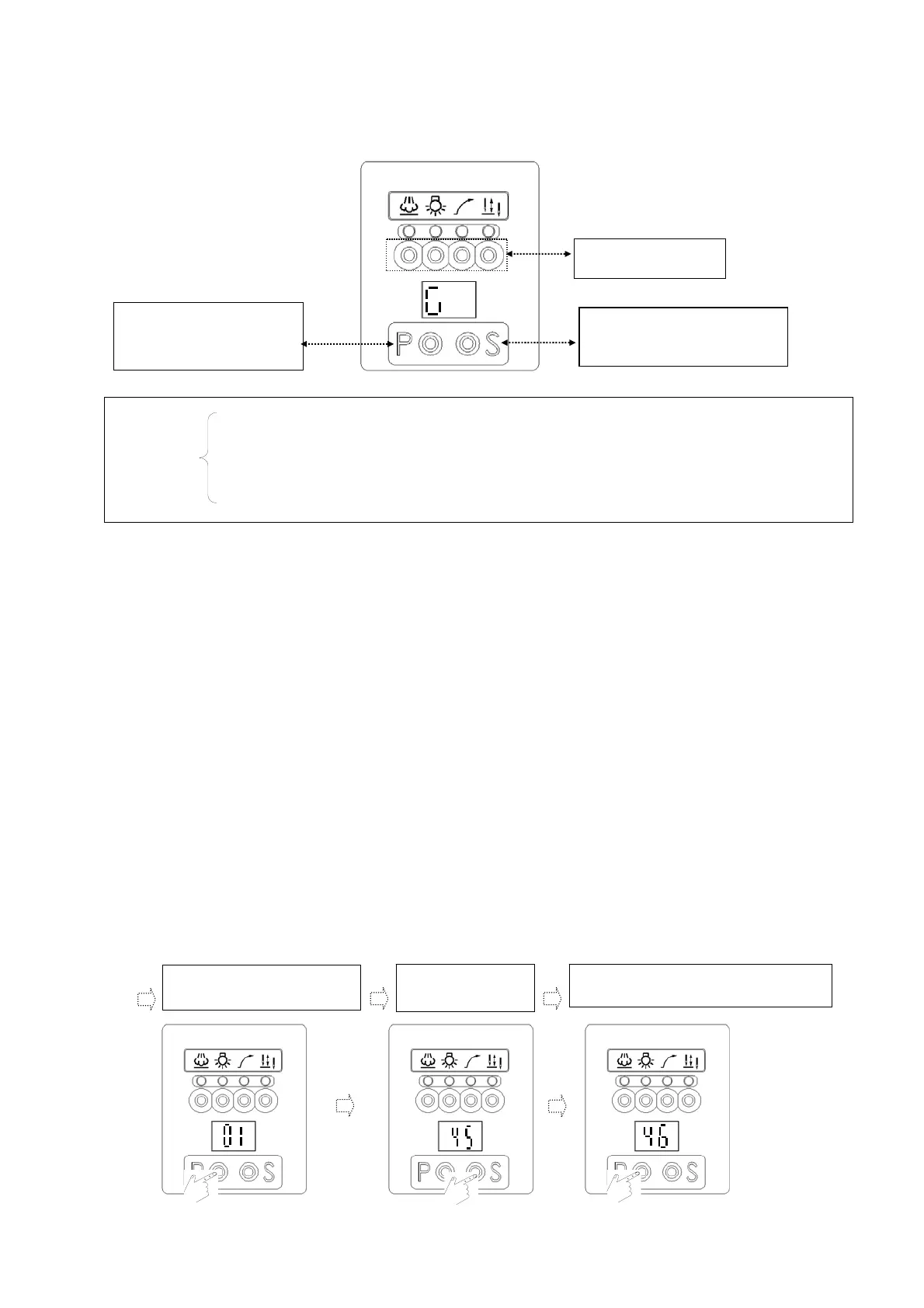
(4). Functions and definition of keys of control panel in the display zone of
【Parameter Mode A and B】:
(5). To access【Parameter value zone】to conduct parameter-setting.
Step 1: First confirm the parameter code to be adjusted. (Please refer to the parameter list or
definition table of commonly used parameters)
Step 2: Based on the associating hierarchical mode of parameters, follow its operation procedure to
access the respective zone of parameter mode and select the parameter code to be adjusted.
(Please refer to the operation procedure to access each level of parameter mode).
Step 3: Subsequently, conduct adjustment of the required parameter value.
(For function, use P key to switch Function whereas for speed, timing and angle etc., please
refer to the following example to conduct adjustment: For example, adjustment of value of
parameter【01】):
A). The adjustment method to adjust the value to be "greater" than the originally preset value:
For example: To increase the factory preset value【01】【45】to 【50】
(After following the instruction in section (4) or (5) in chapter 5 to access the display of "value zone",
subsequently conduct the adjustment of its value according to the following procedure.)
d. Press P key to enter the value
zone of 【01】.
e. Press S key to enter
【45】
.
f. Press P key to adjust to the value to be set
Key to select "successive
parameter" and to change
parameter value.
Functional key to enter "value zone"
and to confirm.
No function under this
mode
.
After entering the display zone of the first stage of 【Parameter Mode A】, the first display appears as 【01】
with parameters available for adjustment ranging 01~46.
After entering the display zone of the second stage of 【Parameter Mode B】, the first display appears as 【47】
with parameters available for adjustment ranging 47~122.
Display mode
of 7-segment
display


 To Next Page