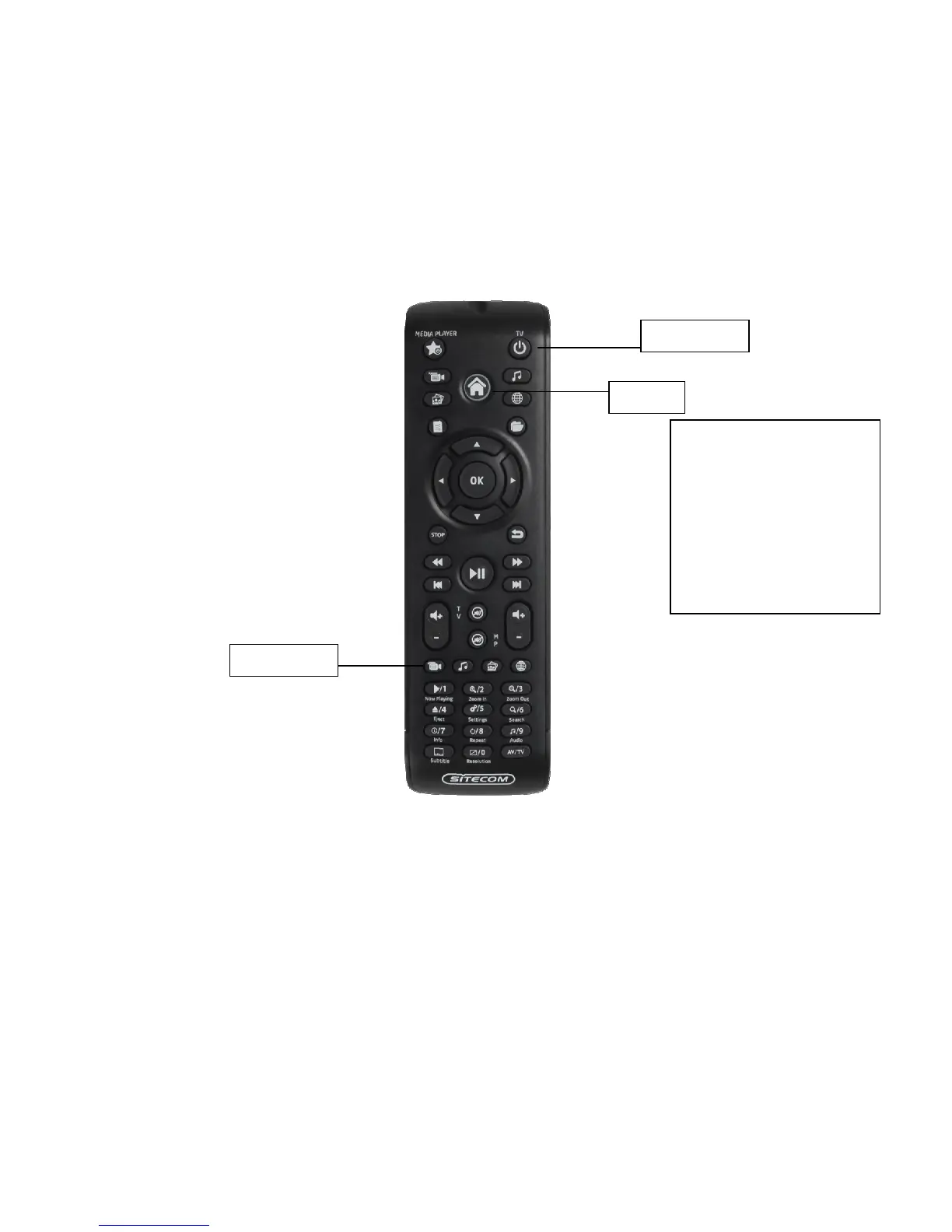
4.3.1 Automatically configure the remote for television.
The remote can automatically scan for the correct settings of most popular television
brands. For this feature a list of 10 top manufacturers is composed which all
correspond to a digit key. To automatically configure the remote for a specific brand
of television please follow the next steps.
1. Power on the Television with your original TV remote.
2. Hold down the ‘TV power button’ and ‘Movies Button’ until the LED blinks twice.
After this the LED will be lit continuously.
3. Hold the digit corresponding to your television brand until the television turns off.
Your remote is now configured. The television can now be turned on with this remote.
TV Power



 To Next Page