A2 mini User Manual V1.1
14
2023 SIYI Technology Co., Ltd, All Rights Reserved
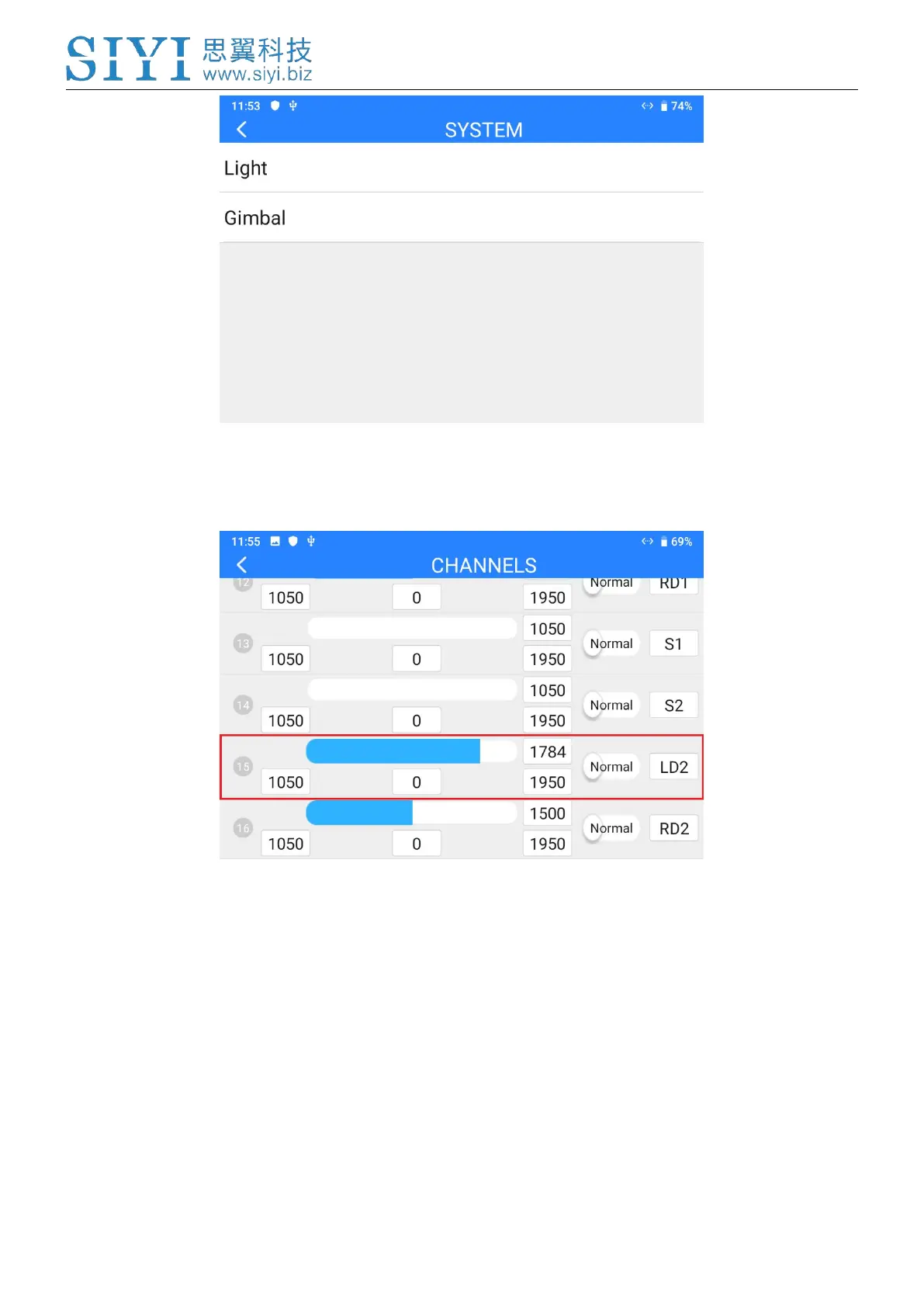
5. Go to “Channel Settings” and assign a joystick, a dial, a switch, or a button to
channel 15.
6. For the assigned channel, operate the relevant joystick, dial, switch, or button to
confirm if it is working normally.
Steps for SBUS Control
1. Power the air unit and bind it with the remote controller.
2. Connect A2 mini gimbal to the air unit’s Ethernet port.


 To Next Page