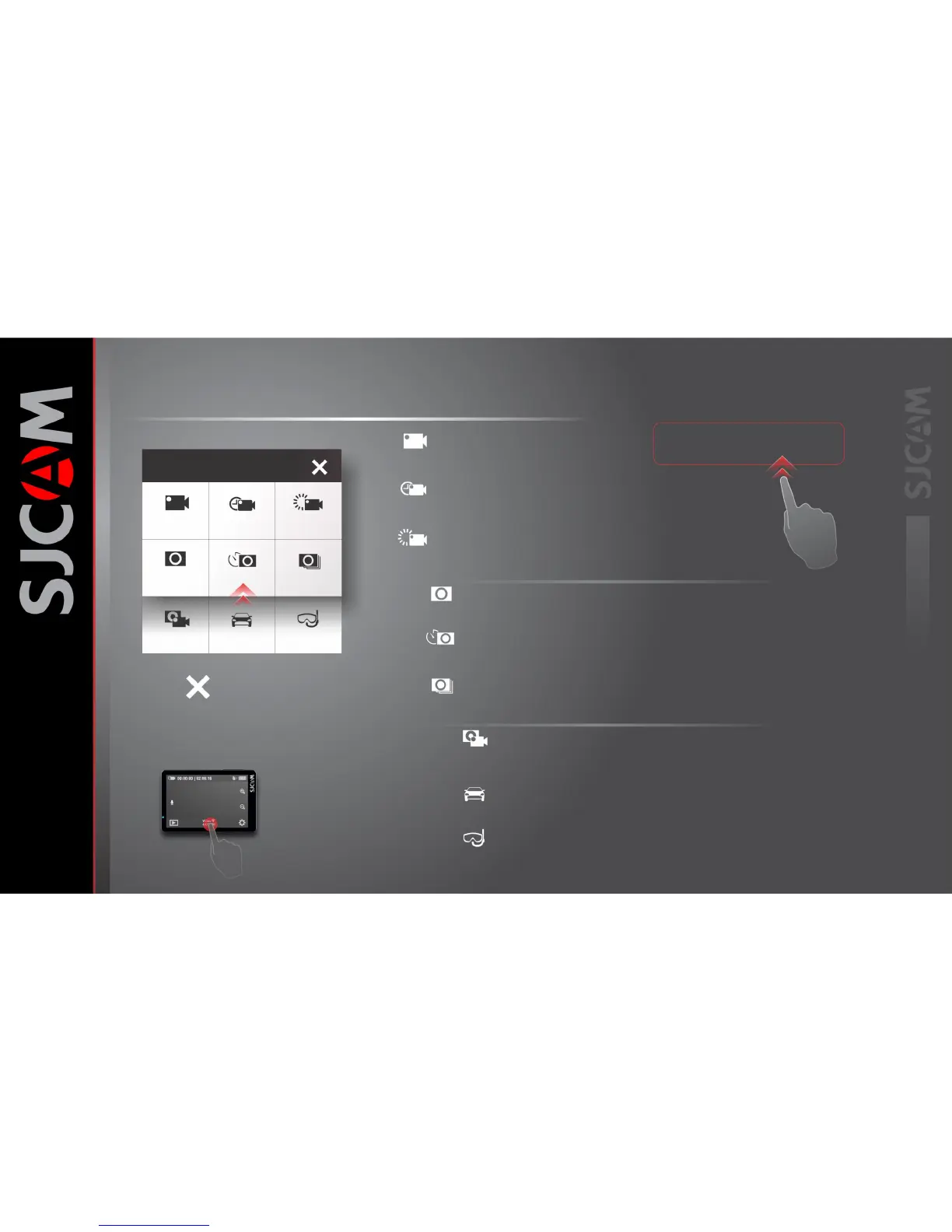
THE MODES SCREEN
Mode for recording videos.
Video VideoLapse SlowRec
Still PhotoLapse Burst Mode
Video+
photo
Car Mode
Underwater
To get here, tap
this, or swipe up
Exit to Main Screen
Tap the X icon to exit.
Timelapse photographs stitched on-cam
To produce a video file.
For recording video in slow motion.
Still photograph mode.
A series of still photos for creating timelapse.
Each photo will have its own file.
Fast multiple succession of snapshots,
choose the number of photos desired (Max: 10).
For recording video while a sequence of photos
are taken at a set interval..
Automatically starts the camera and begins recording once the
engine is started (Car Charger Cable Accessory required).
Adds a tinge of red to photos or videos to eliminate the need for
a red-filter when using the camera underwater.
Video
VideoLapse
SlowRec
Still
PhotoLapse
Burst Mode
Video+
photo
Car Mode
Underwater
Swipe UP to access Video+Photo,
Car, and Underwater Modes.



 To Next Page