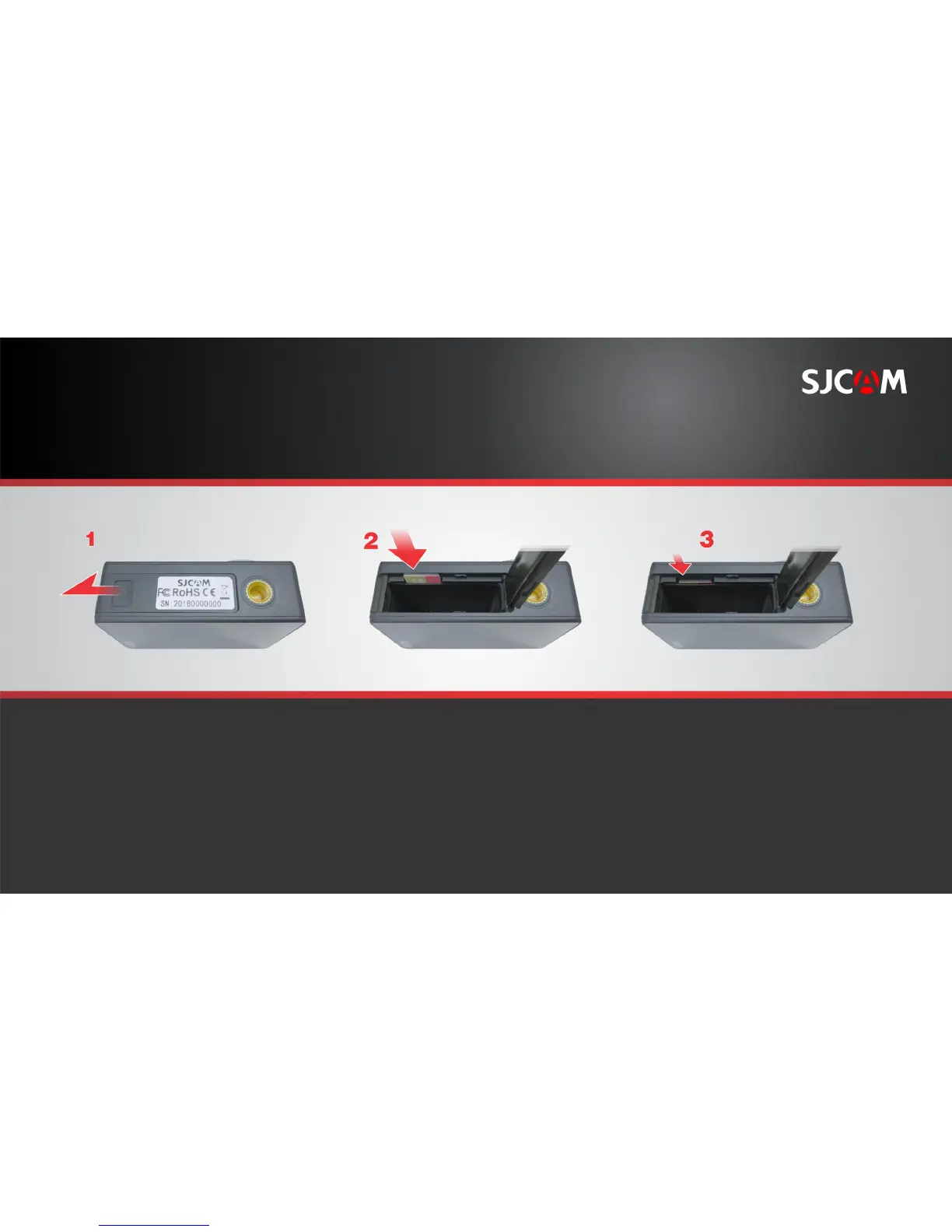
INSERTING A MICROSD CARD
Open the battery cover by sliding it
to the side.
The battery cover will spring outward.
Insert the card into the slot as shown.
HINT: The arrow on the battery also
points to where the card slot is, aside
from showing the battery’s orientation..
Gently push the card in until
it clicks into place.
To remove the card, just reverse
illustrations 2 & 3. orientation.
NOTE: To make sure you do not lose any
data, only remove or insert your card while
the camera is turned completely off.



 To Next Page