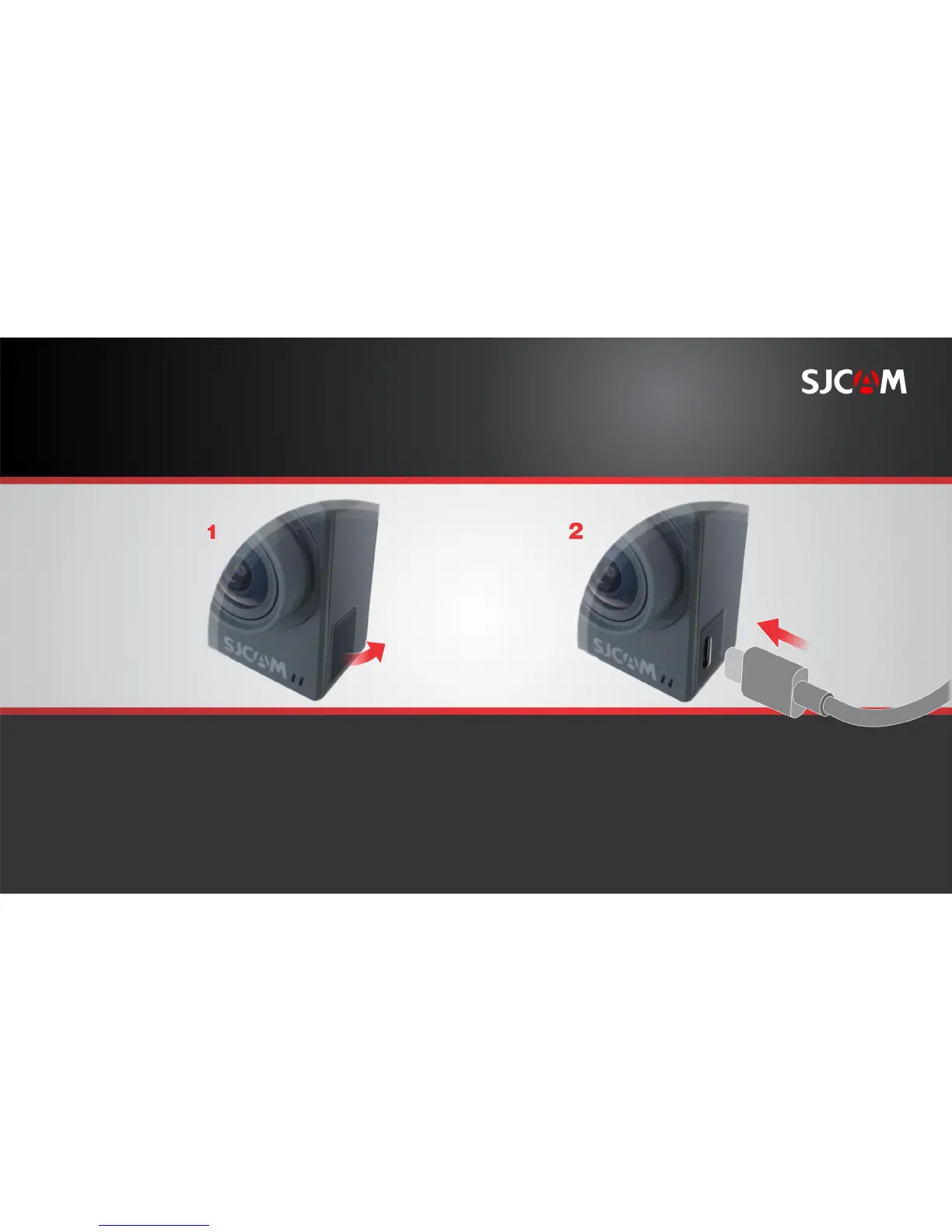
INSERTING A USB-C CABLE
Locate the covered USB-C port on the
left side of the camera. Pull the flap out.
Gently insert the USB-C cable
included in the package all the way in.
The USB-C port can be used for a variety of purposes.
It may be used to transfer files, charge the battery,
connect a microphone, and using a special adaptor:
output digital or analog video.
PULL FLAP OUT



 To Next Page