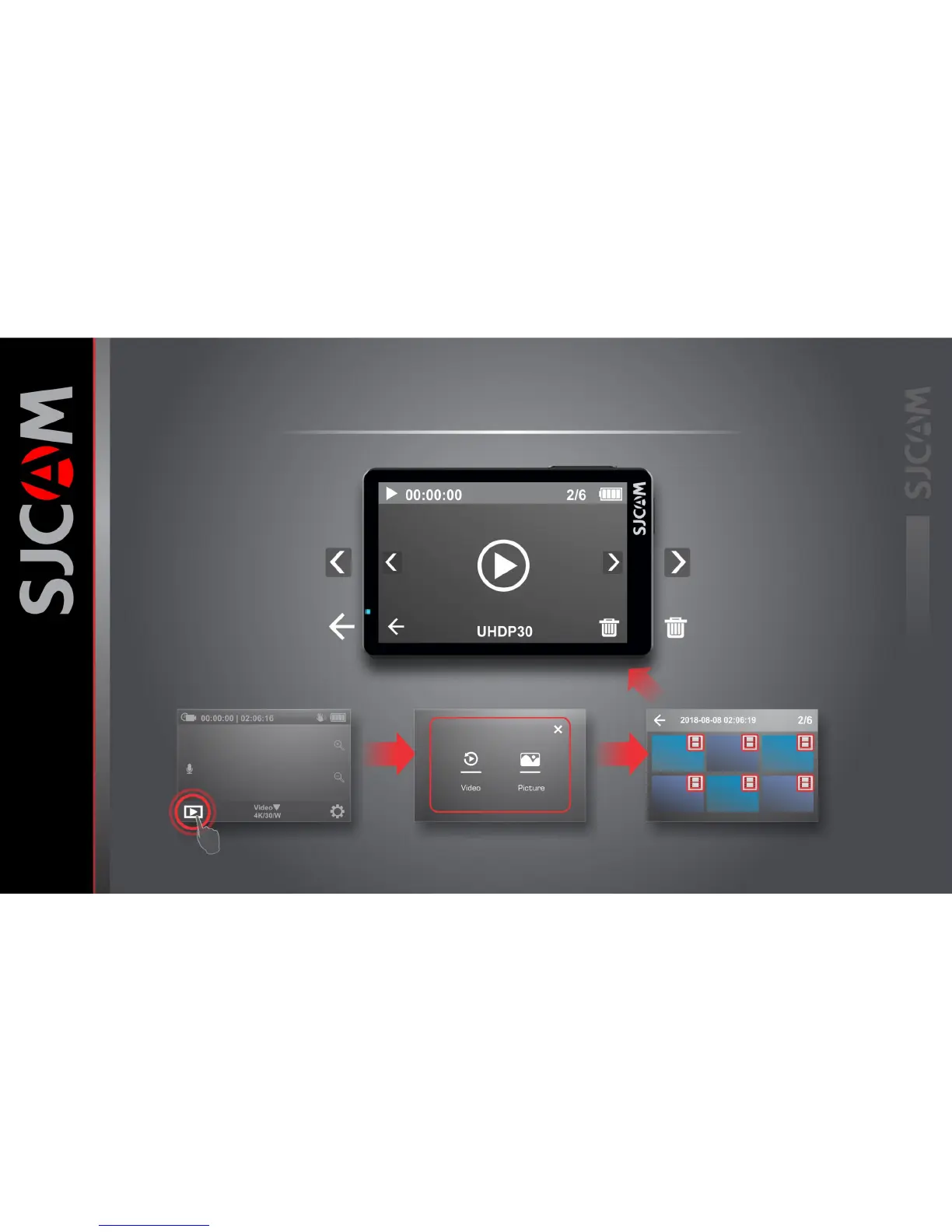
THE PLAYBACK SCREEN
File Selection File-Type Selection Main Screen
File Count
Shows the file number and number of files
Go to Next File
Tap or swipe left to get to the next file.
Delete Options
Tap to show delete options.
Elapsed Time
Shows how much of the time is played.
Go to Previous File
Tap or swipe right to get to the previous file
Back to File Selection
Returns to the file selection screen.
Shows the file resolution and framerate.



 To Next Page