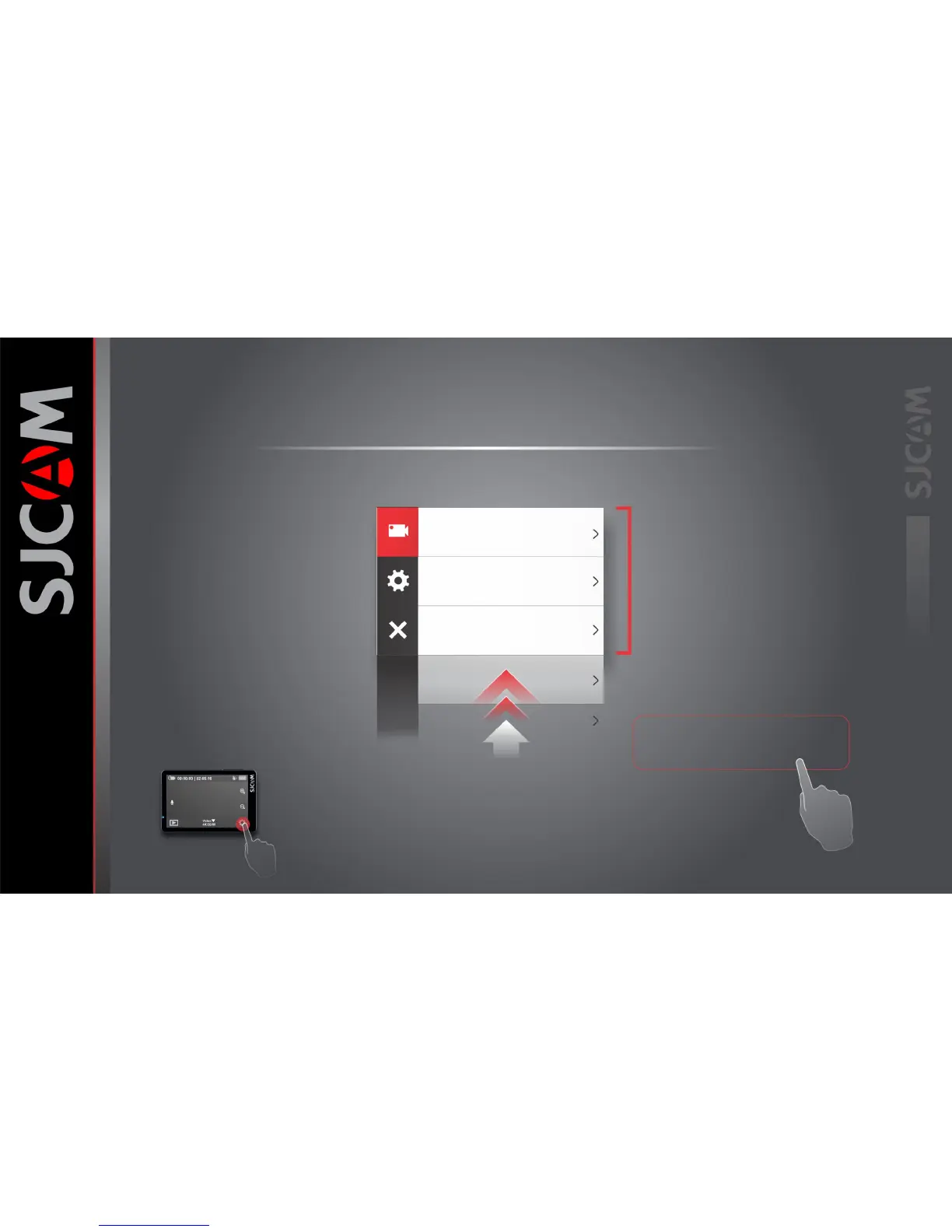
The Settings Screen
Current Mode Icon
Icon shows what mode you are currently in.
Options will vary depending on the mode.
General Settings Button
Tap the icon to go to the General Settings.
Changes you make will reflect on all modes.
Exit to Main Screen
Tap this X icon to exit.
Current Menu Options
Depending on what mode you are in,
the menu options will vary. All the options
for the particular mode will show on this
side, scroll down for other items.
Once set, the settings will be the same for
that particular Mode everytime you go back
until you change it again.
Scroll UP for more options
Each Mode has its own set of options.
Familiarize yourself with each mode and
Its accompanying menu
To get here, tap this.
Resolution
Video Coding
Loop Recording
FOV
4K
H.265
3 Minutes
Wide



 To Next Page