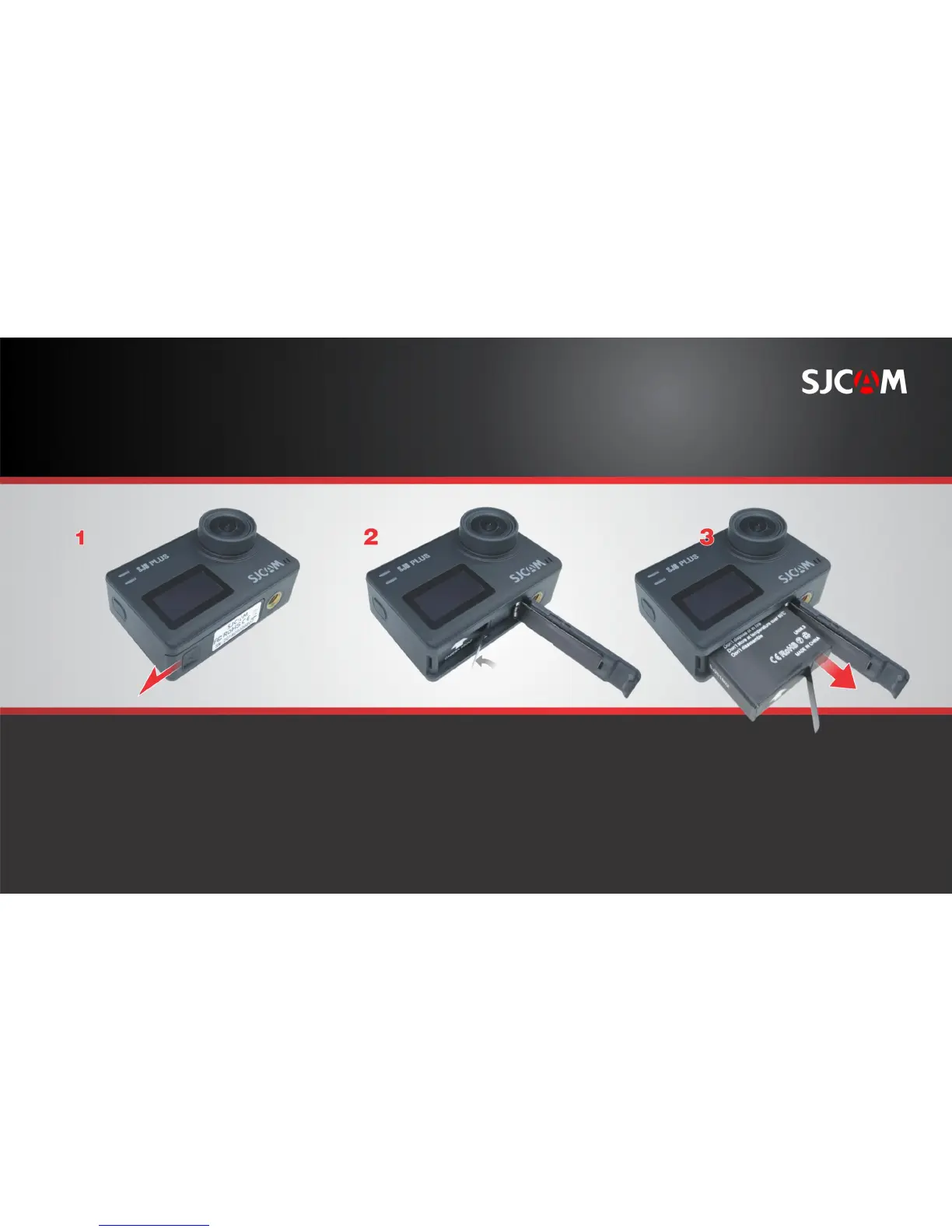
REPLACING THE SJ8 PLUS BATTERY
Open the battery cover by sliding it
to the side.
The battery cover will spring outward.
Grab the pull-tab with your fingers. Pull the battery out.
Insert a fully-charged battery in.
NOTE: Always check the orientation of the
battery before inserting it into the camera.
An arrow printed on the label at the
bottom points to the front of the camera,
which also shows the location of the
MicroSD card slot.
PULL TAB.



 To Next Page