STILL MODE OPTIONS
Image Size
Exposure Time
Selfie Timer
Quality
Sharpness
Saturation
Contrast
White Balance
Color
ISO
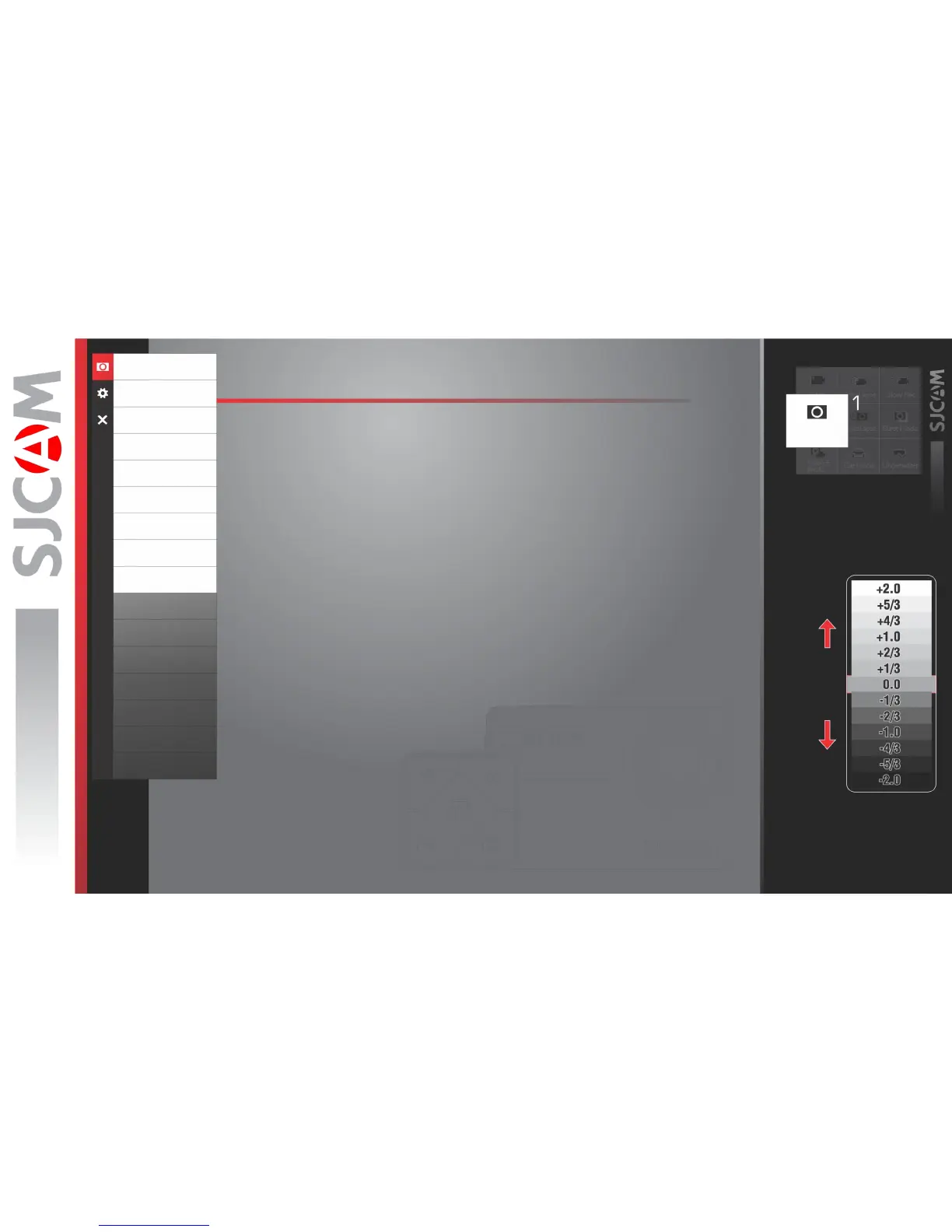
EV
Metering
raw
wdr
DistortionCorrection
Time Stamp
IMAGE SIZE › Changes the size of still photos that will be recorded. Of course, the bigger
the size the more detailed your pictures are, at the expense of filesize.
EXPOSURE TIME › Sets how long the sensor collects light through the lens.
SELFIE TIMER › Sets a delay timer to trigger the shutter at the set number of seconds.
QUALITY › Refers to how much compression the output image will have. The higher the
setting the bigger the file is, and will contain more detail.
SHARPNESS › Changing the sharpness setting will make your images either crisper or
smoother, adjust according to your preference.
SATURATION › For adjusting how vivid colors look like when recorded into the file.
CONTRAST › For adjusting how more or less pronounced the image sharpness is.
WHITE BALANCE › Adjusts the color temperature of the snapshot/recording to compensate
for ambient lighting.
COLOR › You are given 5 preset choices: Normal, B&W (Black and White), Retro (aka:
“Sepia tone”), Warm (slight reddish hue), and Cool (slight bluish hue).
EV works by controlling how
much light is allowed in.
Still
Exposure
Value
Brighter
Darker



 To Next Page