19
Starting and Stopping
DANGER
To reduce the risk of
electrocution, keep all
connections dry and off the ground. Do not
touch plug with wet hands.
WARNING
To reduce the risk of elec-
tric shock, plug tile saw
into Ground Fault Circuit Interrupter (GFCI)
protected outlet only. if a GFCI protected
outlet is not available, use a portable recep-
tacle with built-in GFCI protection.
WARNING
To reduce the risk of elec-
tric shock, always test
GFCI to make sure it is functioning properly before plugging tile saw into GFCI protect-
ed receptacle.
Connect the unit to a power source with the correct voltage and frequency (120V, 60Hz).
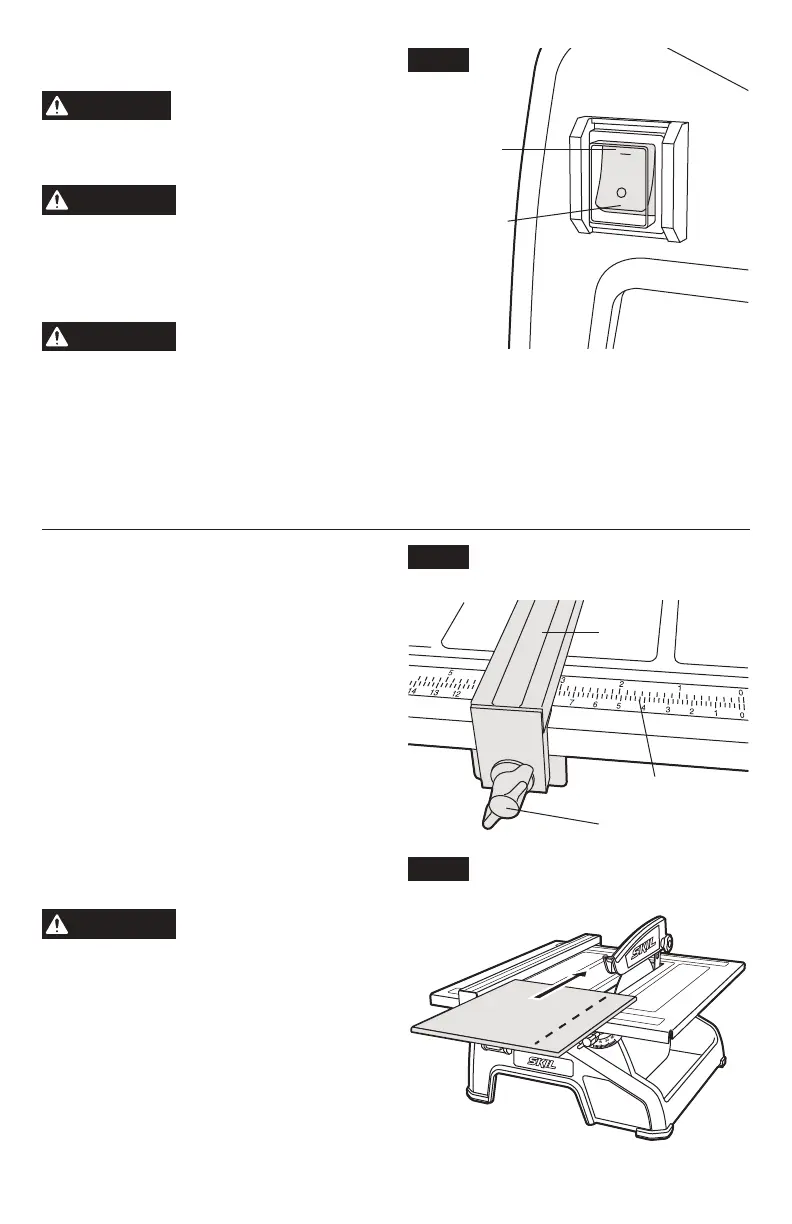
To start the saw:
push the switch to “1” (ON) position (Fig. 7).
To stop the saw:
push the switch to “0” (OFF) position (Fig. 7).
Making a Flat Cut
1 Adjust the top guard/splash hood to slightly
higher than the workpiece and tighten knob
to secure.
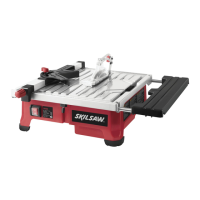
2. Adjust the parallel rip fence to the desired
distance from the tile blade, using the scale
rules on the table surface for reference.
Tighten the fence-locking knobs on each
side to rmly lock the parallel rip fence on
the table. (Fig. 8)
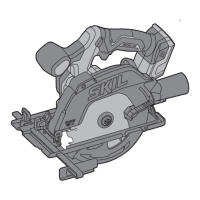
3. Place the work piece against the parallel rip
fence, and feed the tile into the tile blade
with a steady even pressure (forcing the
tile will cause the blade to slow which could
cause motor overheating). (Fig. 9)
4. Turn saw off when cutting is complete.
WARNING
Never place your hand or
ngers in the path of the
tile blade.
Fig. 7
ON
OFF
Fig. 9
Fig. 8
Fence
Scale Rule
Locking Knob



 To Next Page